Systems with nVidia 1060 Graphics Card makes loud fan noise when playing 3D games
Summary: This article describes noise issues with nVidia 1060 Graphics Cards under load while playing 3D intensive video games.
This article applies to
This article does not apply to
This article is not tied to any specific product.
Not all product versions are identified in this article.
Symptoms
Symptom
You may notice that the video or graphics card fan is running at a high speed and making loud noise when playing 3D games.
- Dell Inspiron 7577
- Dell G7 7588
- Dell G5 5587
- Dell G3 3579
- Dell G3 3579
- Dell Vostro 7570
- Dell Vostro 7580
Cause
None
Resolution
Download and install the latest nVidia video or graphics card (GPU) drivers from the Dell Drivers & Downloads website and follow the steps below to enable "Whisper Mode".
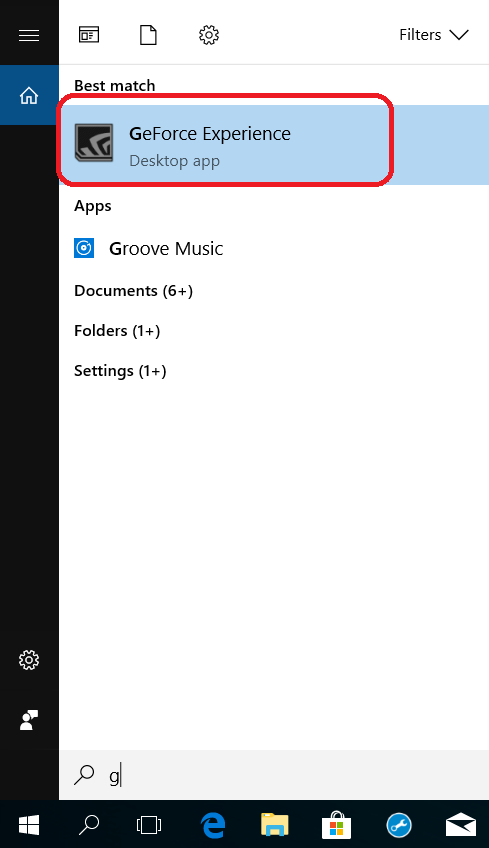
- Search and open the "GeForce Experience" app
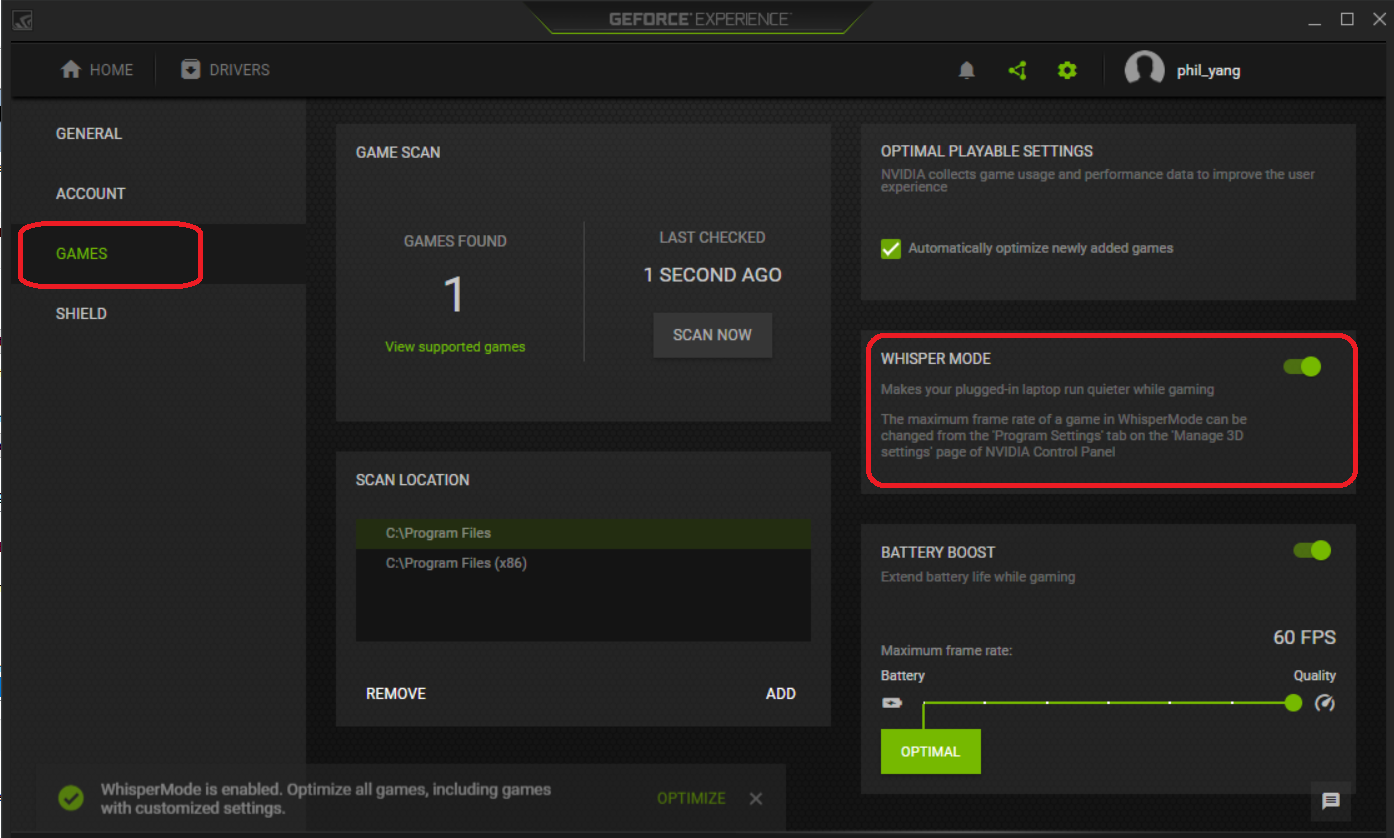
- Choose the tab "GAMES" then enable "Whisper Mode"
Affected Products
Inspiron 15 Gaming 7577, Vostro 15 7570, Vostro 15 7580Article Properties
Article Number: 000143413
Article Type: Solution
Last Modified: 27 May 2025
Version: 6
Find answers to your questions from other Dell users
Support Services
Check if your device is covered by Support Services.