How to use WinSCP to upload large files to the VMware ESXi Datastore
Summary: This article describes how to use WinSCP to upload large files to the VMware ESXi Datastore.
This article applies to
This article does not apply to
This article is not tied to any specific product.
Not all product versions are identified in this article.
Instructions
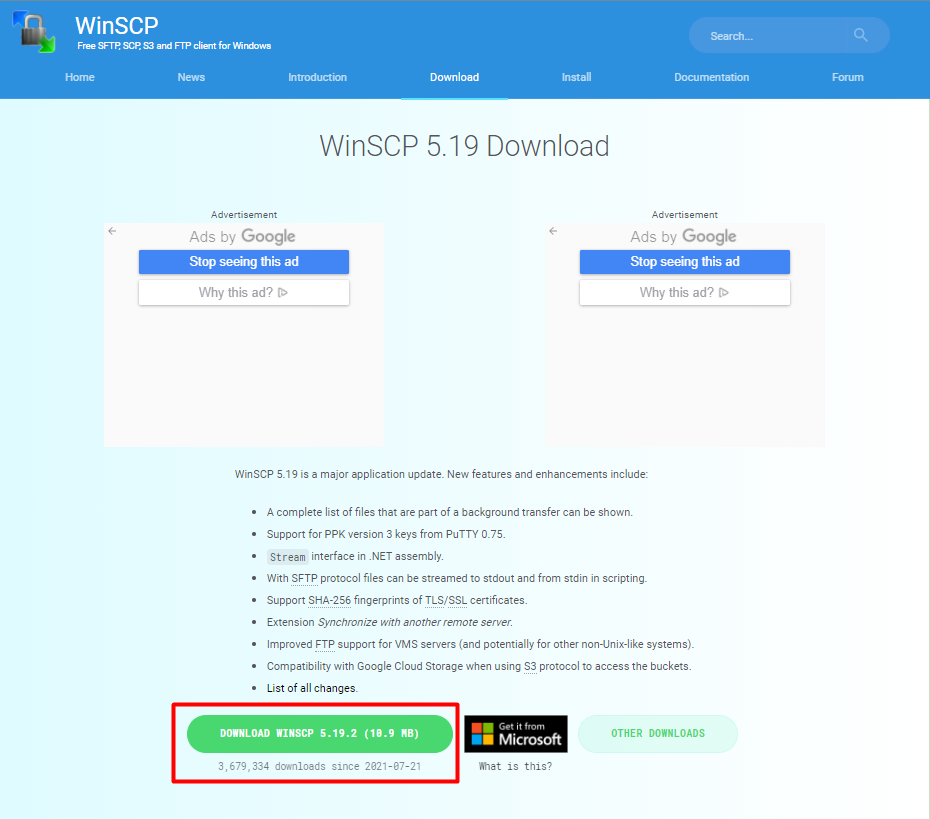
- Visit https://winscp.net/eng/download.php
(external link) to download and install the WinSCP software.
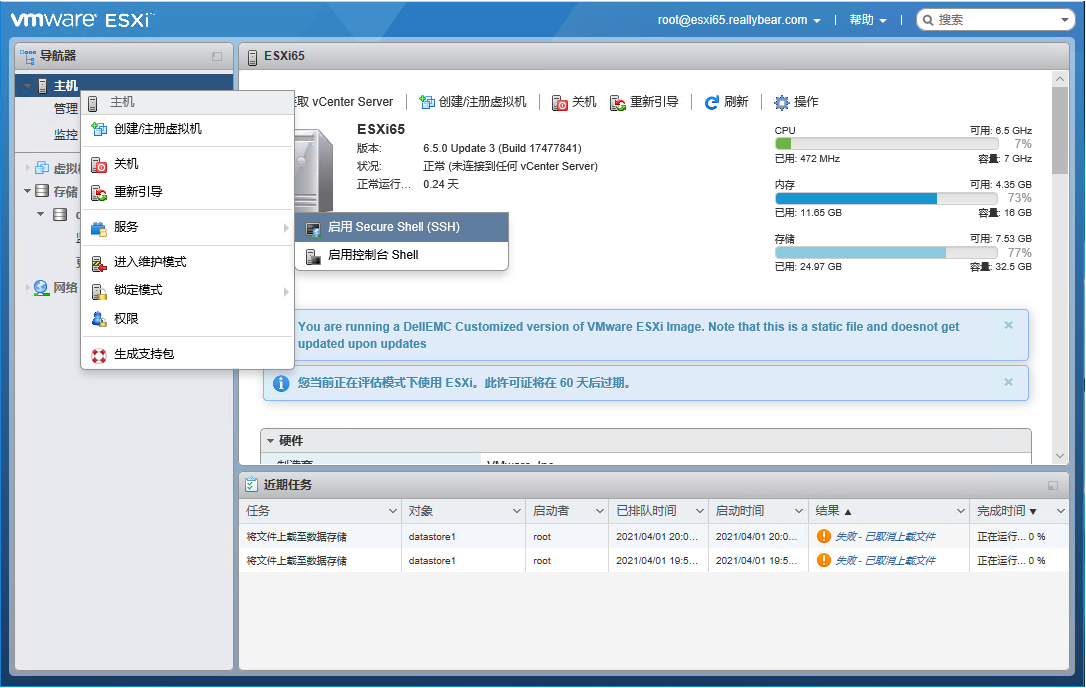
- Log in to the vSphere Host Client and turn on the SSH service for the host.
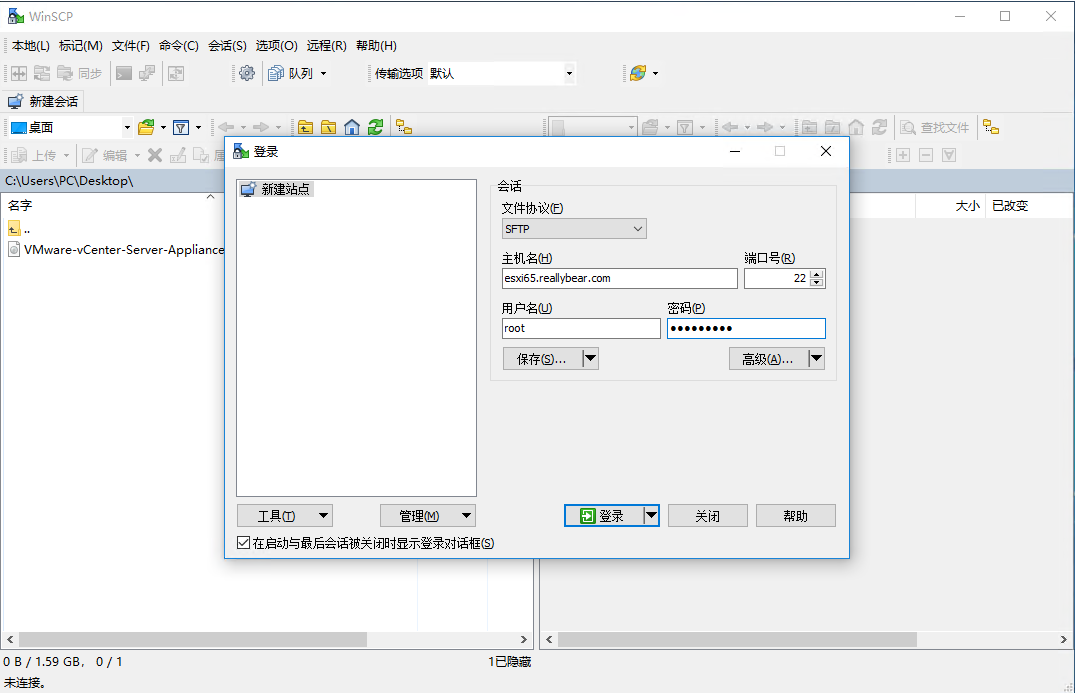
- Log in to the ESXi host using WinSCP.
- Select the file to upload on the left, then select the path of the ESXi Datastore on the right.

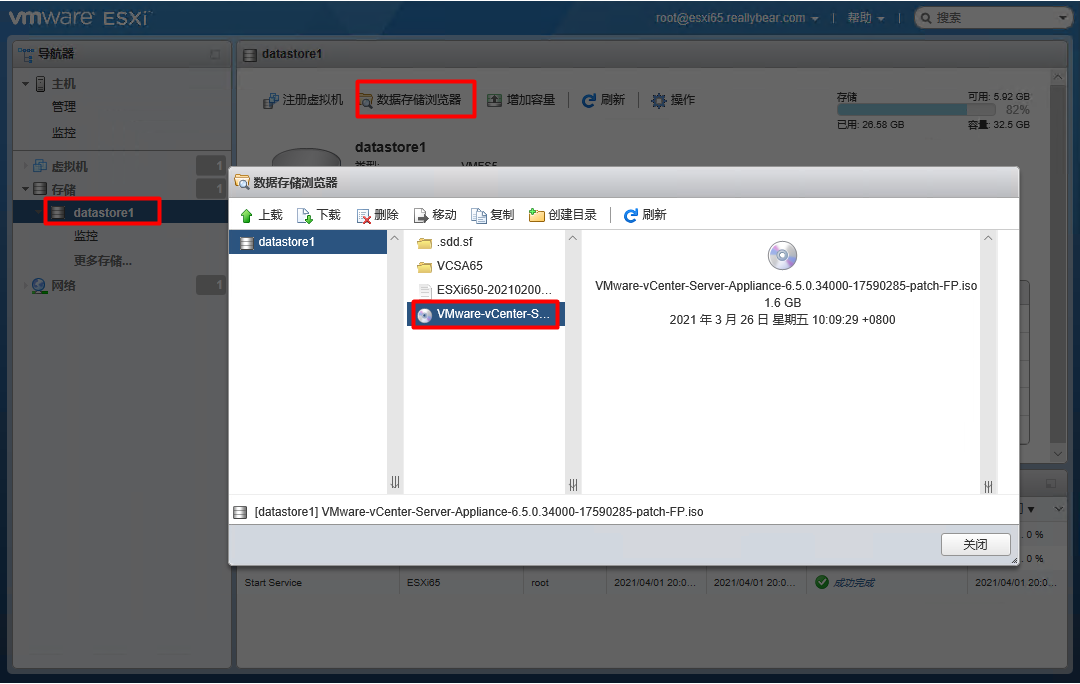
- Log in to the vSphere Host Client and check whether the file exists in the Datastore.
Affected Products
VMware ESXi 7.x, VMware ESXi 8.xArticle Properties
Article Number: 000191967
Article Type: How To
Last Modified: 13 Feb 2025
Version: 5
Find answers to your questions from other Dell users
Support Services
Check if your device is covered by Support Services.