Avamar/IDPA/PPDP:如何升級 NDMP 加速器
Summary: 本知識文章提供如何升級 NDMP 的指示。
This article applies to
This article does not apply to
This article is not tied to any specific product.
Not all product versions are identified in this article.
Instructions
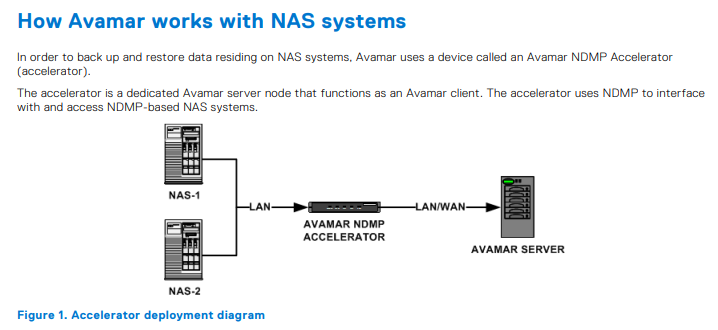
升級 NDMP 需要下列三個步驟:
- 取得 NDMP 升級套件。
- 將升級套件上傳至 NDMP。
- 執行升級。
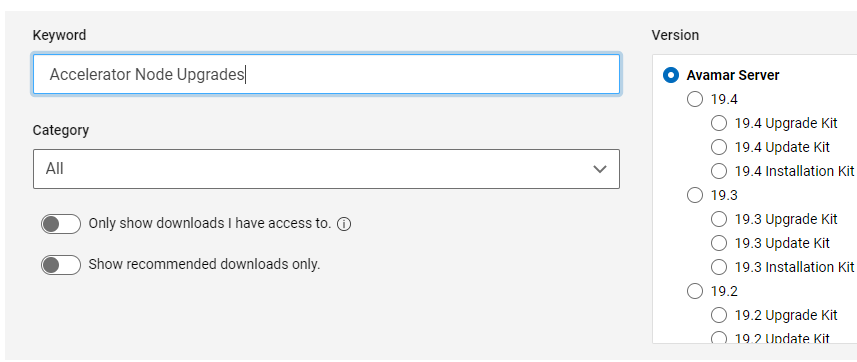
取得 NDMP 升級套件。
您可以從 Avamar Server 產品頁面的支援頁面取得所有 NDMP 的升級套件。

將升級套件上傳至 NDMP。
NDMP 內建 Avamar 安裝程式 (AVI),可用於上傳和升級 NDMP。若要存取 AVI,請開啟任何網頁瀏覽器,並遵循以下提供的格式。
https://<avamarserver>/avi/
或
https://<avamarserver>:7543/avi/
其中 <avamarserver> 是 NDMP 的主機名稱或 IP 位址
使用根登入資料登入並瀏覽至儲存庫,以上傳升級套件。
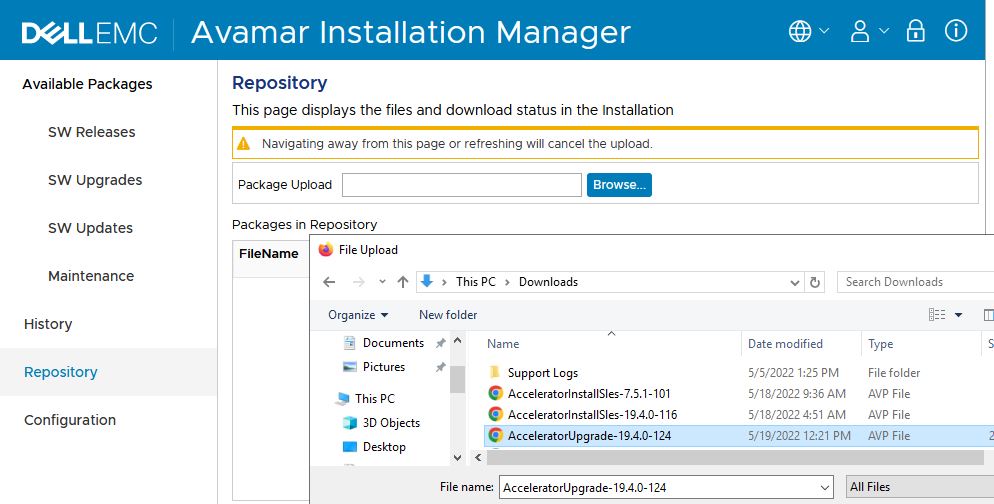
等待升級套件上傳並驗證。安裝程式會顯示與接受或拒絕套件相關的訊息。
如果上傳的套件遭到拒絕,請檢查錯誤訊息並視需要開啟支援工單。
執行升級。
升級套件上傳後,應該會顯示在左側列出的「軟體升級」標籤中。
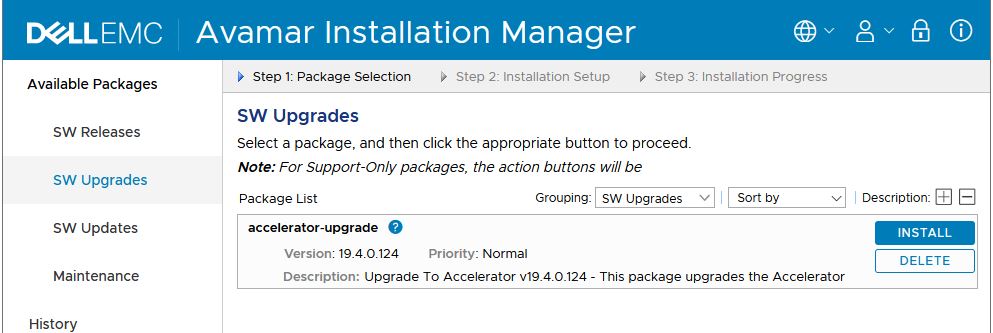
選取「安裝」並輸入「根」密碼,並進行升級程序。安裝程式會在升級重新登入時重新開機,並繼續監控直到升級完成。
升級完成後,請檢查歷程記錄標籤以確認安裝。

Affected Products
Avamar, PowerProtect DP4400Products
PowerProtect Data Protection Appliance, Avamar Plug-in for NDMP, Integrated Data Protection Appliance FamilyArticle Properties
Article Number: 000200020
Article Type: How To
Last Modified: 14 Dec 2022
Version: 8
Find answers to your questions from other Dell users
Support Services
Check if your device is covered by Support Services.