Data Domain - DD3300 iDRAC virtual console showing, Unlocking the OS may compromise your data integrity and void your support contract
Summary: This article is an informational article for TSEs and customers to understand the behavior of the iDRAC virtual console specifically for the DD3300.
This article applies to
This article does not apply to
This article is not tied to any specific product.
Not all product versions are identified in this article.
Instructions
When viewing the boot of the Data Domain from the iDRAC virtual console on a DD3300 you see the BIOS load, and the ESXi load then the virtual console ultimately stop at this screen: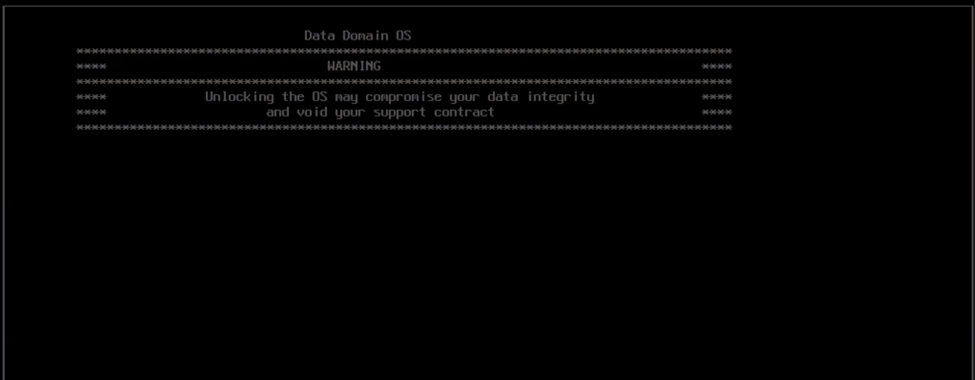
This is expected behavior for the iDRAC virtual console for the DD3300, you are not able to view the full boot, get into the grub menu or get to the login prompt for the DDOS. The virtual console does not get past this screen.
The iDRAC may be used for an SOL redirect connection as explained in the below kb article. Which let you view the boot, get into grub, and log in to the DDOS remotely.
000155514: Data Domain: How to access DDOS console through iDRAC on a DD3300 system (Dell Support account is required to view this article)
Note: The DD3300 iDRAC virtual console is unique in this behavior, on JUNO systems and other DDs that have an iDRAC attached you can view the full boot from the virtual console.
Affected Products
DD3300 ApplianceArticle Properties
Article Number: 000201918
Article Type: How To
Last Modified: 25 Nov 2024
Version: 3
Find answers to your questions from other Dell users
Support Services
Check if your device is covered by Support Services.