Latitude 5430 has Wrong MAC Address on Carton Label
Summary: Some Latitude 5430 computers might have the wrong MAC address on the shipping box. Below is how you can find the correct MAC addresses.
This article applies to
This article does not apply to
This article is not tied to any specific product.
Not all product versions are identified in this article.
Symptoms
Affected Platforms:
- Latitude 5430
Cause
Not Applicable
Resolution
Customer can get their MAC address in the BIOS or in Windows.
BIOS:

Windows:
- Press the key Win + R.
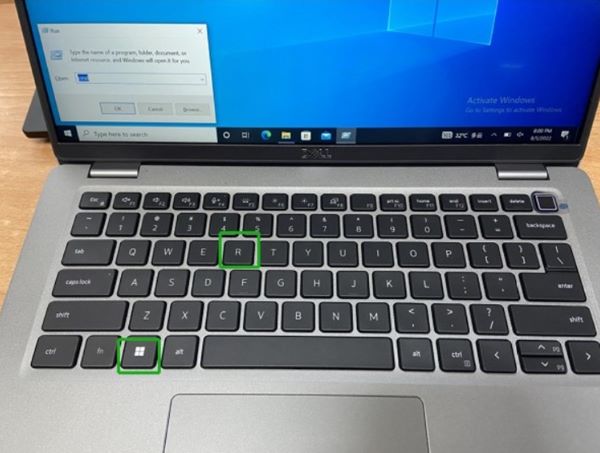
- Type in
cmdthen click OK.
- Type in
getmac/vand then click the enter key to check the MAC address.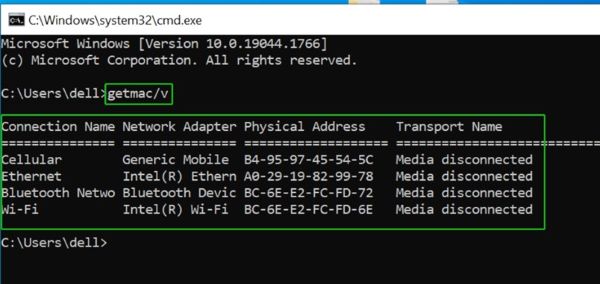
Affected Products
Latitude 5430Article Properties
Article Number: 000202419
Article Type: Solution
Last Modified: 24 Apr 2025
Version: 5
Find answers to your questions from other Dell users
Support Services
Check if your device is covered by Support Services.