Connectrix Brocade: Adding Gateway IP of IPv6
Summary: This KB article is to explain on how to add Gateway IP while using IPV6 using CLI and WebTools.
This article applies to
This article does not apply to
This article is not tied to any specific product.
Not all product versions are identified in this article.
Instructions
For Brocade Departmental Switches:
For Brocade Director Switches:
To configure IP address using WebTools, select Configuration > IP Address Management on the Settings Tab:
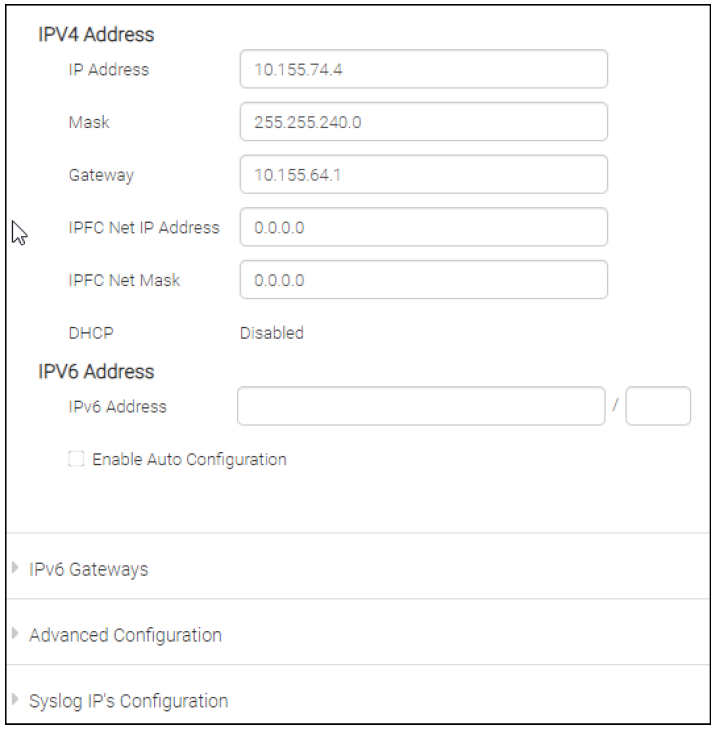
>To add IPv6 IP address:
>To add IPv6 Gateway address:
#ipaddrset -ipv6 --add x:x:x:x:x:x:x/n
>To add IPv6 Gateway address:
#ipaddrset -ipv6 --add x:x:x:x:x:x:x/n
For Brocade Director Switches:
>To add IPv6 IP address:
>To add IPv6 Gateway address:
#ipaddrset -ipv6 --add x:x:x:x:x:x:x/n
>To add IPv6 Gateway address:
#ipaddrset -ipv6 --add -gwyip gateway_ip
To configure IP address using WebTools, select Configuration > IP Address Management on the Settings Tab:
Additional Information

Affected Products
Connectrix B-SeriesArticle Properties
Article Number: 000205218
Article Type: How To
Last Modified: 18 Apr 2023
Version: 4
Find answers to your questions from other Dell users
Support Services
Check if your device is covered by Support Services.