Dell Unity: Unable to Remove host access from LUNs because a snapshot is attached.
Summary: Snapshots must be removed from the snapshots page instead of the host's page.
This article applies to
This article does not apply to
This article is not tied to any specific product.
Not all product versions are identified in this article.
Symptoms
Unable to remove host access from Logical Units (LUNs) and receiving the message: "Host access cannot be modified for the snapshots. Go to the LUN and Consistency Group page to modify host access for the snapshots."
Cause
The removal is attempted in the wrong location. Snapshots attached to a host cannot be removed from the host's page.
Resolution
Re-created the issue with a host and LUN snapshot. Unable to remove as the snapshot is attached to the host.
Seen when going to ACCESS>Hosts>host name>LUNs>Selecting the host and trying to remove it.
The correct way to do this is by using the LUNs properties.
Go to STORAGE>Block>Select the LUN or Consistency Group (CG) then the pencil icon>Snapshots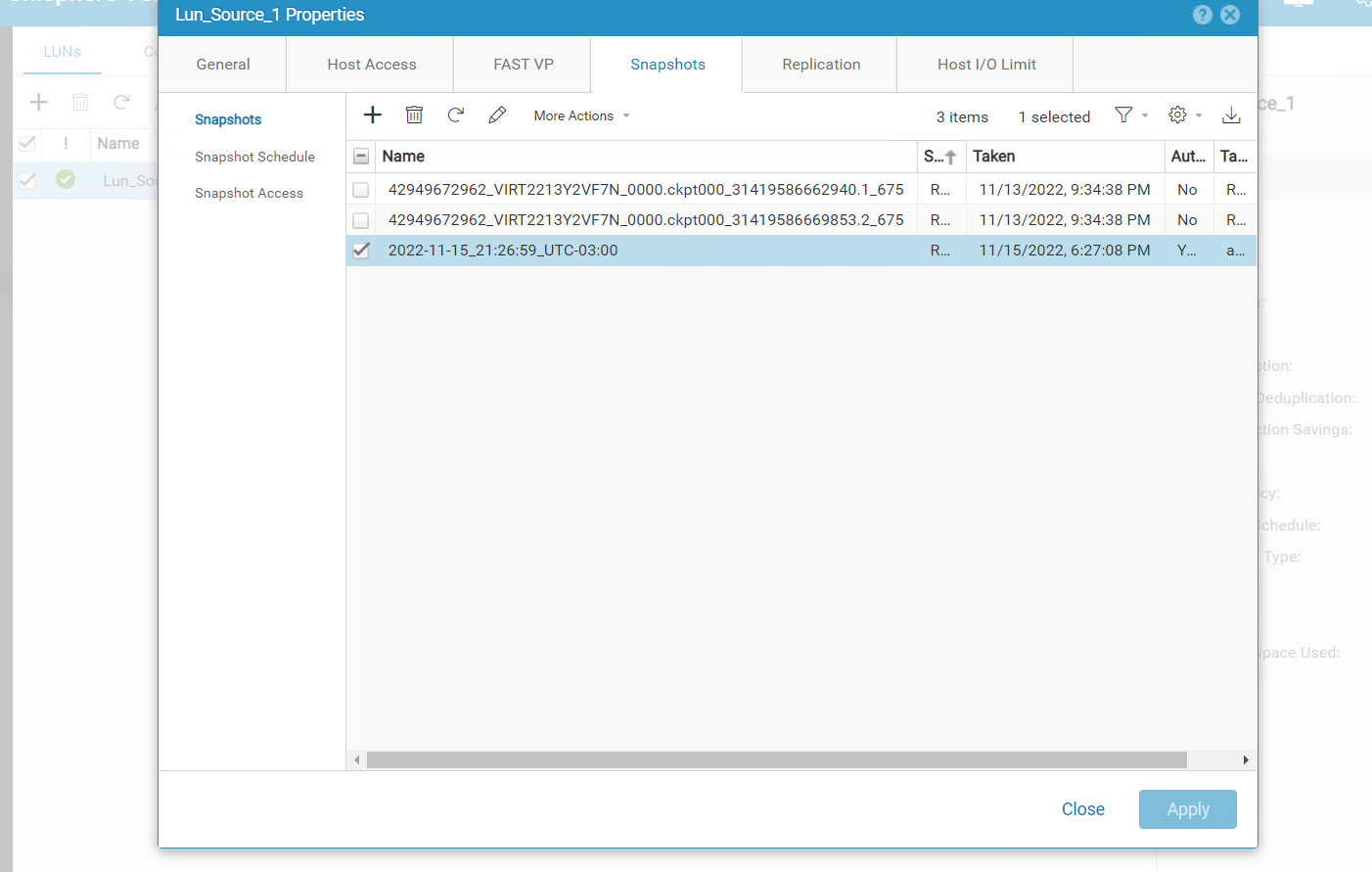
From here, the snapshots attached to the host
Select the host>More Actions>Detach from host.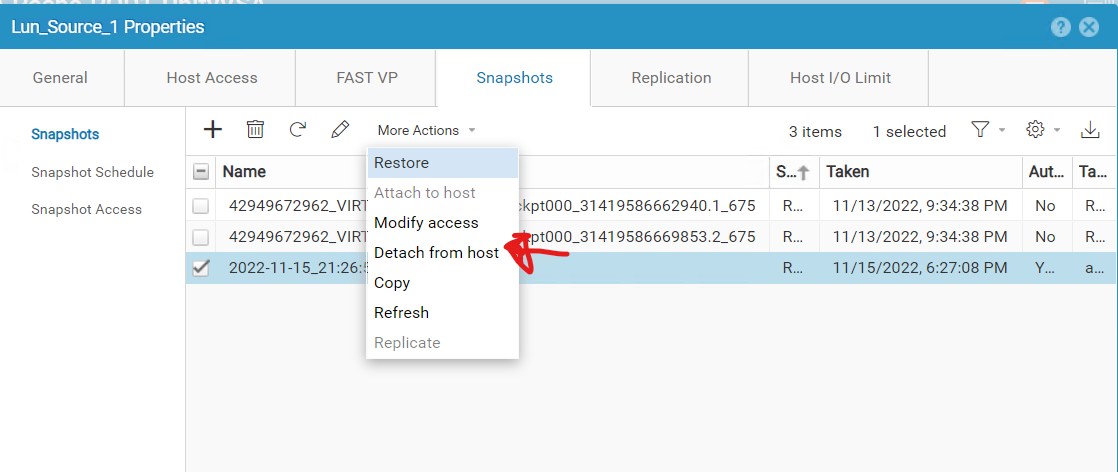
Do this for all the snapshots.
Go back to ACCESS>Hosts>host name>LUNs and the LUNs should no longer be attached.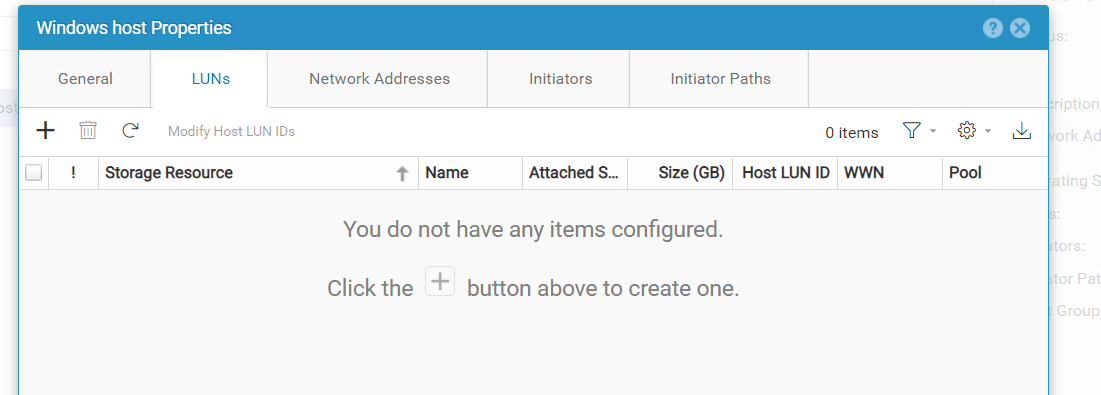
Remove the host.

Affected Products
Dell EMC UnityArticle Properties
Article Number: 000205412
Article Type: Solution
Last Modified: 27 Mar 2025
Version: 3
Find answers to your questions from other Dell users
Support Services
Check if your device is covered by Support Services.