How to Configure Unisphere for PowerMax Remote Syslog
Summary: How to configure Unisphere for PowerMax Remote Syslog
This article applies to
This article does not apply to
This article is not tied to any specific product.
Not all product versions are identified in this article.
Instructions
- Click Settings in the main Unisphere Dashboard:

Figure 1: Settings Unisphere Dashboard
- Click Security > Remote Syslog, add the IP Address/Host Full Name, Certificate Trust chain, then click Apply:
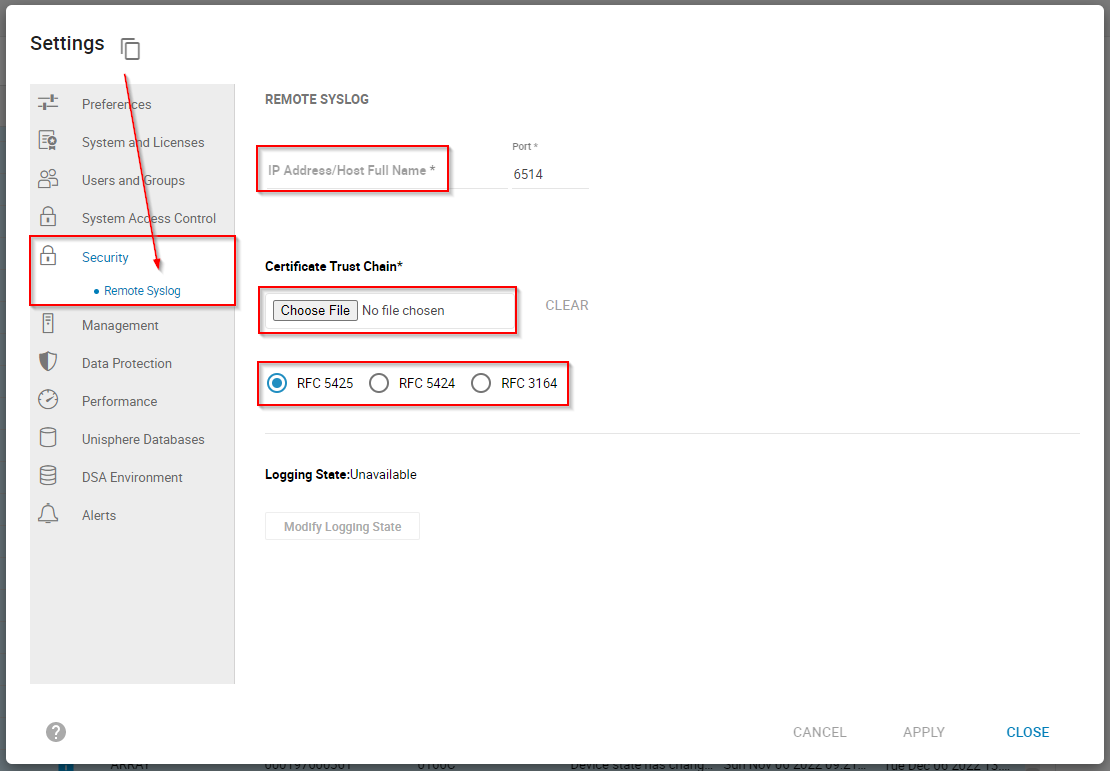
Figure 2: Add the IP Address/Host Full Name, Certificate Trust chain, and click Apply.
The default port for Secure Remote Syslog is port 6514 (syslog-tls). For secure log message transfer, then Syslog must work over TCP 6514 with secure TLS certificate-based authentication (RFC 5425).
When remote syslog is successfully configured, Unisphere for PowerMax sends five logs from the Unisphere host:
- SMAS
- RUN
- STOREVNTD
- STORSRVD
- SYMAPI
----------------------------------------------------------------------------------------------------------------------------------------------------
There can be confusion between secure remote syslog and standard syslog for alert notifications.
If the objective is to trap array events, then the syslog feature in Settings > Alerts > Enable Syslog should be used:
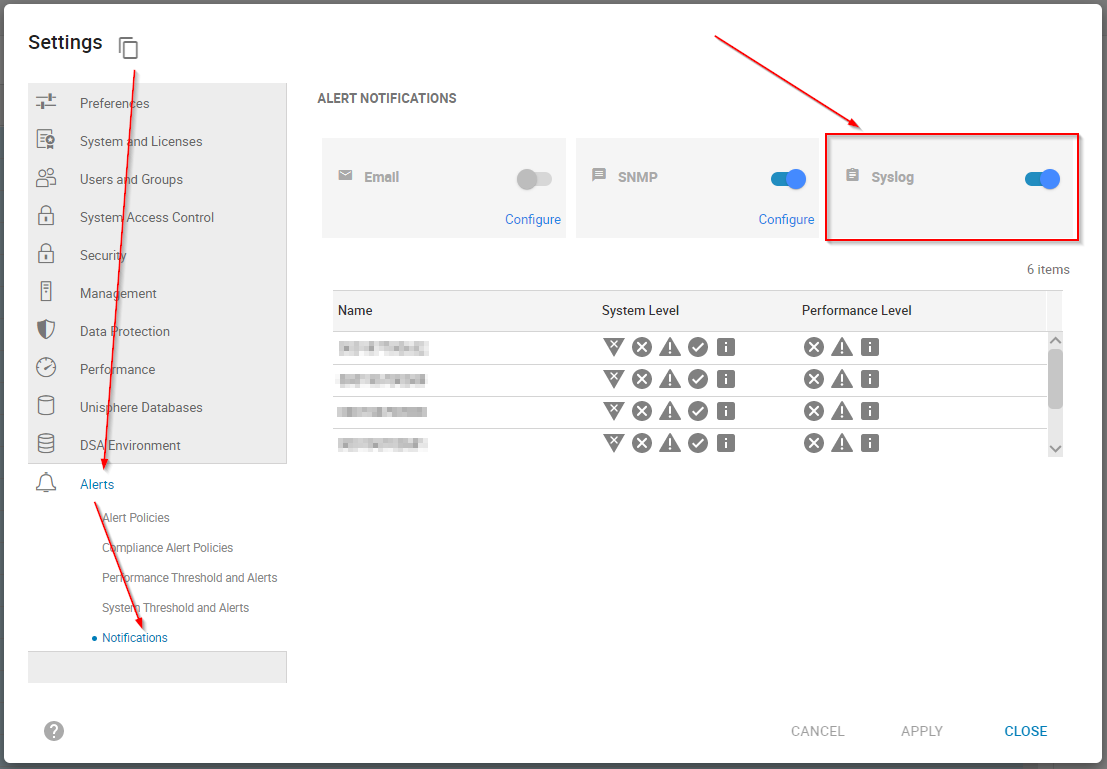
Figure 3: To trap array events, use Settings > Alerts > Enable Syslog
The detailed settings explaining how to configure this standard syslog feature can be reviewed in How to configure syslog in embedded Unisphere for VMAX/PowerMax.
Go to the PowerMax Product Page on Dell Support > Knowledgebase Articles > PowerMax: InfoHub Product Documentation and Videos > Manage and Monitor Storage-Open Systems > Troubleshooting > Dell Events and Alerts for PowerMax and HYPERMAX User Guide to view helpful information about:
- Asynchronous Events
- Unisphere policy name - Alert ID mapping
Affected Products
Unisphere for PowerMaxArticle Properties
Article Number: 000206117
Article Type: How To
Last Modified: 20 Sep 2023
Version: 4
Find answers to your questions from other Dell users
Support Services
Check if your device is covered by Support Services.