如何設定 Unisphere for PowerMax 遠端 Syslog
Summary: 如何設定 Unisphere for PowerMax 遠端 Syslog
This article applies to
This article does not apply to
This article is not tied to any specific product.
Not all product versions are identified in this article.
Instructions
- 按一下主要Unisphere 儀表板中的設定:

圖 1:設定 Unisphere 儀表板
- 按一下 「Security > Remote Syslog」,新增IP 位址/主機全名、 憑證信任鏈,然後按一下「 套用」:
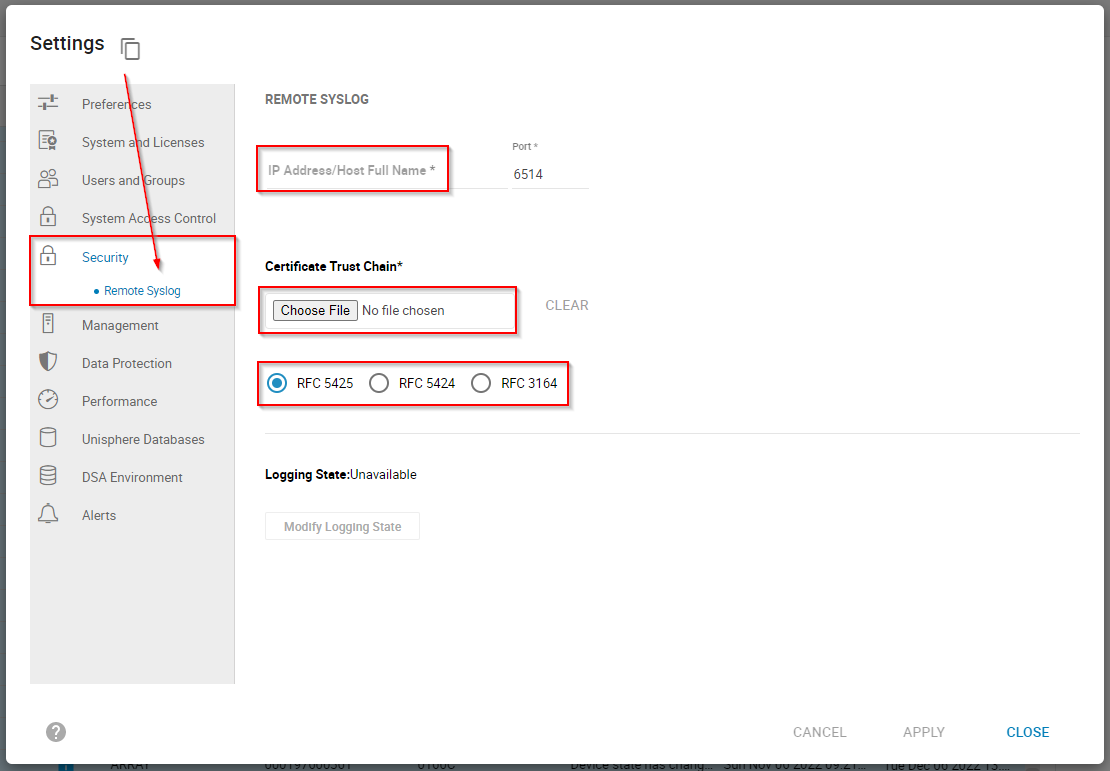
圖 2:新增 IP 位址/主機全名、憑證信任鏈,然後按一下「套用」。
Secure Remote Syslog 的預設埠是埠 6514 (syslog-tls)。若要進行安全的記錄訊息傳輸,則Syslog 必須透過 TCP 6514使用安全的 TLS 憑證式驗證 (RFC 5425)。
成功設定遠端 syslog 後,Unisphere for PowerMax 會從 Unisphere 主機傳送五個記錄:
- Sma
- 運行
- STOREVNTD
- STORSRVD
- SYMAPI
----------------------------------------------------------------------------------------------------------------------------------------------------警示通知的安全遠端 syslog和標準syslog之間可能會混淆。
如果目標是設陷陣列事件,則應使用設定>警示>啟用 Syslog 中的 syslog功能:
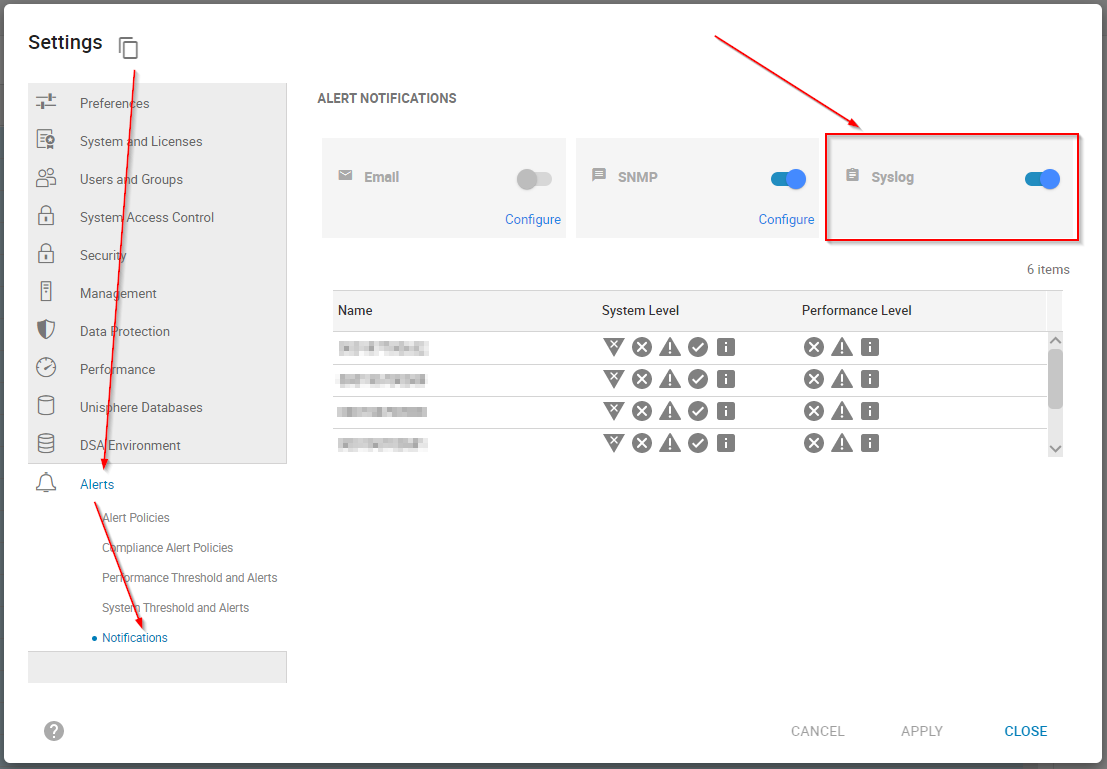
圖 3:若要設陷陣列事件,請使用設定>警示>啟用 Syslog
如何在內嵌 Unisphere for VMAX/PowerMax 中設定 syslog中,檢閱詳細說明如何設定此標準 syslog 功能的詳細設定。
前往PowerMax > Dell 支援>知識庫文章的PowerMax 產品頁面:InfoHub 產品說明文件和影片 > 管理和監控儲存開放式系統 > 故障排除 > Dell 事件和警示 for PowerMax 和 HYPERMAX 使用者指南 ,以檢視實用的相關資訊:
- 非同步事件
- Unisphere 原則名稱 - 警示 ID 對應
Affected Products
Unisphere for PowerMaxArticle Properties
Article Number: 000206117
Article Type: How To
Last Modified: 20 Sep 2023
Version: 4
Find answers to your questions from other Dell users
Support Services
Check if your device is covered by Support Services.