AppSync:AppSync GUIを使用してサービス プラン完了レポートを作成できない
Summary: AppSync GUIを使用してサービス プラン完了レポートをエクスポートできません。
This article applies to
This article does not apply to
This article is not tied to any specific product.
Not all product versions are identified in this article.
Symptoms
AppSync 4.5 GUIを使用してサービス プラン完了レポートをエクスポートできません。
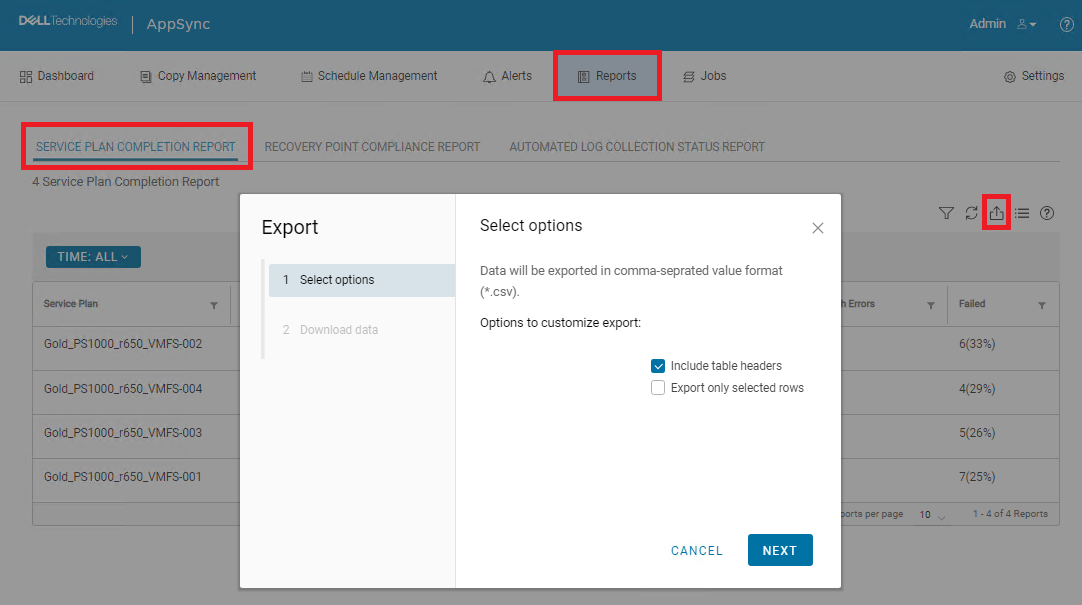
[Include table headers]が選択されていて、[Export only selected rows]が選択されていない場合、ダウンロードは実行されません。実際には、何も起こっていないのです。
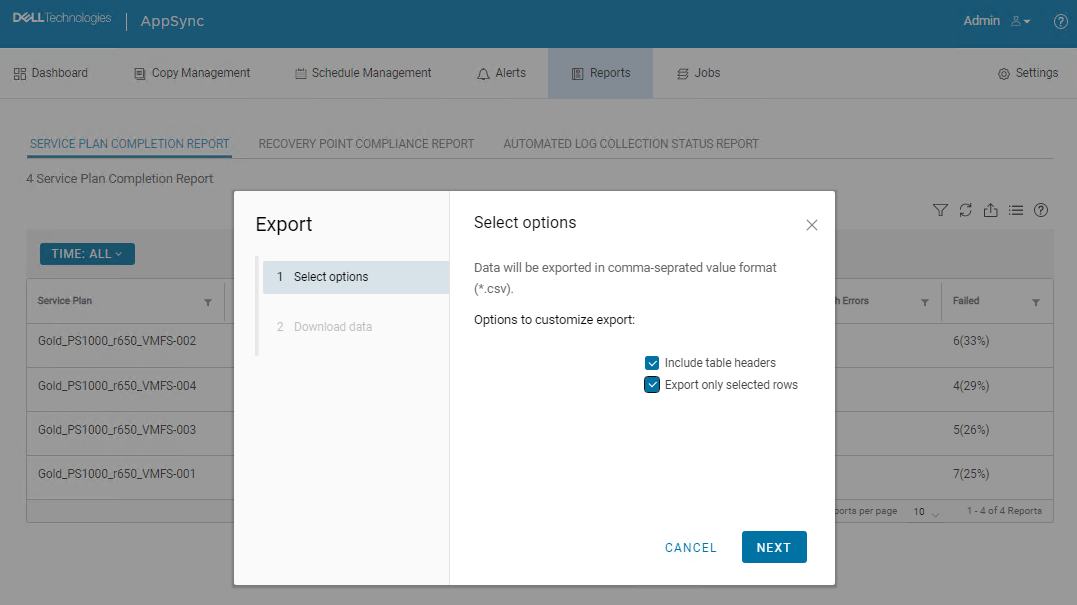
[Include table headers]と[Export only selected rows]の両方が選択されている場合は、ダウンロードが開始され、CSVファイルがダウンロードされました。ただし、すべてのデータが欠落していました。

Cause
これはAppSync UIのバグです。
Resolution
回避 策:
次のAppSync CLIコマンドを使用して、サービス プラン完了レポートをエクスポートできます。
コマンド出力の例:
Service_Plan_Completion_Report_2022_12_26_18_24_38.csv

永続的な修正:
この問題は、4.5以降のバージョンで解決される予定です。
次のAppSync CLIコマンドを使用して、サービス プラン完了レポートをエクスポートできます。
appsync-cli.bat -report report_type=spc detailed=true
コマンド出力の例:
C:\EMC\AppSync\appsync-cli>appsync-cli.bat -report report_type=spc detailed=true
Picked up JAVA_TOOL_OPTIONS: "-Dos.name=Windows Server 2019"

Exporting SPC Details to: "C:\EMC\AppSync\Service_Plan_Completion_Report_2022_12_26_18_24_38.csv"
Service_Plan_Completion_Report_2022_12_26_18_24_38.csv
永続的な修正:
この問題は、4.5以降のバージョンで解決される予定です。
Additional Information
修正プログラムが含まれているかどうかを確認するには、4.5以降のバージョンのリリース ノートを参照してください。
Affected Products
AppSyncArticle Properties
Article Number: 000206985
Article Type: Solution
Last Modified: 16 May 2026
Version: 4
Find answers to your questions from other Dell users
Support Services
Check if your device is covered by Support Services.