AppSync: AppSync GUI를 사용하여 서비스 계획 완료 보고서를 생성할 수 없음
Summary: AppSync GUI를 사용하여 서비스 계획 완료 보고서를 내보낼 수 없습니다.
This article applies to
This article does not apply to
This article is not tied to any specific product.
Not all product versions are identified in this article.
Symptoms
AppSync 4.5 GUI를 사용하여 서비스 계획 완료 보고서를 내보낼 수 없습니다.
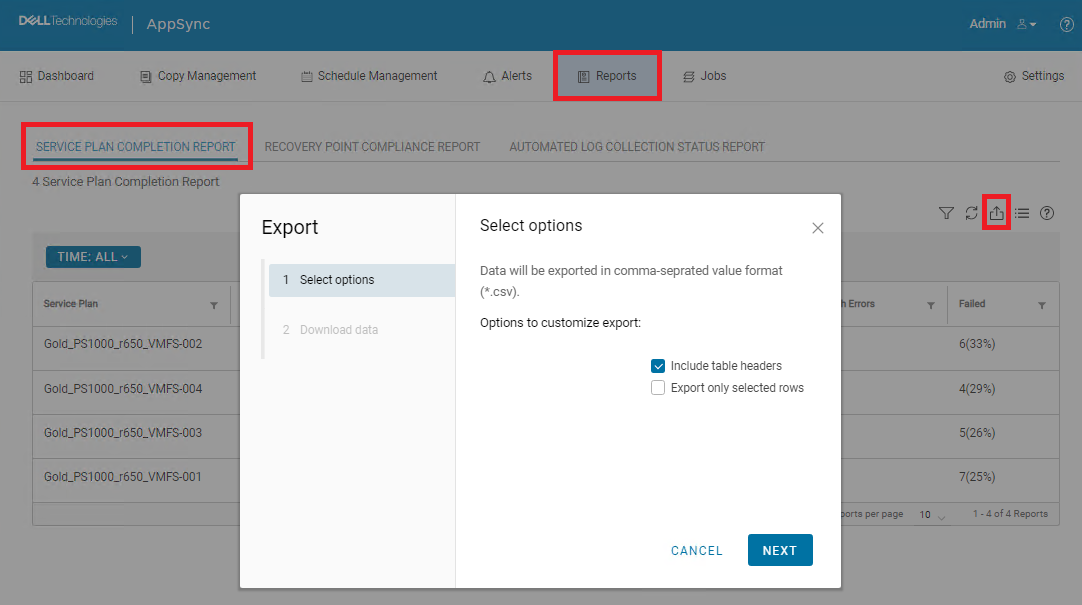
"테이블 헤더 포함"이 선택되어 있고 "선택한 행만 내보내기"가 선택되지 않은 경우 다운로드가 수행되지 않습니다. 실제로 아무 일도 일어나지 않습니다.
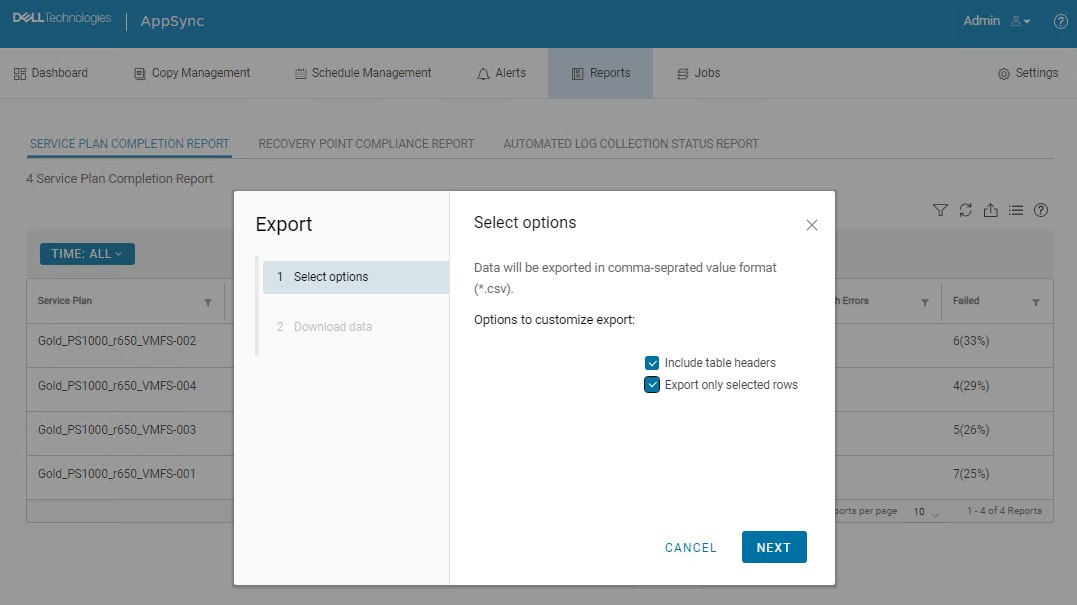
"테이블 헤더 포함"과 "선택한 행만 내보내기"를 모두 선택한 경우 다운로드가 시작되고 CSV 파일이 다운로드되었습니다. 하지만 모든 데이터가 누락되었습니다.

Cause
AppSync UI 버그입니다.
Resolution
해결:
다음 AppSync CLI 명령을 사용하여 서비스 계획 완료 보고서를 내보낼 수 있습니다.
샘플 명령 출력:
Service_Plan_Completion_Report_2022_12_26_18_24_38.csv

영구 수정:
이 문제는 4.5 이후 버전에서 해결될 것으로 예상됩니다.
다음 AppSync CLI 명령을 사용하여 서비스 계획 완료 보고서를 내보낼 수 있습니다.
appsync-cli.bat -report report_type=spc detailed=true
샘플 명령 출력:
C:\EMC\AppSync\appsync-cli>appsync-cli.bat -report report_type=spc detailed=true
Picked up JAVA_TOOL_OPTIONS: "-Dos.name=Windows Server 2019"

Exporting SPC Details to: "C:\EMC\AppSync\Service_Plan_Completion_Report_2022_12_26_18_24_38.csv"
Service_Plan_Completion_Report_2022_12_26_18_24_38.csv
영구 수정:
이 문제는 4.5 이후 버전에서 해결될 것으로 예상됩니다.
Additional Information
수정 사항이 포함되어 있는지 확인하려면 다음 버전 4.5의 릴리스 노트를 참조하십시오.
Affected Products
AppSyncArticle Properties
Article Number: 000206985
Article Type: Solution
Last Modified: 16 May 2026
Version: 4
Find answers to your questions from other Dell users
Support Services
Check if your device is covered by Support Services.