AppSync:无法使用 AppSync GUI 创建服务计划完成报告
Summary: 无法使用 AppSync GUI 导出服务计划完成报告。
This article applies to
This article does not apply to
This article is not tied to any specific product.
Not all product versions are identified in this article.
Symptoms
无法使用 AppSync 4.5 GUI 导出服务计划完成报告。
如果选择了“Include table headers”(包括表标题),并且未选择“Export only selected rows”(仅导出所选行),则不会进行下载。实际上,什么都没发生。
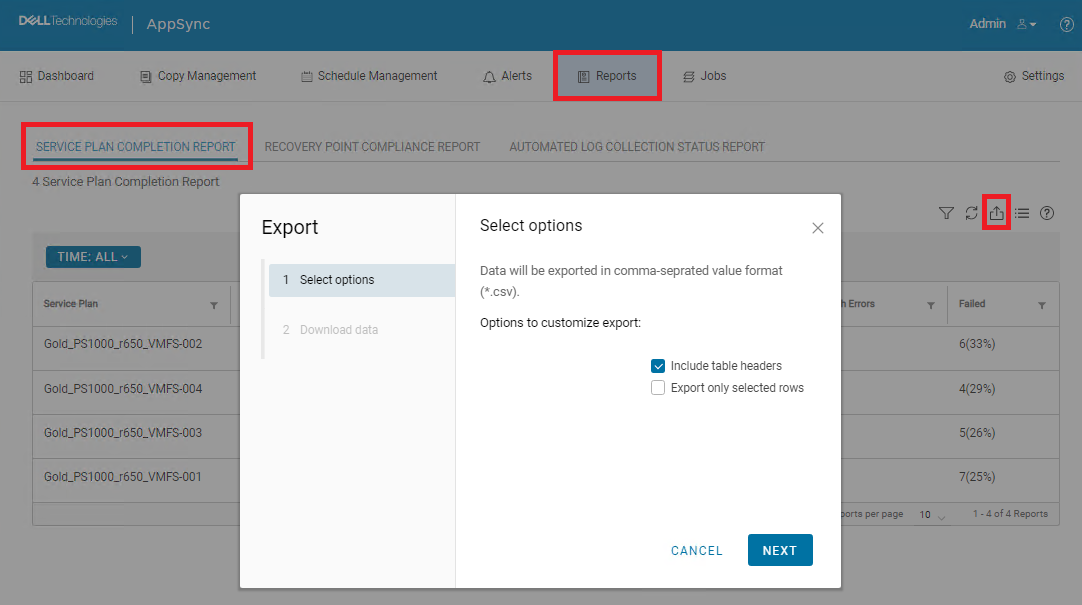
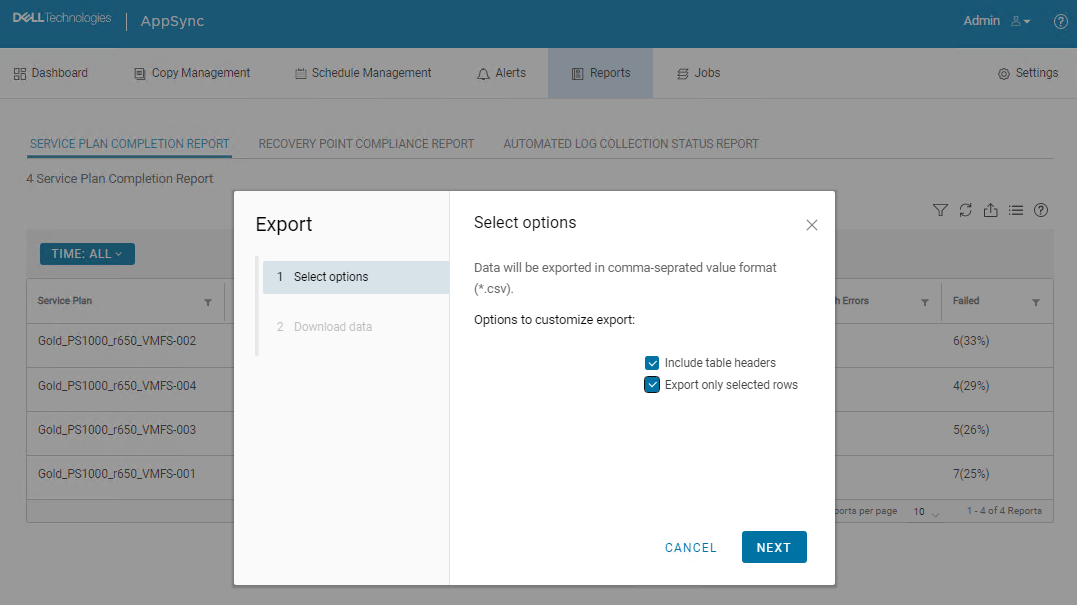
如果同时选择了“Include table headers”和“Export only selected rows”,则下载开始并下载 CSV 文件。但是,所有数据都缺失。

Cause
这是 AppSync UI 错误。
Resolution
解决 方案:
以下 AppSync CLI 命令可用于导出服务计划完成报告。
命令输出示例:
Service_Plan_Completion_Report_2022_12_26_18_24_38.csv

永久修复:
此问题预计将在 4.5 之后的版本中得到解决。
以下 AppSync CLI 命令可用于导出服务计划完成报告。
appsync-cli.bat -report report_type=spc detailed=true
命令输出示例:
C:\EMC\AppSync\appsync-cli>appsync-cli.bat -report report_type=spc detailed=true
Picked up JAVA_TOOL_OPTIONS: "-Dos.name=Windows Server 2019"

Exporting SPC Details to: "C:\EMC\AppSync\Service_Plan_Completion_Report_2022_12_26_18_24_38.csv"
Service_Plan_Completion_Report_2022_12_26_18_24_38.csv
永久修复:
此问题预计将在 4.5 之后的版本中得到解决。
Additional Information
请参阅 4.5 后版本的发行说明,以确定是否包含修复程序。
Affected Products
AppSyncArticle Properties
Article Number: 000206985
Article Type: Solution
Last Modified: 16 May 2026
Version: 4
Find answers to your questions from other Dell users
Support Services
Check if your device is covered by Support Services.