PowerEdge:使 Red Hat Enterprise Linux 的安装可引导 USB 介质
Summary: 本文介绍如何在 Dell PowerEdge 服务器上创建可引导的 USB 驱动器并设置 Red Hat Enterprise Linux作系统。
This article applies to
This article does not apply to
This article is not tied to any specific product.
Not all product versions are identified in this article.
Instructions
借助现成的众多第三方软件,可以制作可启动的 USB 驱动器。
Fedora Media Writer 就是这样一款软件。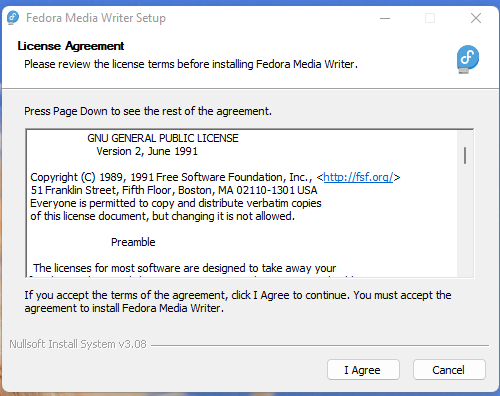
软件 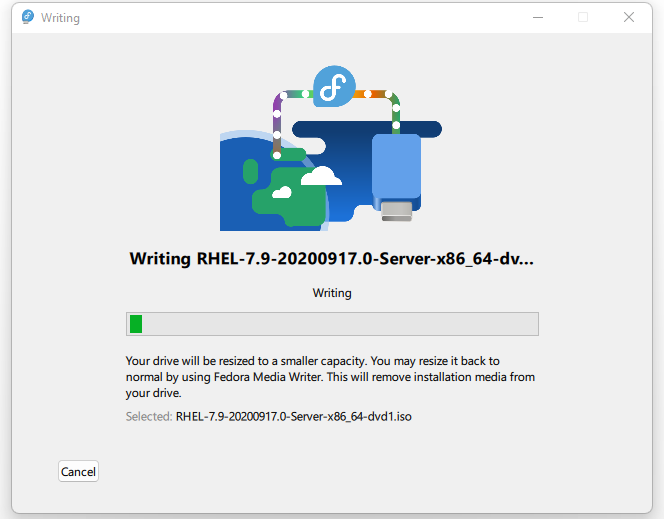
要创建可启动的 USB 介质,请使用以下屏幕截图中所示的名为 Rufus 的第三方应用程序。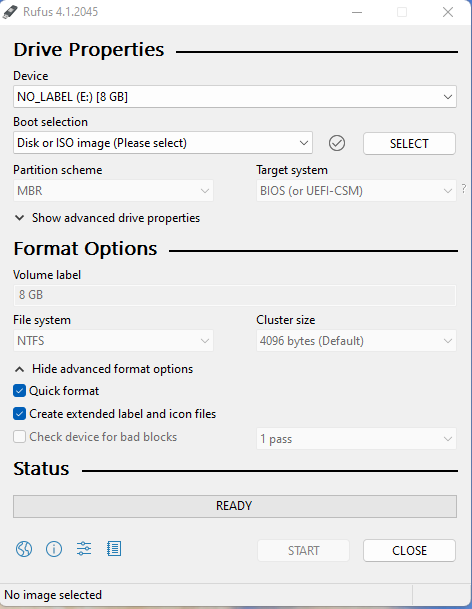
如下所示,找到并选择 Red Hat Enterprise Linux ISO 映像。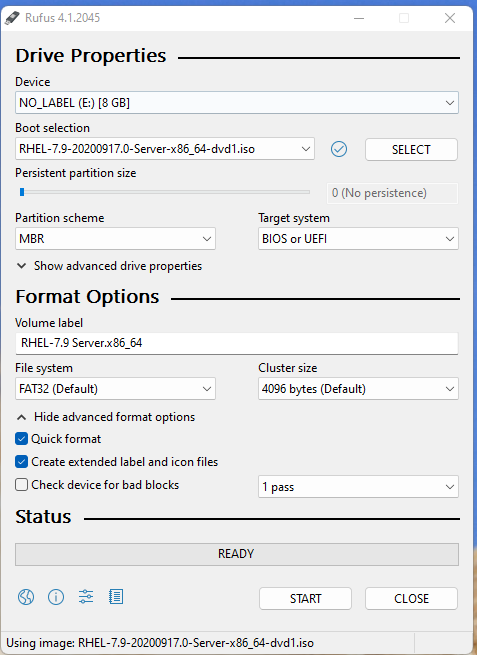
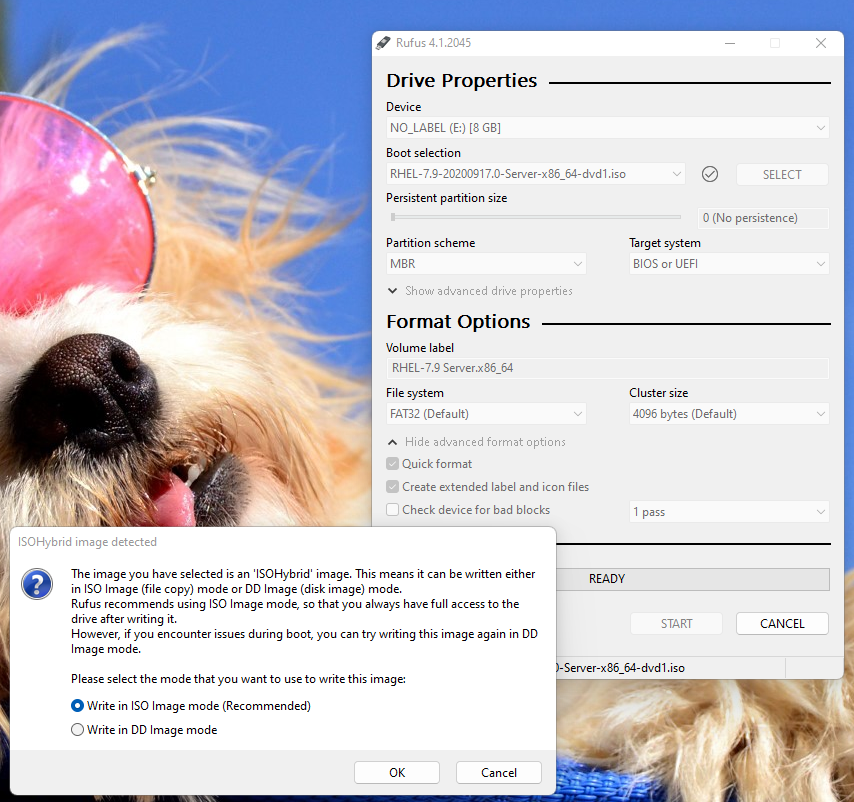

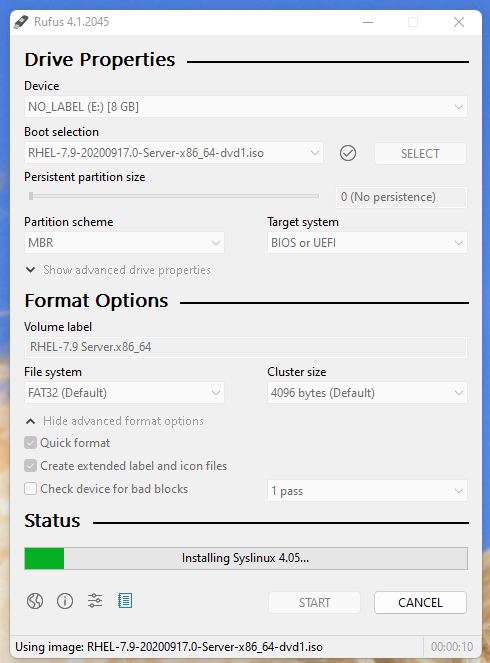
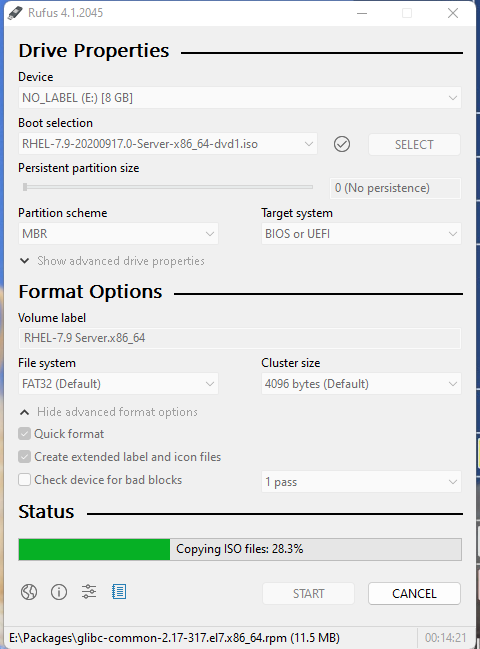

可引导 USB 介质现已准备就绪,可在安装作系统时使用。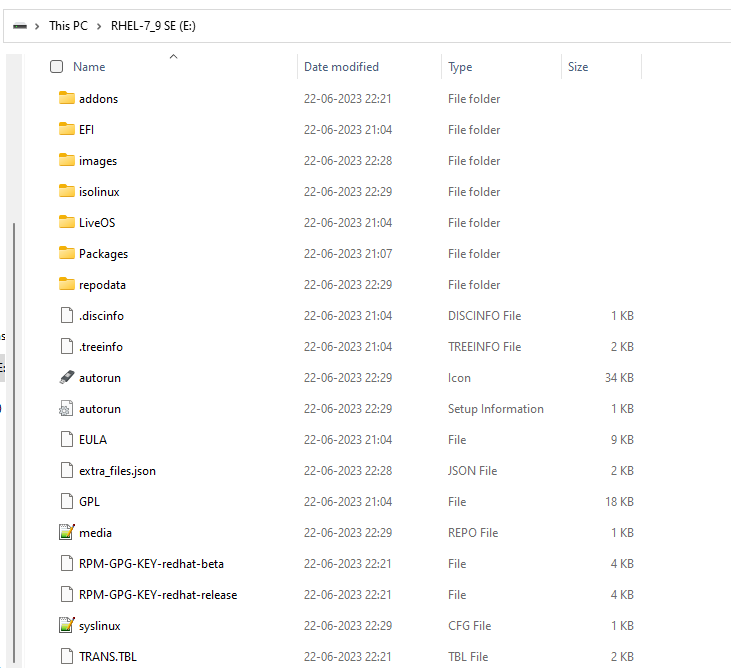
PowerEdge 服务器的一个正面 USB 端口用于连接此可启动 USB 驱动器。在开机自检期间,我们选择 F11 以访问 Boot Manager。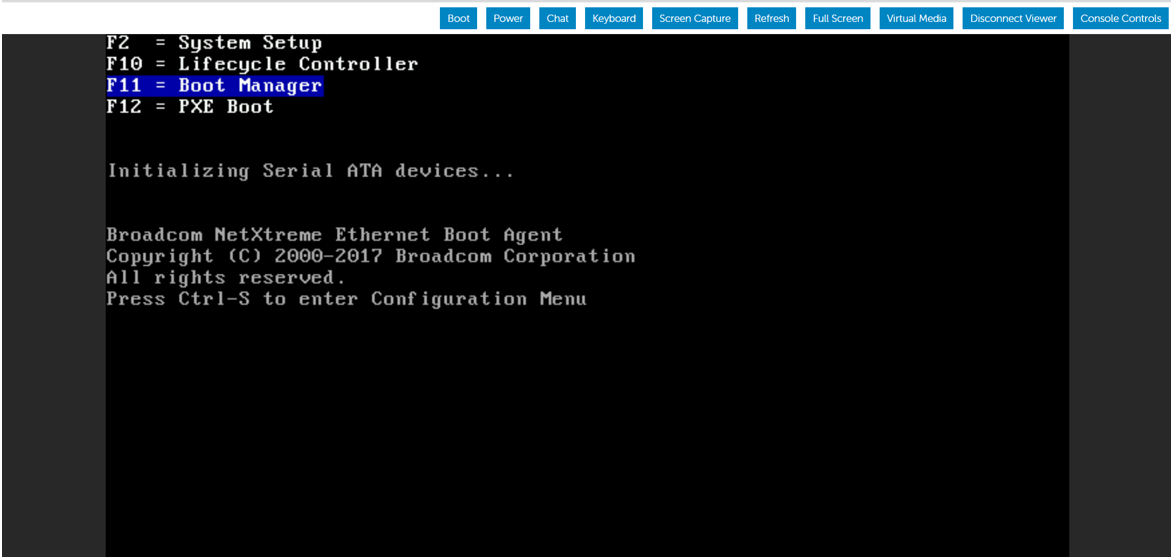
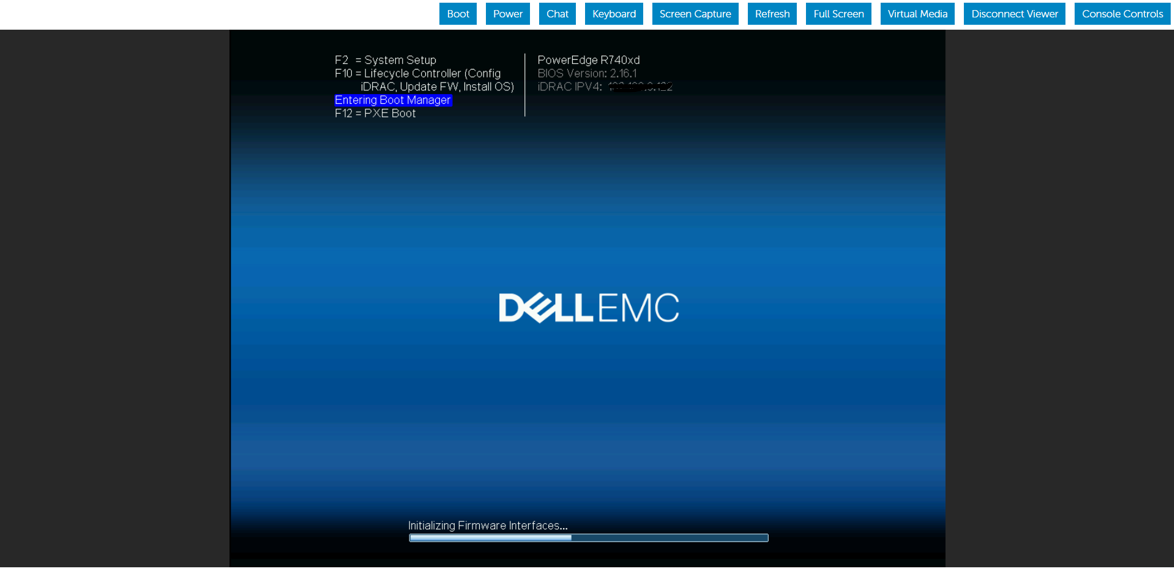
此处选择引导模式作为 BIOS 模式。
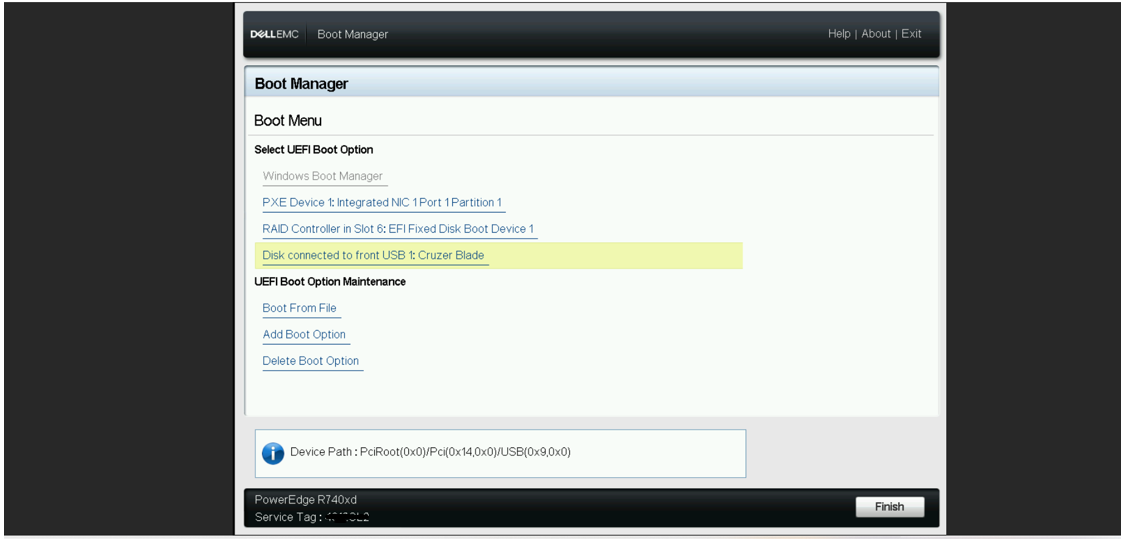
选择传统引导选项 - 连接到正面 USB 的磁盘以开始作系统安装。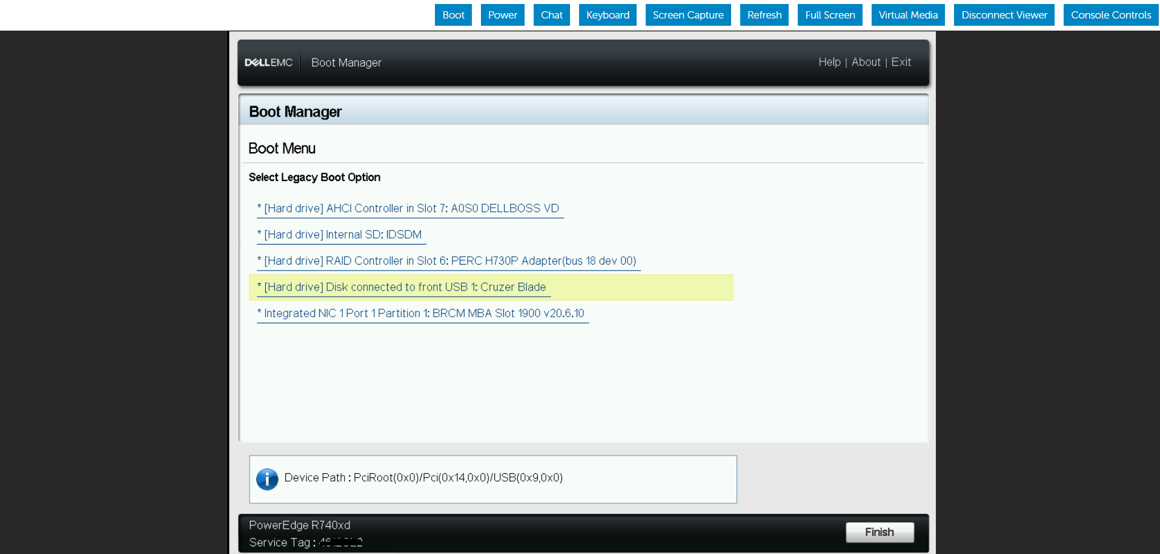
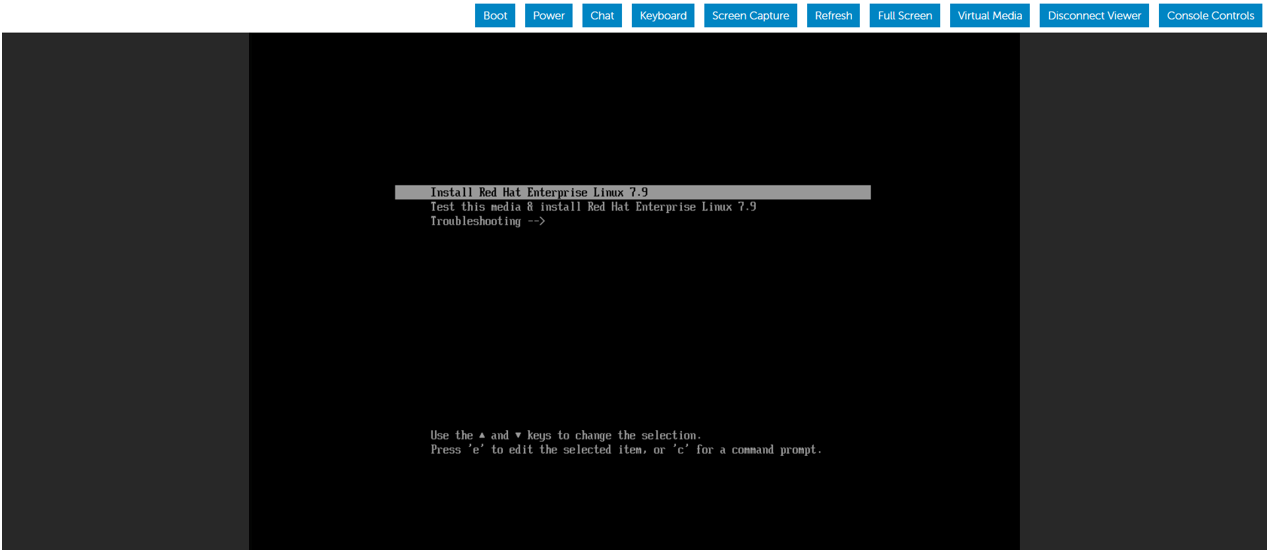
当作系统安装选项出现时,我们选择通过选择 Install Red Hat Enterprise Linux来开始安装。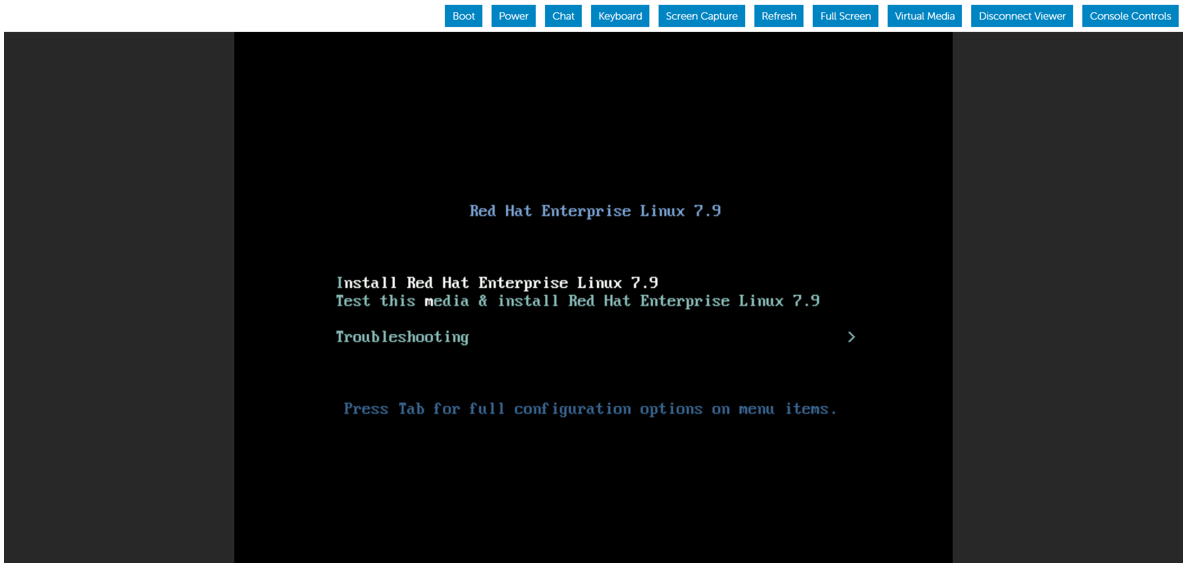
出于演示目的,我们将 BIOS 从 BIOS 更改为 UEFI 模式,并使用相同的可引导 USB 介质执行作系统安装步骤。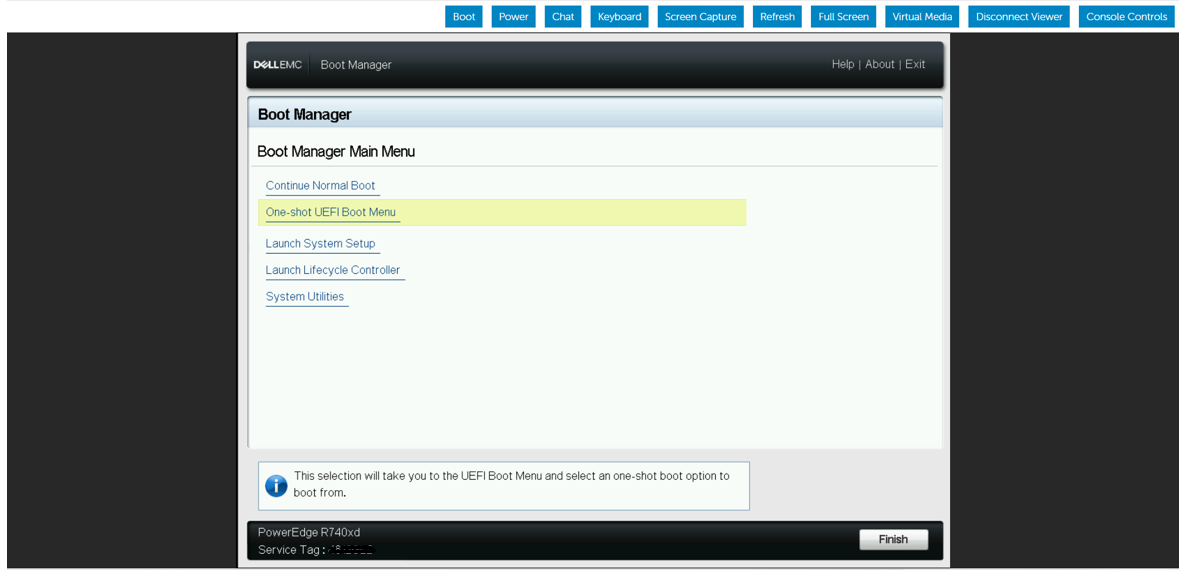

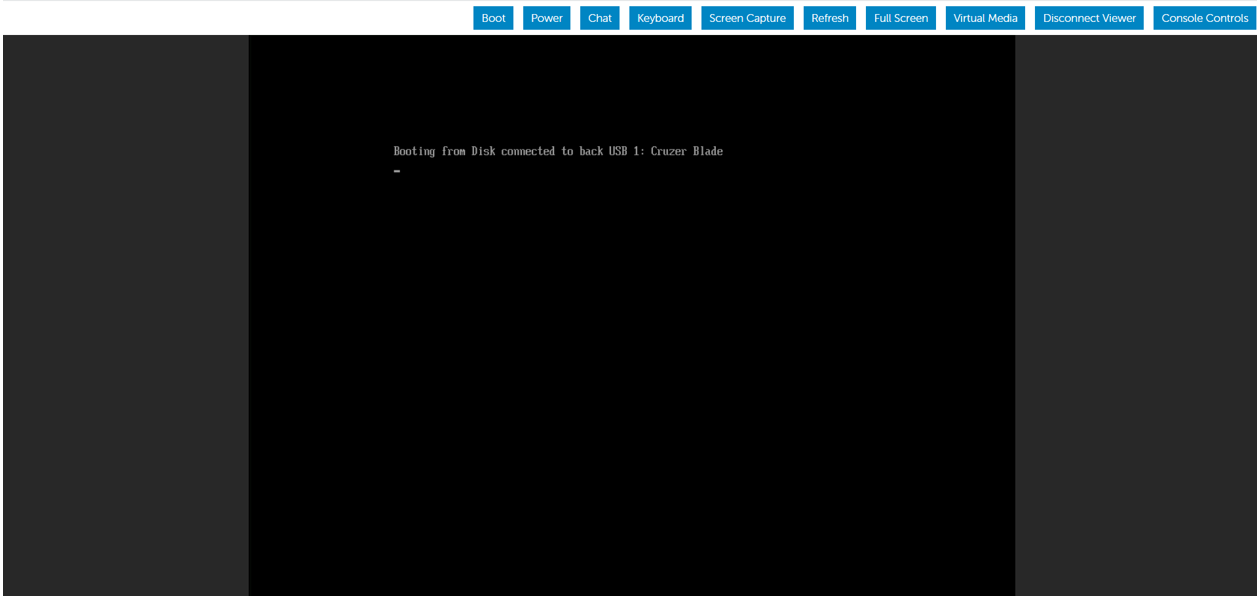
接下来,我们从正面 USB 端口断开可启动 USB 设备的连接,并将其插入 PowerEdge 服务器的背面 USB 端口。然后,我们重新启动服务器,开始从背面 USB 设备安装作系统。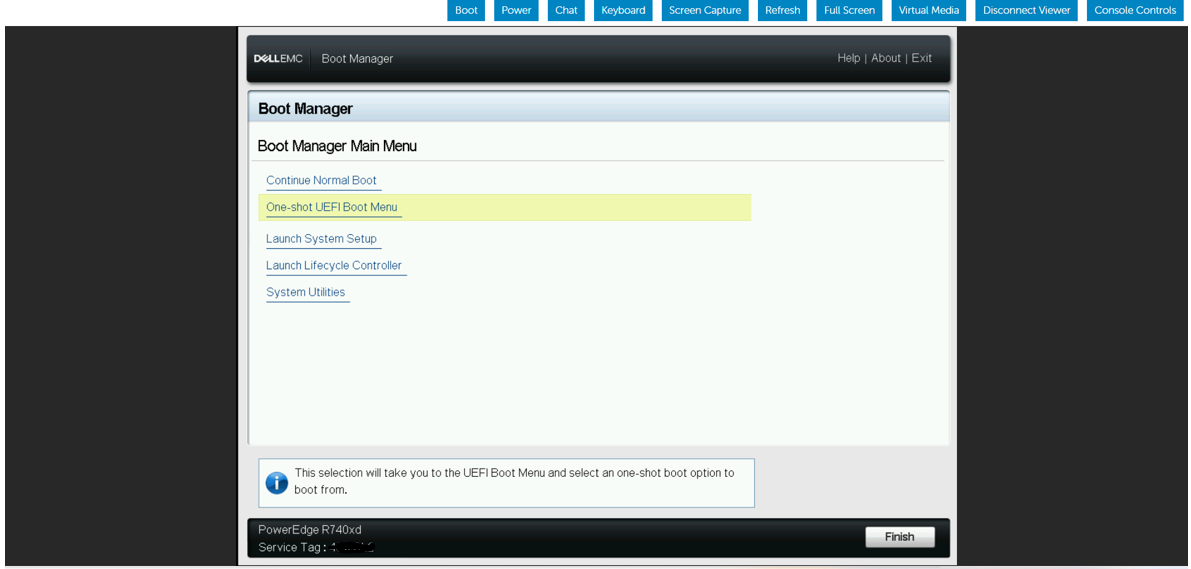


Affected Products
HS Series, Rack Servers, Tower Servers, XE Servers, PowerEdge XR2, PowerEdge C4130, Poweredge C4140, PowerEdge c6320, PowerEdge c6320p, PowerEdge C6420, PowerEdge C6520, PowerEdge C6525, PowerEdge C6615, PowerEdge C6620, Poweredge FC430
, Poweredge FC630, PowerEdge FC640, Poweredge FC830, PowerEdge FM120x4 (for PE FX2/FX2s), PowerEdge M630, PowerEdge M630 (for PE VRTX), PowerEdge M640, PowerEdge M640 (for PE VRTX), PowerEdge M830, PowerEdge M830 (for PE VRTX), PowerEdge MX740C, PowerEdge MX750c, PowerEdge MX760c, PowerEdge MX840C, PowerEdge XR11, PowerEdge XR12, PowerEdge XR5610, PowerEdge XR7620, Red Hat Enterprise Linux Version 7, Red Hat Enterprise Linux Version 9, Red Hat Enterprise Linux Version 8
...
Products
Operating Systems, Microsoft Windows Server 2016, Microsoft Windows Server 2019, Microsoft Windows Server 2022, Microsoft Windows 2012 Server, Microsoft Windows 2012 Server R2, SUSE Linux Enterprise Server 12, SUSE Linux Enterprise Server 15
, Ubuntu Server LTS
...
Article Properties
Article Number: 000215276
Article Type: How To
Last Modified: 18 Dec 2024
Version: 4
Find answers to your questions from other Dell users
Support Services
Check if your device is covered by Support Services.