AMD Radeon Software Cannot Open on Some Inspiron and Vostro Laptops
Summary: AMD Radeon Software may not be able to open after installing the graphics driver and AMD Radeon Software due to a version mismatch.
This article applies to
This article does not apply to
This article is not tied to any specific product.
Not all product versions are identified in this article.
Symptoms
After installing an AMD graphics driver and AMD Radeon Software, the AMD Radeon Software may not be able to be open. This happens when attempting to open the AMD Radeon Software by double-clicking on it.
Affected Platforms:
- Inspiron 15 3525
- Vostro 3425
- Vostro 3525
Affected Operating Systems:
- Windows 11
Affected Versions:
- AMD graphics driver v22.20.28
- AMD Radeon Software v21.30
Cause
A version mismatch between the graphics driver (v22.20.28) and AMD Radeon Software (v21.30) causes this issue.
Resolution
This is solved by updating the AMD Radeon Software to the latest version.
- Open the Microsoft Store.
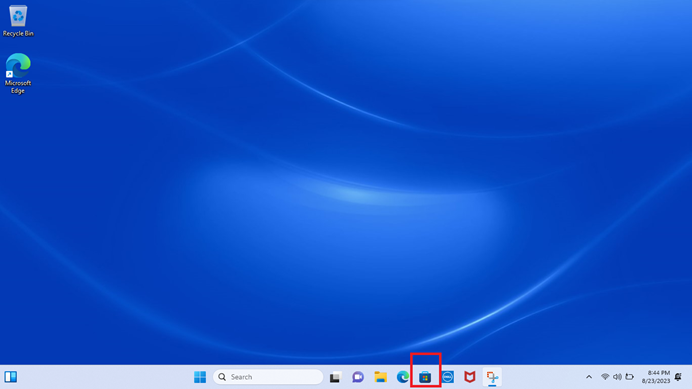
Figure 1: Opening the Microsoft Store
- Select Library.
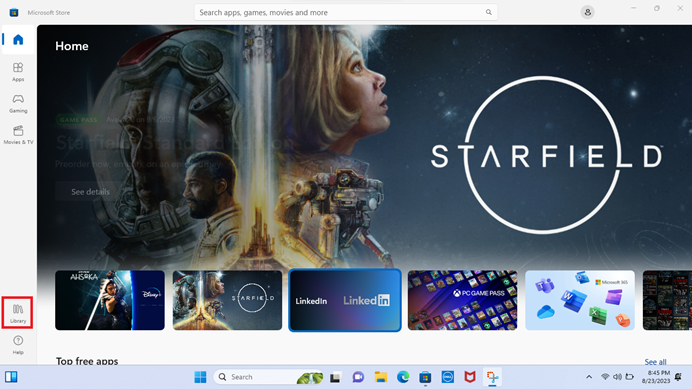
Figure 2: Microsoft Store Library
- Select AMD Radeon Software and then click Update.
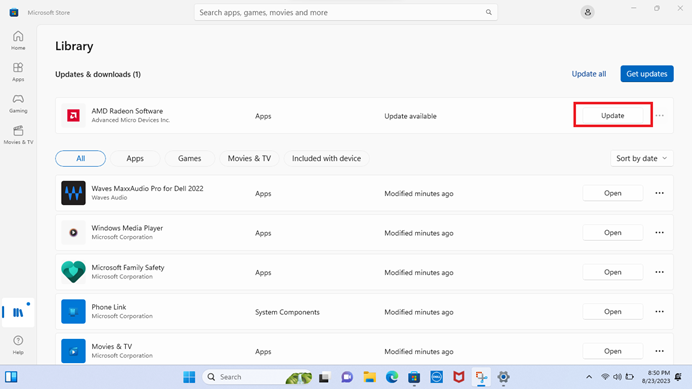
Figure 3: AMD Radeon Software Update
- Open AMD Radeon Software once the update is complete.
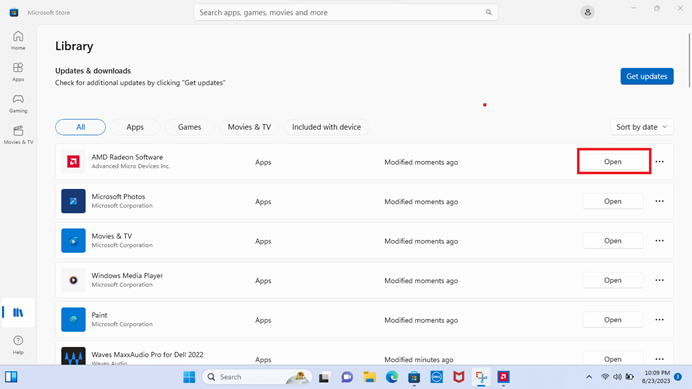
Figure 4: Opening AMD Radeon Software
- The AMD Radeon Software opens. The version is now v10.22.20073.0.
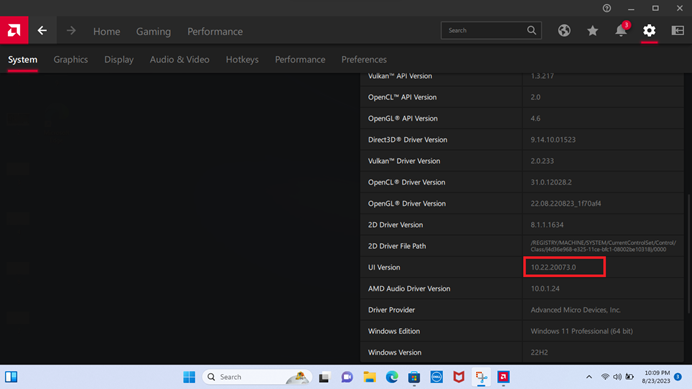
Figure 5: AMD Radeon Software
Affected Products
Inspiron 15 3525, Vostro 3425, Vostro 3525Article Properties
Article Number: 000217017
Article Type: Solution
Last Modified: 18 May 2026
Version: 3
Find answers to your questions from other Dell users
Support Services
Check if your device is covered by Support Services.