如何使用 TechDirect 将文件上传到服务请求
Summary: 本知识库文章详细介绍了通过 TechDirect 将文件上传到服务请求的步骤
This article applies to
This article does not apply to
This article is not tied to any specific product.
Not all product versions are identified in this article.
Instructions
1.转至 https://tdm.dell.com/file-upload/
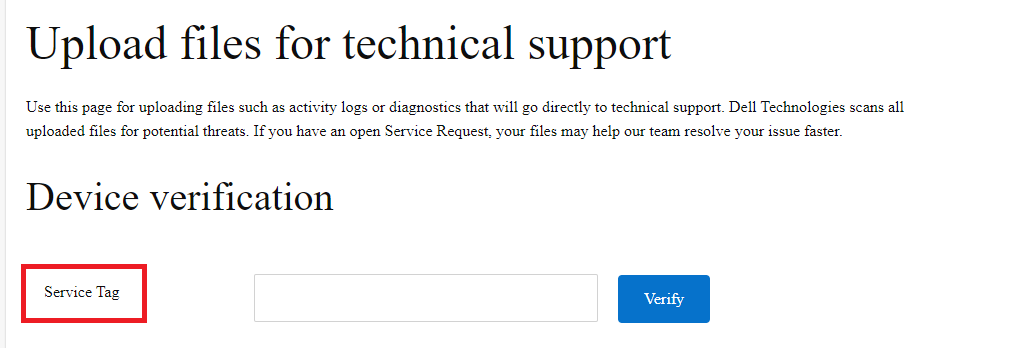
2.在“设备验证”下,输入有效的服务标签,然后单击“验证”。如果没有服务标签,请改为使用“虚拟”。序列 号在此处不适用。
2.在“Contact Preferences”下,请输入客户的公司名称(可选)、联系人的姓名、服务请求编号、联系人的电子邮件地址和戴尔联系人电子邮件(可选)。

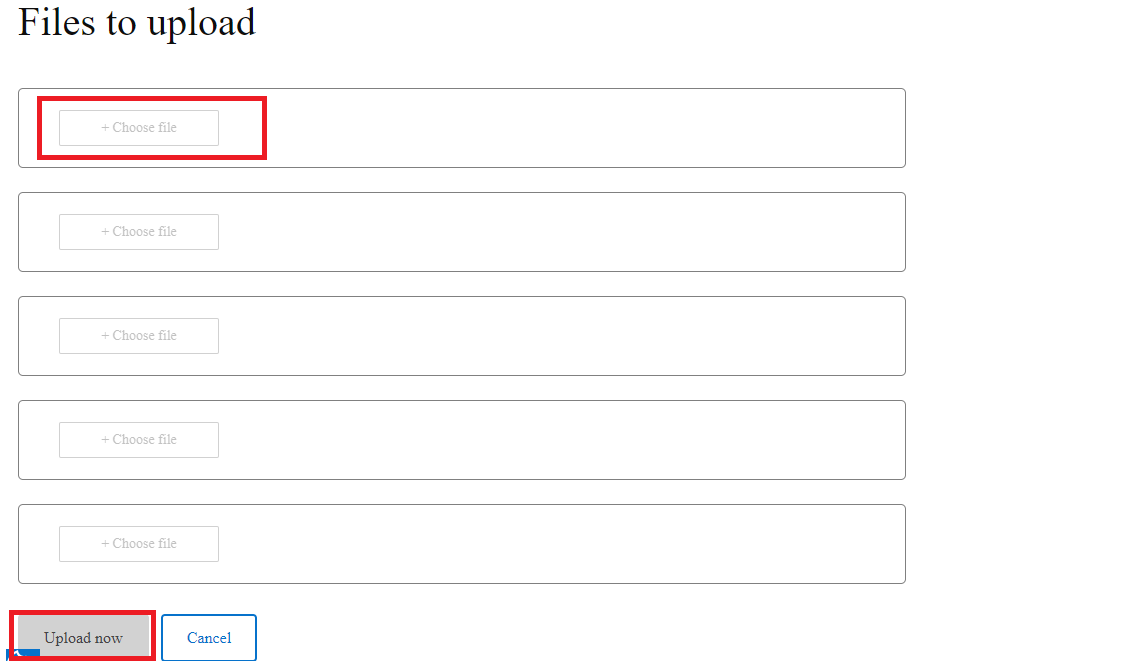
3.选择 要在服务请求中上传的文件。一次最多可选择 5 个文件。然后单击“Upload now”。

4.上传文件后,联系人将收到一封电子邮件通知,通知上传成功:

2.在“设备验证”下,输入有效的服务标签,然后单击“验证”。如果没有服务标签,请改为使用“虚拟”。序列 号在此处不适用。
2.在“Contact Preferences”下,请输入客户的公司名称(可选)、联系人的姓名、服务请求编号、联系人的电子邮件地址和戴尔联系人电子邮件(可选)。
3.选择 要在服务请求中上传的文件。一次最多可选择 5 个文件。然后单击“Upload now”。
4.上传文件后,联系人将收到一封电子邮件通知,通知上传成功:
Article Properties
Article Number: 000217933
Article Type: How To
Last Modified: 23 Oct 2024
Version: 2
Find answers to your questions from other Dell users
Support Services
Check if your device is covered by Support Services.