PowerFlex 4.X: Cursor Disappears, and Screen Freezes When Manually adding IP Address During Deployment error 401
Summary: The PowerFlex Manager Platform (PFMP) 4.x UI Screen stops responding, and the cursor disappears when manually entering hostnames and IP addresses in the final deployment screen.
This article applies to
This article does not apply to
This article is not tied to any specific product.
Not all product versions are identified in this article.
Symptoms
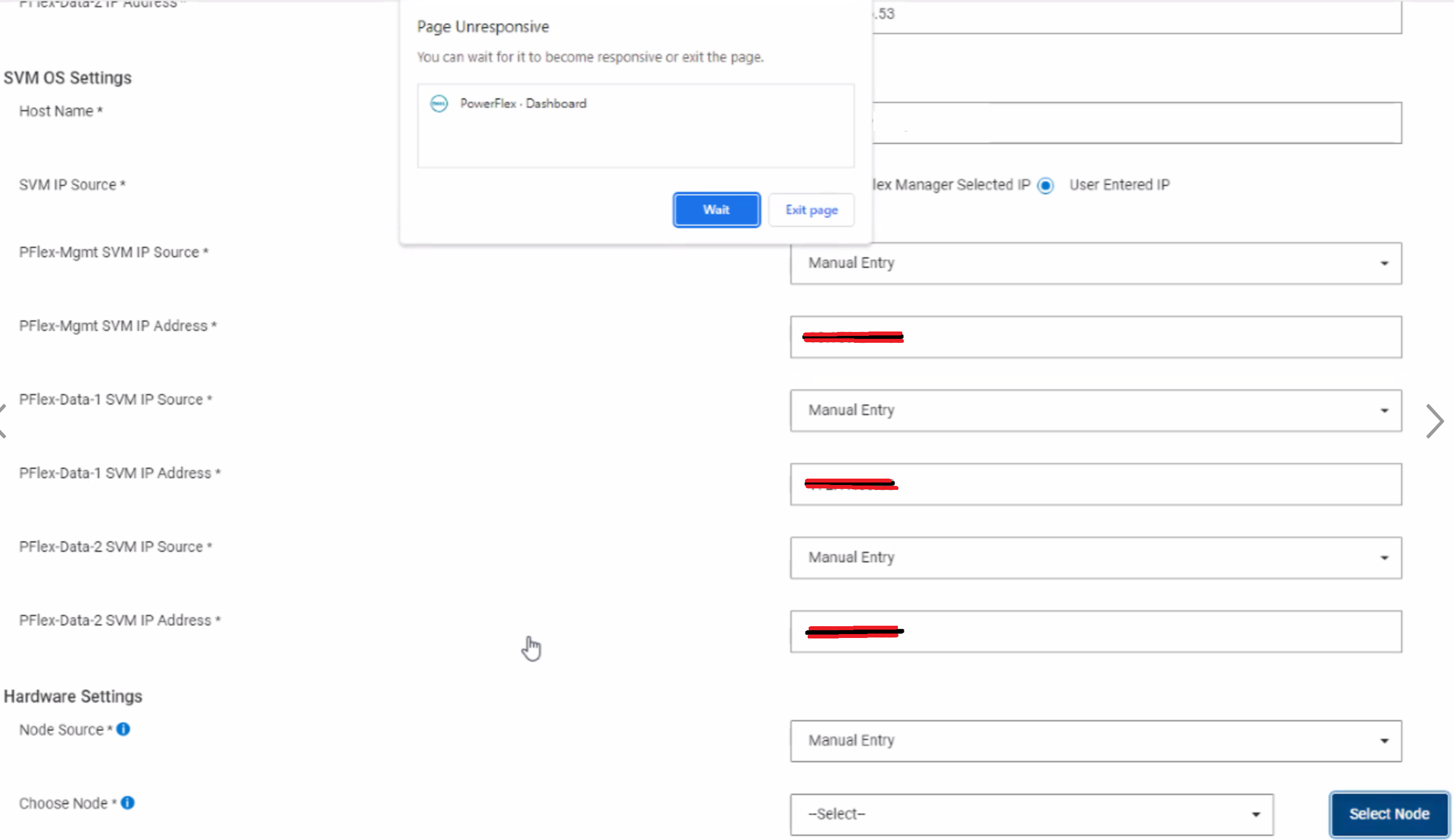
While deploying a Resource group and manually adding "user entered IP" addresses in the final deployment settings screen, the web browser randomly freezes and the cursor prompt disappears (stops blinking).
While adding IP addresses and/or hostnames in the final M&O deployment screen, the browser freezes and can eventually become unresponsive:
The freezing and cursor disappearance may get worse throughout the process of entering information for other nodes.
The PFxM UI session may timeout if the pause is too long.
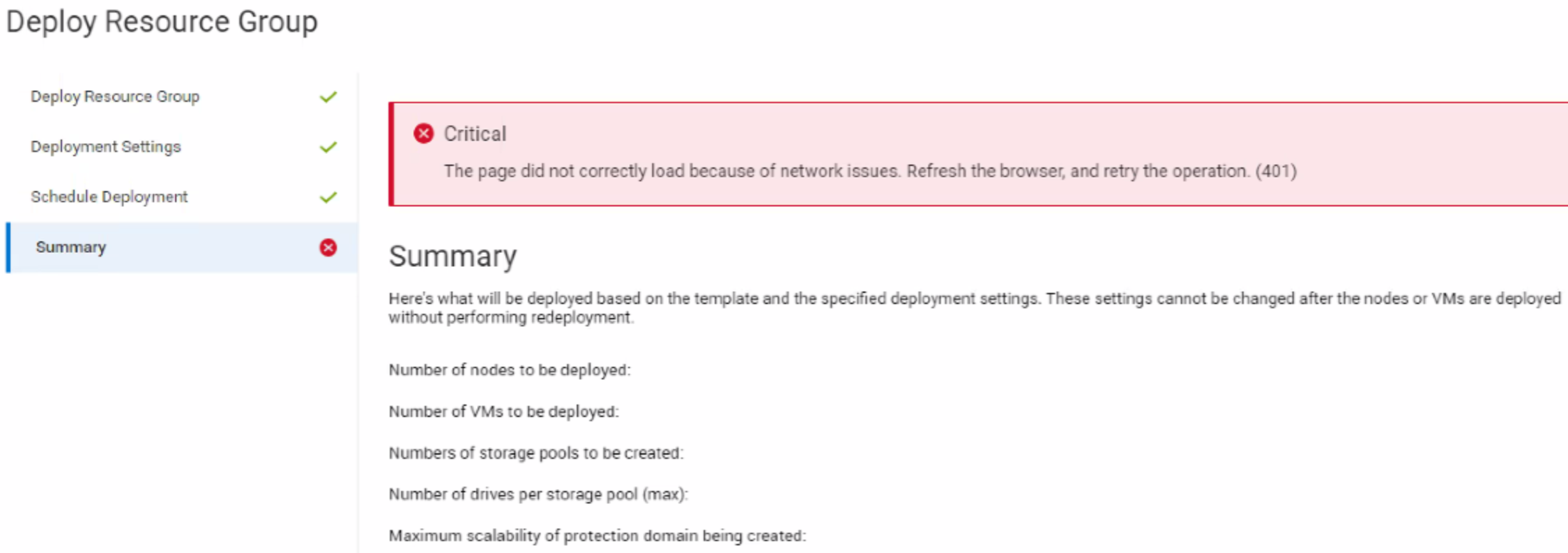
The deployment wizard shows a 401 error:
Message seen in the thin-deployer log:
2023-11-10 17:18:24 - Sequel::DatabaseConnectionError - Java::OrgPostgresqlUtil::PSQLException: The connection attempt failed.:         java.lang.Thread.run(java/lang/Thread.java:834)
2023-11-10 17:18:24 - Sequel::DatabaseConnectionError - Java::OrgPostgresqlUtil::PSQLException: The connection attempt failed.:         java.lang.Thread.run(java/lang/Thread.java:834)
2023-11-10 17:18:24 - Sequel::DatabaseConnectionError - Java::OrgPostgresqlUtil::PSQLException: The connection attempt failed.: ERROR
Impact
Unable to manually enter all the IP addresses before the browser times out.
Cause
Installed browser extensions along with the deployment wizard portion of the code are contributing to the browser not responding:

Resolution
Instead of manually adding all IP addresses for nodes or SVMs, check off "PowerFlex Manager Selected IP," which will use DNS for a hostname to ESXi IP address translation.
Also, all other IP addresses should be pulled from the pool of IP addresses defined in the Networks section.
Impacted Versions
PFMP 4.x
Fixed In Version
PFMP 4.6
Affected Products
PowerFlex rack, PowerFlex Appliance, PowerFlex custom node, PowerFlex SoftwareArticle Properties
Article Number: 000220094
Article Type: Solution
Last Modified: 29 Dec 2025
Version: 5
Find answers to your questions from other Dell users
Support Services
Check if your device is covered by Support Services.