Desktop Folder Does Not Respond Using the Touchpad or Touch Screen
Summary: Information about the Desktop folder not being able to be dragged or clicked using a touchpad or touch screen in Windows 11 (version 23H2 22631.2428).
This article applies to
This article does not apply to
This article is not tied to any specific product.
Not all product versions are identified in this article.
Symptoms
Clicking on the Windows Desktop folder has no response if you use a touchpad or a touch screen.
Affected Operating System:
- Windows 11 (version 23H2 22631.2428)
Affected Models:
- Latitude 5430
- Latitude 5431
- Latitude 5440
- Latitude 7030 Rugged Extreme Tablet
- Latitude 7230 Rugged Extreme Tablet
- Latitude 7320
- Latitude 7330
- Latitude 7430
- Latitude 7440
- Latitude 7640
- Latitude 7530
- Latitude 9330
- Latitude 9430
- Latitude 9440
- Precision 3470
- Precision 3480
- Precision 5470
- Precision 5480
- Precision 5570
- Precision 5680
- Precision 7670
- Precision 7680
- Precision 7770
- Precision 7780
- Dell Pro 13 Premium
Cause
This is an issue with Windows 11 (version 23H2 22631.2428).
Resolution
Windows Hotfix
Windows Hotfix 22631.2861 corrects this issue and is available in the Microsoft Store.
Click the Windows Box and select Settings (Figure 1).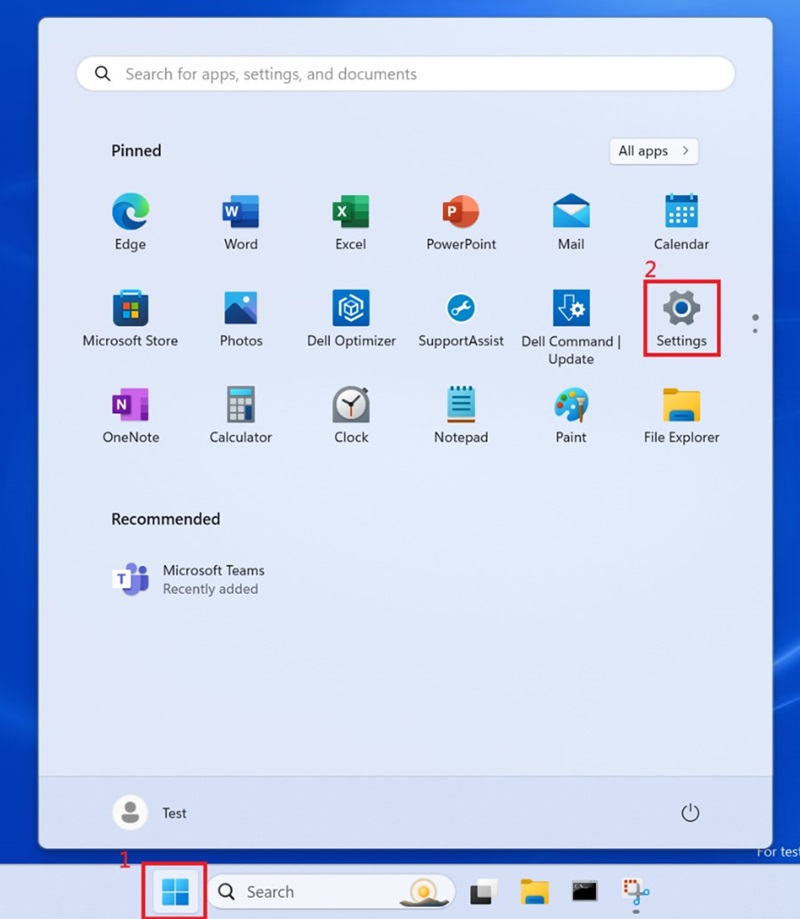
Figure 1
Select Windows Update and update Windows (Figure 2 and 3).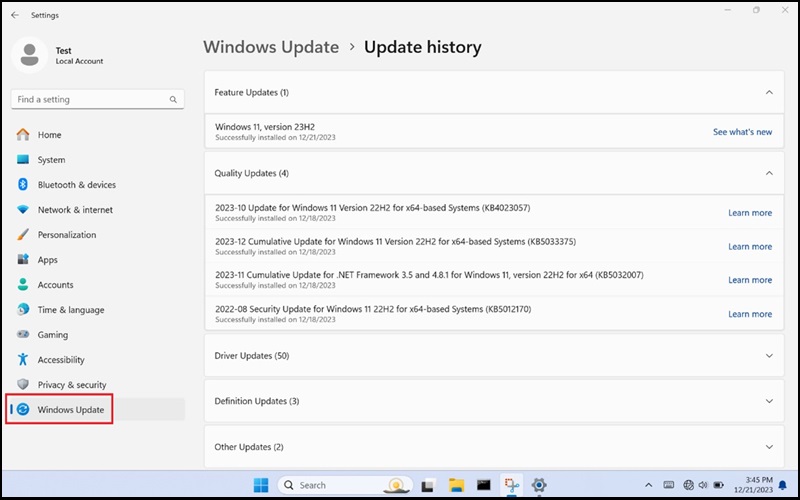
Figure 2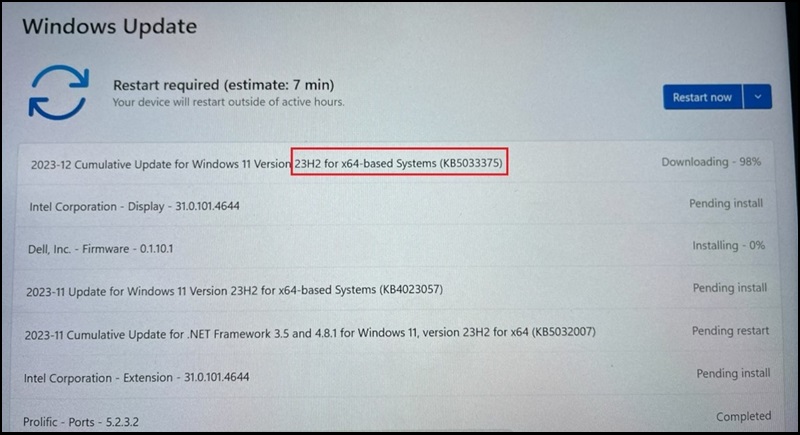
Figure 3
Windows should be updated to version 23H2 22631.2861 (Figure 4).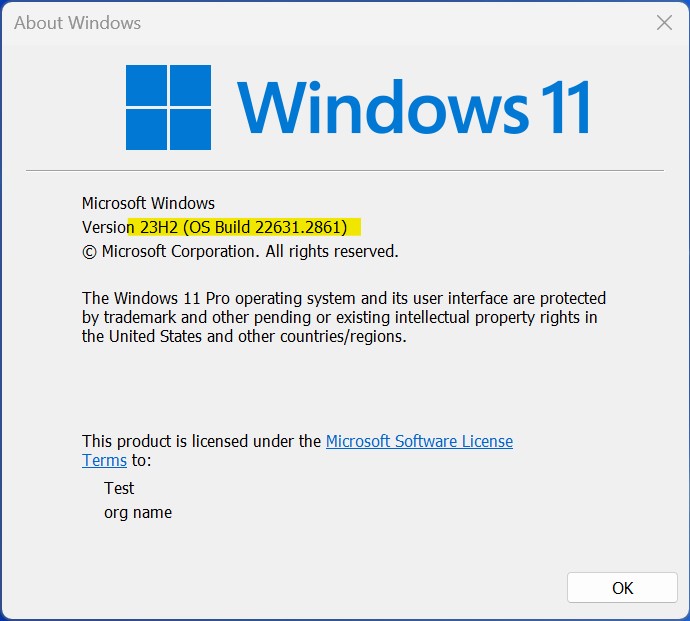
Figure 4
More Information: December 12, 2023—KB5033375 (OS Builds 22621.2861 and 22631.2861)
Affected Products
Dell Pro 13 Premium PA13250, Latitude 7030 Rugged Extreme Tablet, Latitude 7230 Rugged Extreme Tablet, Latitude 7320, Latitude 7330, Latitude 9330, Latitude 5431, Latitude 5440, Latitude 7430, Latitude 7440, Latitude 9430, Latitude 9440 2-in-1
, Latitude 7530, Latitude 7640, Latitude 5430, Precision 3470, Precision 3480, Precision 5470, Precision 5480, Precision 5570, Precision 5680, Precision 7670, Precision 7680, Precision 7770, Precision 7780
...
Article Properties
Article Number: 000220837
Article Type: Solution
Last Modified: 22 Apr 2025
Version: 7
Find answers to your questions from other Dell users
Support Services
Check if your device is covered by Support Services.