Identifying Versions in the PowerFlex Family
Summary: This Knowledge Base Article (KBA) outlines various methods to identify versions in the PowerFlex family, including PowerFlex solutions and software only.
This article applies to
This article does not apply to
This article is not tied to any specific product.
Not all product versions are identified in this article.
Instructions
PowerFlex 3.x Version Information:
PowerFlex Core Version:
- From the Presentation Server (Software only, Rack, Appliance)

- From scli --query_all output that is run on the Primary MDM
- From Compliance Report on (PfxM) via a screenshot or a live Zoom session
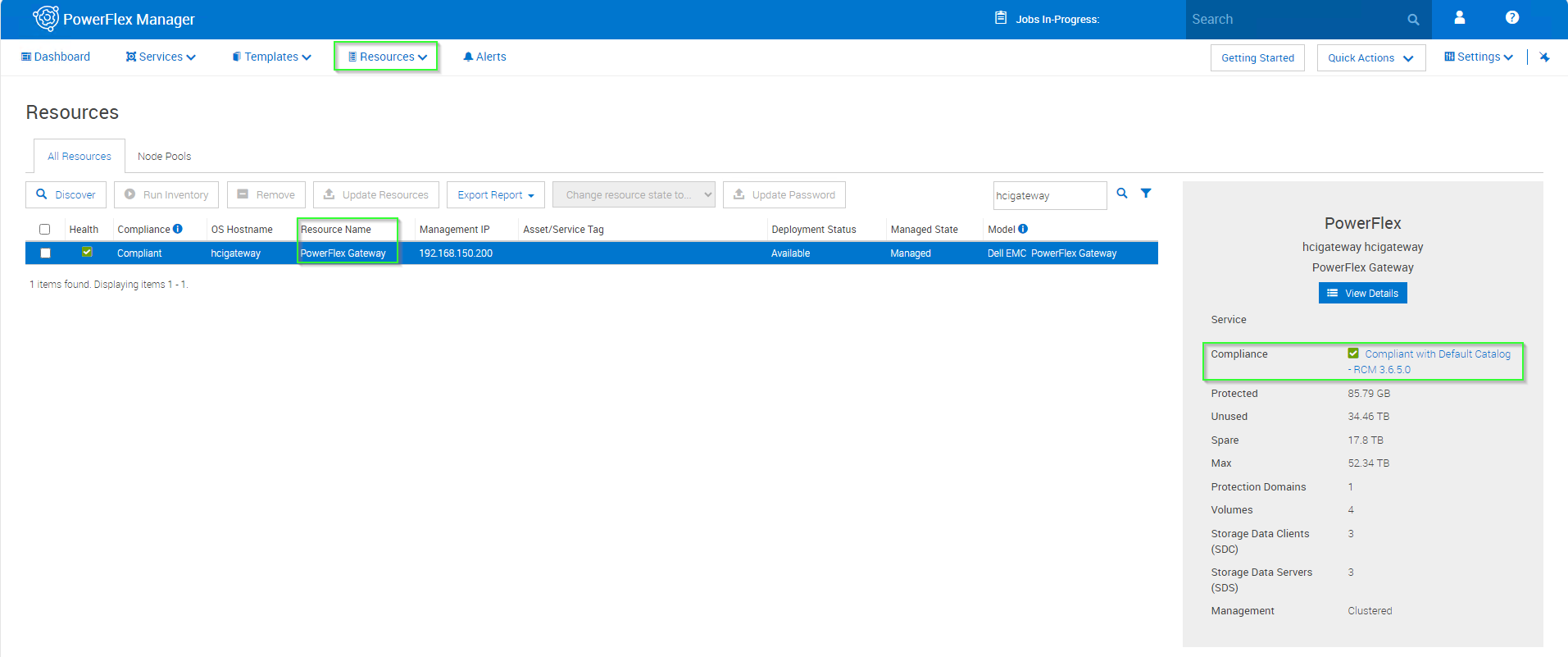
Then you can navigate to the RCM/IC portal to Identify the Core version from the RCM/IC you got
https://cicodeportal.dell.com/#/home
Type in the RCM/IC in the Search field; click search

You will get a result similar to the screenshot below; click on the target RCM/IC

Once you are in the RCM Matrix page, " use CTRL+ F" to find the PowerFlex version, shown below

-
PowerFlex Manager Version

-
From the Gateway in case you do not have the Presentation Server UI installed


-
Using Rest Method
Browse to https://{gatewayIP}/rest.jsp
Login
Click the Blue banner “Connect to MDM on x.x.x.x, x.x.x.x (enter MDM credentials in the popup)
Look for the Version info Property Value
PowerFlex 4.x Version Information:
PowerFlex Core Version:-
PFxM "Resources" tab

- Live Log Bundle "4.0 Logs PFMP Version:"
Dell_EMC_PFxM_Logs_2024-02-20T18-13-17.176148.tar\svc_collect-20240220_181222\cmd_outputs\kubectl_get_pods_-o_json.txt
find . | grep -i "kubectl_get_pods_-o_json.txt" | xargs grep -iA1 -m1 "PFMP_VERSION"
"name": "PFMP_VERSION",
"value": "4.5.1.1 (4)"
- PowerFlex Manager Version

To find BIOS Information in PowerFlex 3.x or 4.x , see the iDRAC TSR bundle
Example:

To find Disk Firmware Information in PowerFlex 3.x or 4.x , see the iDRAC TSR bundle as shown below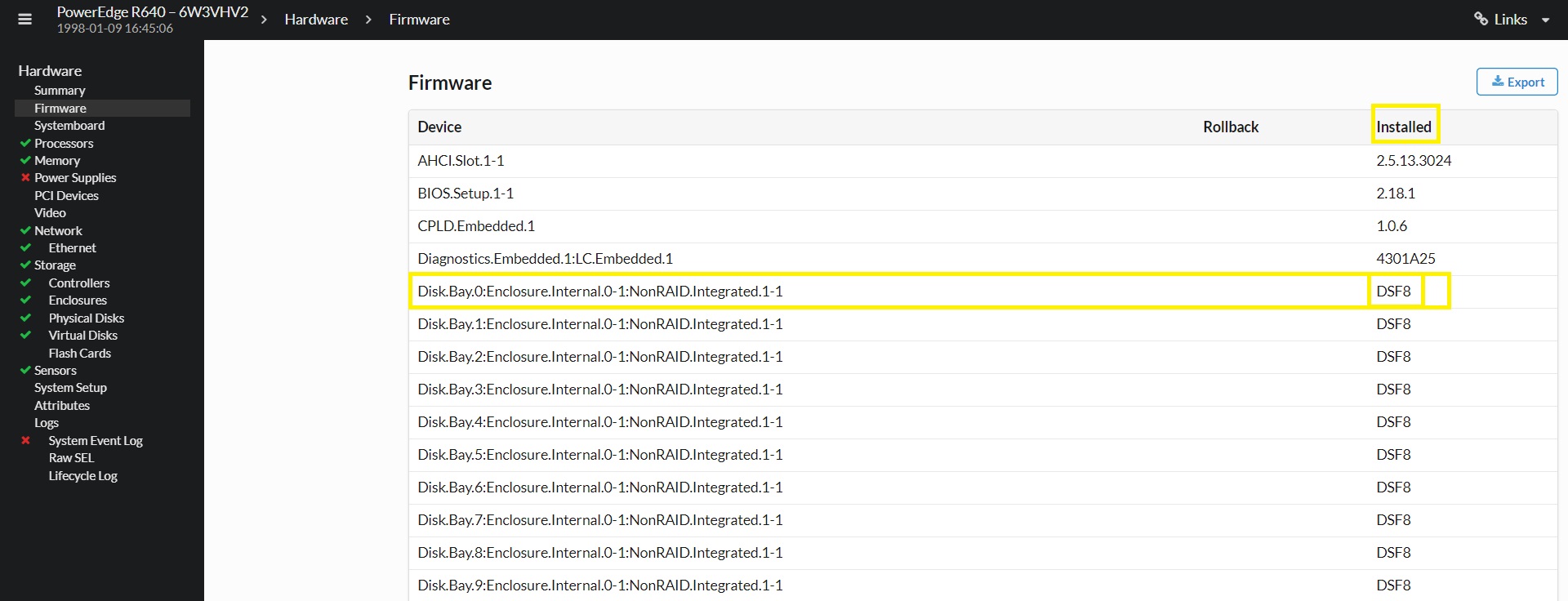
How to collect a TSR ?
Affected Products
Ansible Modules for PowerFlex, Ansible Modules for PowerFlex ManagerProducts
PowerFlex rack, VxRack, PowerFlex Appliance, PowerFlex custom node, PowerFlex appliance connectivity, PowerFlex appliance Intelligent Catalog Software, PowerFlex appliance R650, PowerFlex appliance R6525, PowerFlex appliance R660
, PowerFlex appliance R6625, Powerflex appliance R750, PowerFlex appliance R760, PowerFlex appliance R7625, PowerFlex custom node, PowerFlex custom node R650, PowerFlex custom node R6525, PowerFlex custom node R660, PowerFlex custom node R6625, PowerFlex custom node R750, PowerFlex custom node R760, PowerFlex custom node R7625, PowerFlex rack connectivity, PowerFlex rack HW, PowerFlex rack RCM Software, PowerFlex Software, PowerFlex appliance R640, PowerFlex appliance R740XD, PowerFlex appliance R7525, PowerFlex appliance R840
...
Article Properties
Article Number: 000222560
Article Type: How To
Last Modified: 20 Oct 2025
Version: 2
Find answers to your questions from other Dell users
Support Services
Check if your device is covered by Support Services.