Remote BIOS Flash Update Error on Dell Latitude Laptop
Summary: The BIOS Flash Update - Remote option from the F12 one-time boot menu on a Latitude is unable to connect to wireless after reimaging the operating system.
This article applies to
This article does not apply to
This article is not tied to any specific product.
Not all product versions are identified in this article.
Symptoms
An affected Latitude laptop is unable to use the BIOS Flash Update - Remote option from the F12 one-time boot menu. The Latitude is unable to enter the BIOSConnect environment and has an error stating, "Unable to connect Wireless. Set up a wired connection using an Ethernet cable." This occurs when the original shipping operating system image has been reimaged, or the hard drive has been reformatted.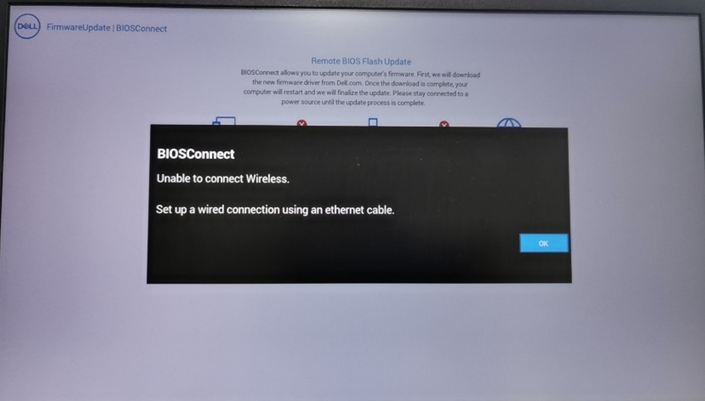
Affected Platforms:
- Latitude 3310
- Latitude 3320
- Latitude 3330
- Latitude 3340
- Latitude 3400
- Latitude 3410
- Latitude 3420
- Latitude 3430
- Latitude 3440
- Latitude 3500
- Latitude 3510
- Latitude 3520
- Latitude 3530
- Latitude 3540
- Latitude 5300
- Latitude 5300 2-in-1
- Latitude 5310
- Latitude 5310 2-in-1
- Latitude 5320
- Latitude 5340
- Latitude 5400
- Latitude 5410
- Latitude 5411
- Latitude 5420
- Latitude 5421
- Latitude 5430
- Latitude 5431
- Latitude 5440
- Latitude 5491
- Latitude 5500
- Latitude 5511
- Latitude 5520
- Latitude 5521
- Latitude 5530
- Latitude 5540
- Latitude 5591
- Latitude 7300
- Latitude 7310
- Latitude 7320
- Latitude 7330
- Latitude 7340
- Latitude 7400
- Latitude 7410
- Latitude 7420
- Latitude 7430
- Latitude 7440
- Latitude 7520
- Latitude 7530
- Latitude 7640
- Latitude 9410
- Latitude 9420
- Latitude 9430
- Latitude 9510
- Latitude 9520
Cause
A disk format deletes the BIOS recovery (RCV) file. Deleting the RCV file causes the wireless functionality failure from BIOSConnect.
Resolution
Download and install the most recent BIOS update from Dell Support. For more information, reference the BIOS Update Guide. Installing the BIOS file from Dell Support re-creates the RCV file, reenabling the wireless functionality from BIOSConnect.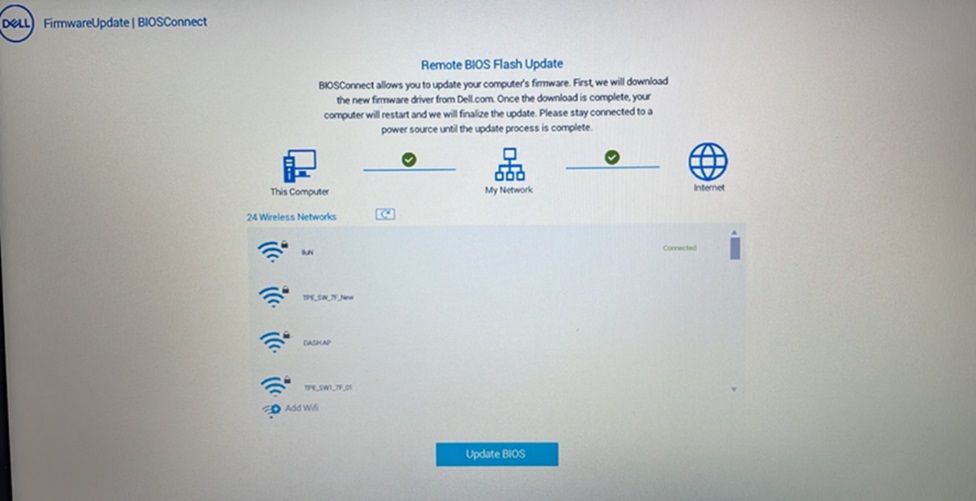
Affected Products
Latitude 3310, Latitude 3320, Latitude 3330, Latitude 3340, Latitude 5300 2-in-1, Latitude 5300, Latitude 5310 2-in-1, Latitude 5310, Latitude 5320, Latitude 5340, Latitude 7300, Latitude 7310, Latitude 7320, Latitude 7330, Latitude 7340
, Latitude 3400, Latitude 3410, Latitude 3420, Latitude 3430, Latitude 3440, Latitude 5400, Latitude 5410, Latitude 5411, Latitude 5421, Latitude 5431, Latitude 5440, Latitude 5491, Latitude 7400, Latitude 7410, Latitude 7420, Latitude 7430, Latitude 7440, Latitude 9410, Latitude 9420, Latitude 9430, Latitude 3500, Latitude 3510, Latitude 3520, Latitude 3530, Latitude 3540, Latitude 5500, Latitude 5511, Latitude 5520, Latitude 5521, Latitude 5530, Latitude 5540, Latitude 5591, Latitude 7520, Latitude 7530, Latitude 9510, Latitude 9520, Latitude 7640, Latitude 5420, Latitude 5430
...
Article Properties
Article Number: 000223087
Article Type: Solution
Last Modified: 13 Nov 2025
Version: 5
Find answers to your questions from other Dell users
Support Services
Check if your device is covered by Support Services.