VxRail: Enabling vLCM Fails When Using External vCenter 8.0 U3
Summary: Changes in how vCenter 8.0 U3 handles HTTP requests result in failure when enabling vLCM.
This article applies to
This article does not apply to
This article is not tied to any specific product.
Not all product versions are identified in this article.
Symptoms
It is supported that the external vCenter (customer managed vCenter) version is higher than the VxRail cluster ESXi host version.
However, when the external vCenter 8.0 U3 is managing some previous version VxRail hosts, enabling vLCM on the cluster fails.
Scenario 1: Day1 cluster deployment enable vLCM fails.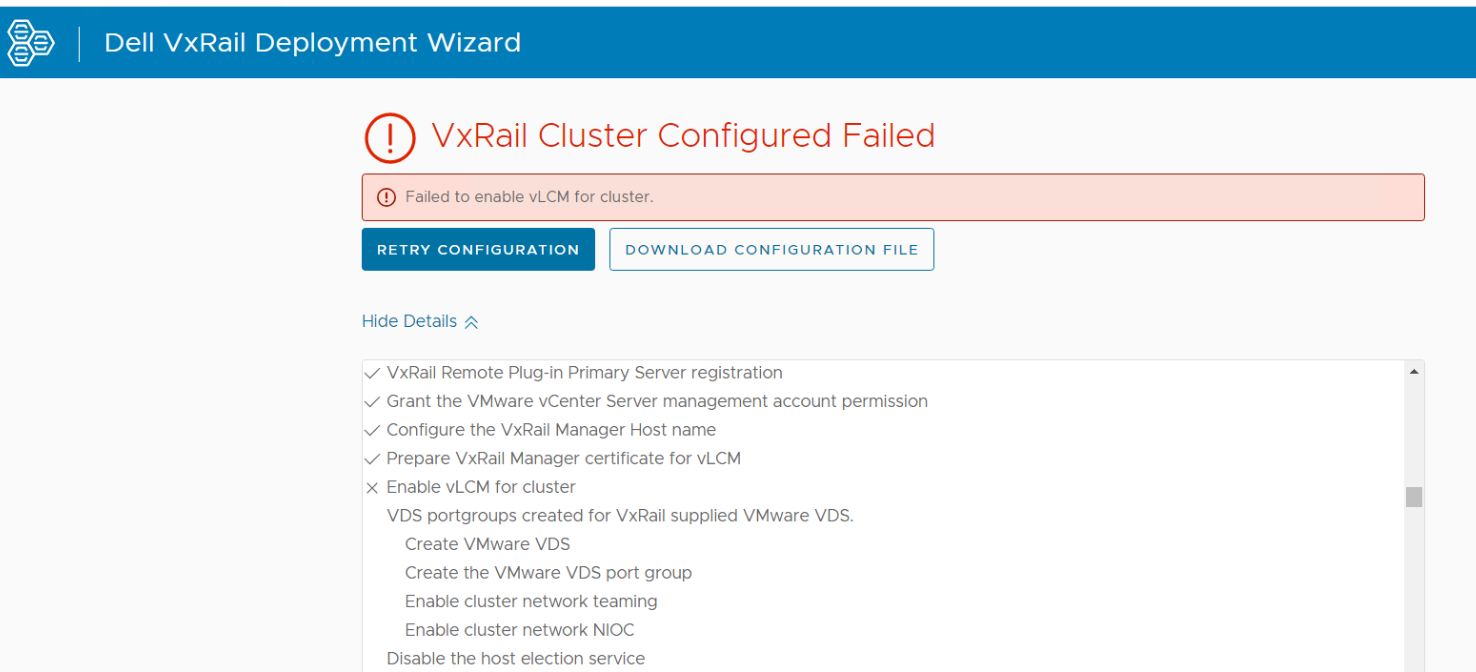
Scenario 2: Day2 enable vLCM stuck at 12%.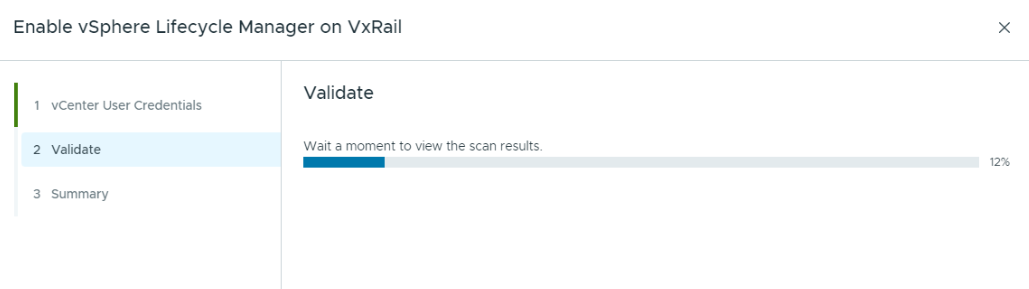
Cause
vCenter 8.0 U3 starts to support gzip format compression header for HTTP Request, it is not compatible with previous versions of VxRail manager, which causes communication issue between the vCenter and VxRail manager.
Resolution
7.0.520 and 8.0.300 releases have fixed this issue.
- For the day1 scenario, reimage the nodes to 7.0.520 or 8.0.300, then build the cluster with vLCM enabled.
- For the day2 scenario, upgrade the cluster to 7.0.520 or 8.0.300, then enable the vLCM.
If you are not ready for an upgrade, please engage Dell Support to apply a patch on the VxRail manager.
Affected Products
VxRail, VxRail Appliance Series, VxRail SoftwareArticle Properties
Article Number: 000225089
Article Type: Solution
Last Modified: 26 Nov 2025
Version: 4
Find answers to your questions from other Dell users
Support Services
Check if your device is covered by Support Services.