Connectrix Brocade: Unable to view Defined Zone configuration on Webtools.
Summary: The switch zoning configuration can be performed from Switch CLI or Web GUI - Webtools.
This article applies to
This article does not apply to
This article is not tied to any specific product.
Not all product versions are identified in this article.
Symptoms
The Defined (Inactive) Zoning Config was missing from the Switch Webtools.
The Switch CLI showed both the Zone Configuration, Effective (Active) and Defined (Inactive) Zone Database.
Cause
Below is the screenshot from Webtools:
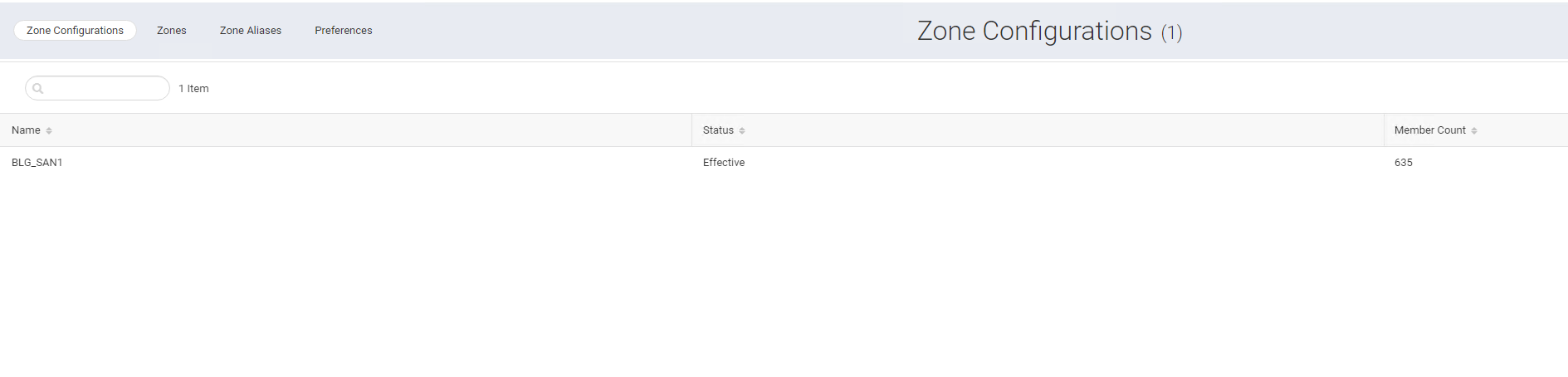

Non-Working switch:
Working switch:
Resolution
There is an option to go ahead and Clone the existing Zone Config on the Webtools.
To clone a zone configuration, perform the following steps:
1. Click "Zoning" in the navigation bar. By default, the "Zone Configurations" window is displayed.
2. To clone a zone configuration, select an existing zone configuration. The selected zone configuration is displayed. You can clone both "Active" and "InActive" zone configurations.
3. Click "Save As" from the "Save" drop-down to clone the configuration with a different name.
2. To clone a zone configuration, select an existing zone configuration. The selected zone configuration is displayed. You can clone both "Active" and "InActive" zone configurations.
3. Click "Save As" from the "Save" drop-down to clone the configuration with a different name.
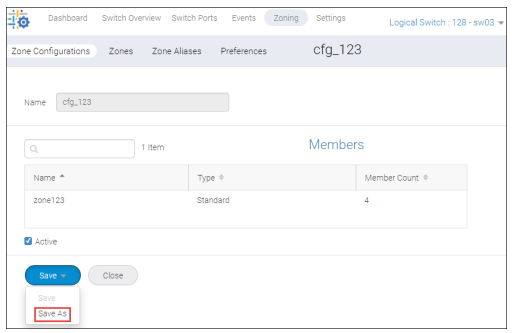
4. Enter a name, and then click "Save"

5. Click "OK"
The cloned zone configuration is saved under the Zone Configurations window.
6. You can go ahead and activate the Zone Configuration.
The cloned zone configuration is saved under the Zone Configurations window.
6. You can go ahead and activate the Zone Configuration.
Additional Information
Reference Guide: https://techdocs.broadcom.com/content/dam/broadcom/techdocs/us/en/pdf/fc-networking/software-web-tools/fos-91x-webtools.pdf

Affected Products
Connectrix B-Series Fabric OS 9.XProducts
Connectrix B-SeriesArticle Properties
Article Number: 000227377
Article Type: Solution
Last Modified: 31 Jul 2024
Version: 1
Find answers to your questions from other Dell users
Support Services
Check if your device is covered by Support Services.