Stylus Not Functioning or Touchscreen Exhibiting Reduced Sensitivity
Summary: This article provides information about the Stylus pen not working on the touchscreen, or the touch is not sensitive.
This article applies to
This article does not apply to
This article is not tied to any specific product.
Not all product versions are identified in this article.
Symptoms
Touchscreen cannot work with a stylus pen.
Affected Platforms:
- Dell Pro Rugged 10 Tablet RA00260
- Dell Pro Rugged 12 Tablet RA02260
- Latitude 7030 Rugged Extreme
- Latitude 7230 Rugged Extreme
Cause
When using the Dr. Touch app's diagnostic feature but continues to touch the screen during calibration, finger signals are inadvertently in the calibration process. As a result, the Integrated Circuit (IC) algorithm persistently detects finger input, attempting to counteract it with reverse signals. This interference also impacts threshold values, which may prevent proper stylus functionality.
Resolution
Follow the below step to perform touch calibration.
Step to perform Touch Calibration:
- Search eGalaxDr. Touch on the system and run the app.
- Click the tool sheet and select the Diagnostic item.
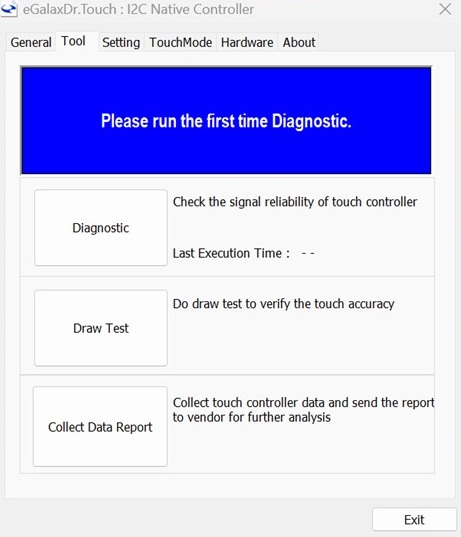
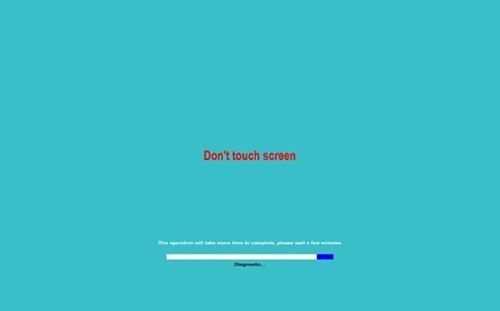
- Do not touch on the screen when touchscreen under diagnostic.
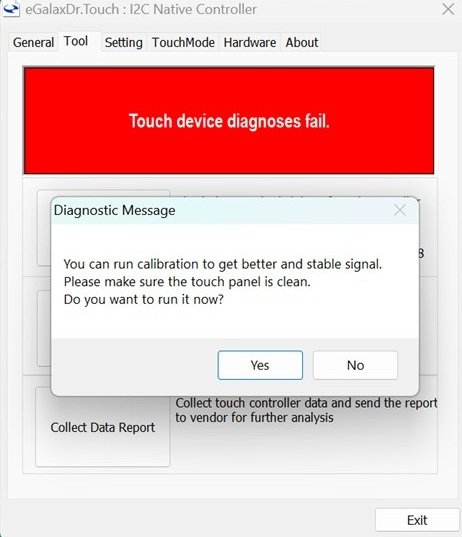
- After the diagnostic is completed, if the touchscreen fail will be displayed. Follow the suggestion to run calibration.
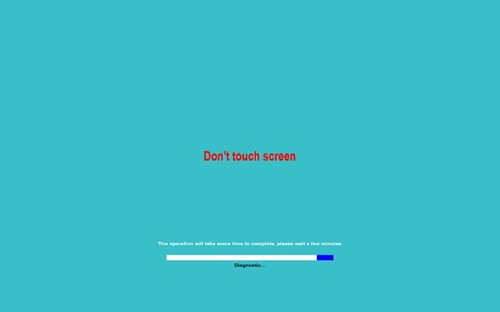
- Start calibration and the screen shows do not touch on the screen.
- It will show the pass after completed the calibration.
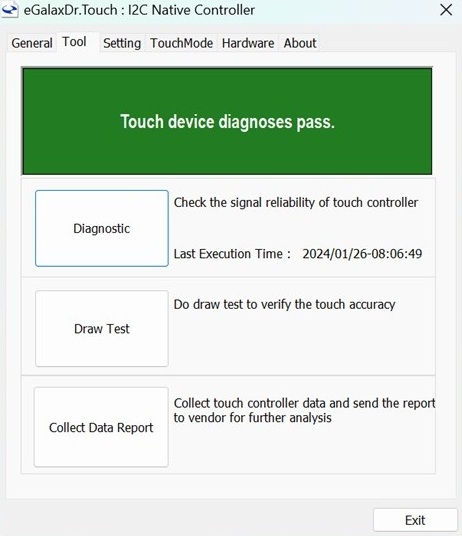
- Completed above step could be free to use the touch.
Affected Products
Dell Pro Rugged 10 Tablet RA00260, Dell Pro Rugged 12 Tablet RA02260, Latitude 7030 Rugged Extreme Tablet, Latitude 7230 Rugged Extreme TabletArticle Properties
Article Number: 000432505
Article Type: Solution
Last Modified: 27 Feb 2026
Version: 1
Find answers to your questions from other Dell users
Support Services
Check if your device is covered by Support Services.