NetWorker: L'utente AD non riesce ad accedere tramite l'interfaccia VCUI, ma riesce nella Management Console.
Summary: L'utente dell'autorità esterna (AD/LDAP) non riesce ad accedere all'interfaccia utente (web) vCenter (VCUI). Viene visualizzato il messaggio "Invalid Username or Password".
This article applies to
This article does not apply to
This article is not tied to any specific product.
Not all product versions are identified in this article.
Symptoms
- Active Directory (AD)/LDAP è stato integrato con il servizio di autenticazione NetWorker (authc).
- La risorsa autorità esterna è stata configurata utilizzando il tenant "predefinito":

- Gli utenti dell'autorità esterna possono accedere correttamente a NetWorker Management Console (NMC), NetWorker Web User Interface (NWUI), Data Protection Restore Web Interface (restore FLR/SQL).
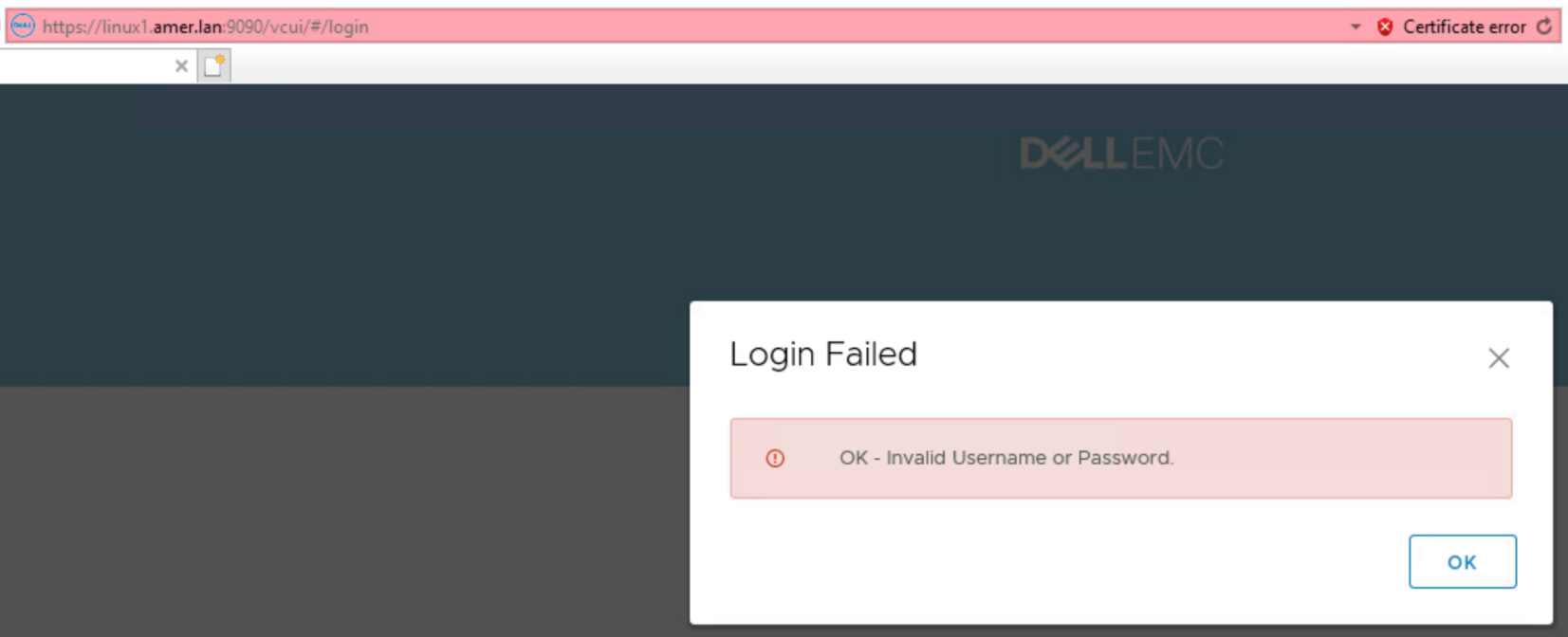
- Quando si esegue l'accesso all'interfaccia utente di vCenter: https:// NetWorker-Server-Address:9090/vcui, viene visualizzato il seguente errore:
Cause
Localhost_access_log del server NetWorker. report date.txt:
Ad esempio, quando si utilizza il tenant predefinito, questo viene visualizzato come "default\domain\username".
Linux: /nsr/authc/logs/localhost_access_log. date.txt
Windows: .. \Program Files\EMC NetWorker\nsr\authc-server\tomcat\logs\localhost_access_log. date.txt
Il file vcui.log del server NetWorker segnala:
Windows: .. \Program Files\EMC NetWorker\nsr\authc-server\tomcat\logs\localhost_access_log. date.txt
NWSERVERIP   - - [DD/MMM/YYYY:HH:MM:SS -TZ] "GET /nwrestapi/v3/internal/users/domain%255Cusername HTTP/1.1" 404 478
VCUICLIENTIP - - [DD/MMM/YYYY:HH:MM:SS -TZ] "POST /vcui/api/login HTTP/1.1" 401 135
Linux: /nsr/authc/logs/vcui.log
Windows: .. \Program Files\EMC NetWorker\nsr\authc-server\tomcat\logs\vcui.log
L'accesso utente esterno è stato specificato con il formato "dominio\nomeutente". Questo è il metodo utilizzato nel client NMC, NWUI e Data Protection Restore quando l'autorità esterna è stata configurata utilizzando il tenant "default"; Tuttavia, VCUI richiede che il tenant sia specificato: "tenant\dominio\nomeutente".
Windows: .. \Program Files\EMC NetWorker\nsr\authc-server\tomcat\logs\vcui.log
YYYY-MM-DD HH:MM:SS [https-jsse-nio-9090-exec-4] INFO  c.e.n.c.n.i.NwRestApiBase.buildWebResourceFromUri 171 - Call NW: [https://NetWorker-ServerAddress:9090/nwrestapi/v3/internal/users/domain%255Cusername]
YYYY-MM-DD HH:MM:SS [https-jsse-nio-9090-exec-4] INFO  c.e.n.c.n.impl.GlobalApi.validateAdminLogin 46 - Got response.
YYYY-MM-DD HH:MM:SS [https-jsse-nio-9090-exec-4] ERROR c.e.n.c.n.impl.GlobalApi.validateAdminLogin 118 - Get internal user information failed. Response Status Family = CLIENT_ERROR does not equal SUCCESSFUL
YYYY-MM-DD HH:MM:SS [https-jsse-nio-9090-exec-4] ERROR c.e.n.c.n.impl.GlobalApi.validateAdminLogin 122 - Admin status was not able to be determined for given user and group.
YYYY-MM-DD HH:MM:SS [https-jsse-nio-9090-exec-4] ERROR c.d.e.n.s.AuthenticationServiceImpl.assertValidNetWorkerLogin 82 - NetWorker login failed for administrator
Ad esempio, quando si utilizza il tenant predefinito, questo viene visualizzato come "default\domain\username".
Resolution
Quando si esegue l'accesso all'interfaccia utente di vCenter (VCUI) come utente di un'autorità esterna (AD o LDAP), specificare il tenant\dominio\nomeutente.

La richiesta di autenticazione riuscita viene registrata in vcui.log:
La richiesta di autenticazione riuscita viene registrata in vcui.log:
YYYY-MM-DD HH:MM:SS [https-jsse-nio-9090-exec-3] INFO  c.e.n.c.n.i.NwRestApiBase.buildWebResourceFromUri 171 - Call NW: [https://NetWorker-Server-Address:9090/nwrestapi/v3/internal/users/default%255Cdomain%255Cusername]
YYYY-MM-DD HH:MM:SS [https-jsse-nio-9090-exec-3] INFO  c.e.n.c.n.impl.GlobalApi.validateAdminLogin 46 - Got response.
Affected Products
NetWorkerProducts
NetWorker Family, NetWorker SeriesArticle Properties
Article Number: 000204190
Article Type: Solution
Last Modified: 21 Mar 2025
Version: 4
Find answers to your questions from other Dell users
Support Services
Check if your device is covered by Support Services.