AppSync: Unable to create a service plan completion report using AppSync GUI
Yhteenveto: Unable to export a service plan completion report using AppSync GUI.
Tämä artikkeli koskee tuotetta
Tämä artikkeli ei koske tuotetta
Tämä artikkeli ei liity tiettyyn tuotteeseen.
Tässä artikkelissa ei yksilöidä kaikkia tuoteversioita.
Oireet
Unable to export a service plan completion report using AppSync 4.5 GUI.
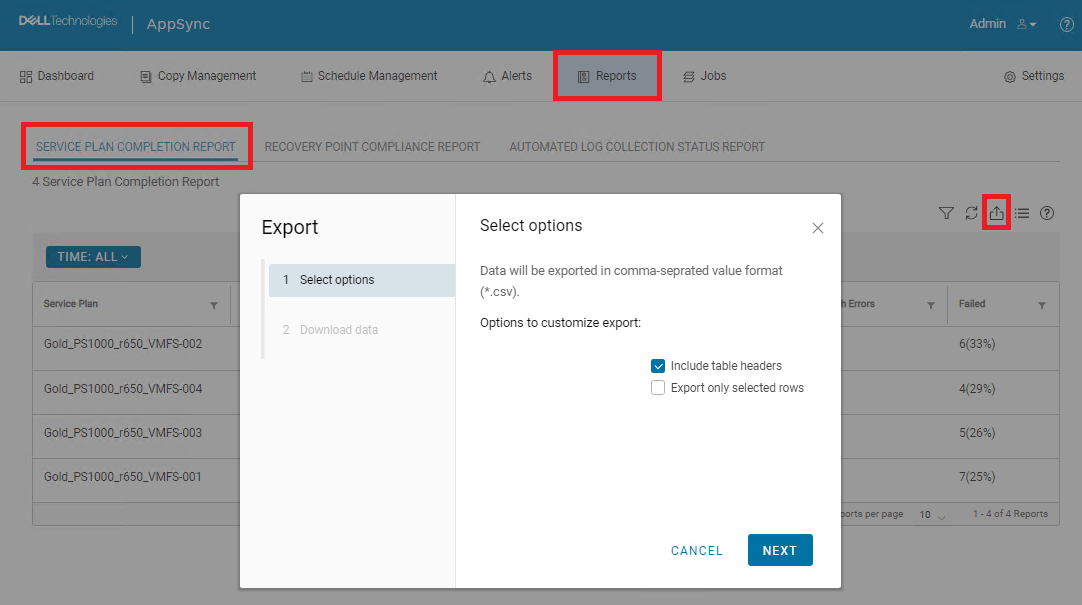
If "Include table headers" is selected and "Export only selected rows" is NOT selected, downloading would not happen. Actually, nothing happened.
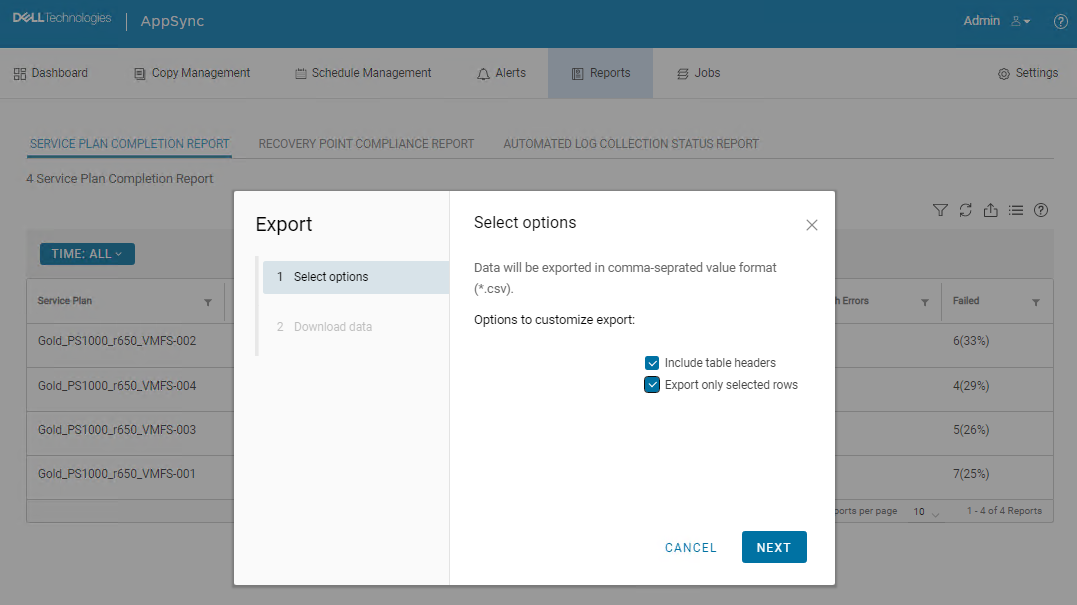
If both "Include table headers" and "Export only selected rows" are selected, downloading started and CSV file was downloaded. However, all data was missing.

Syy
This is an AppSync UI bug.
Tarkkuus
Workaround:
The following AppSync CLI command can be used to export a service plan completion report.
Sample command output:
Service_Plan_Completion_Report_2022_12_26_18_24_38.csv

Permanent fix:
This issue is expected to be resolved in the version following 4.5.
The following AppSync CLI command can be used to export a service plan completion report.
appsync-cli.bat -report report_type=spc detailed=true
Sample command output:
C:\EMC\AppSync\appsync-cli>appsync-cli.bat -report report_type=spc detailed=true
Picked up JAVA_TOOL_OPTIONS: "-Dos.name=Windows Server 2019"

Exporting SPC Details to: "C:\EMC\AppSync\Service_Plan_Completion_Report_2022_12_26_18_24_38.csv"
Service_Plan_Completion_Report_2022_12_26_18_24_38.csv
Permanent fix:
This issue is expected to be resolved in the version following 4.5.
Lisätietoja
Refer to the release notes of the version following 4.5 to determine if the fix has been included.
Tuotteet, joihin vaikutus kohdistuu
AppSyncArtikkelin ominaisuudet
Artikkelin numero: 000206985
Artikkelin tyyppi: Solution
Viimeksi muutettu: 16 toukok. 2026
Versio: 4
Etsi vastauksia kysymyksiisi muilta Dell-käyttäjiltä
Tukipalvelut
Tarkista, kuuluuko laitteesi tukipalveluiden piiriin.