PowerStore: How to upload log files to an existing Service Request
Riepilogo: This article provides steps to upload files to an existing Service Request.
Questo articolo si applica a
Questo articolo non si applica a
Questo articolo non è legato a un prodotto specifico.
Non tutte le versioni del prodotto sono identificate in questo articolo.
Istruzioni
- Go to https://www.dell.com/support/incidents-online/srsearch
- Click Sign In.
- A business account is required to upload files larger than 50 MB.
- How to Register for Access to Dell Technologies Online Support or Upgrade an Existing Account
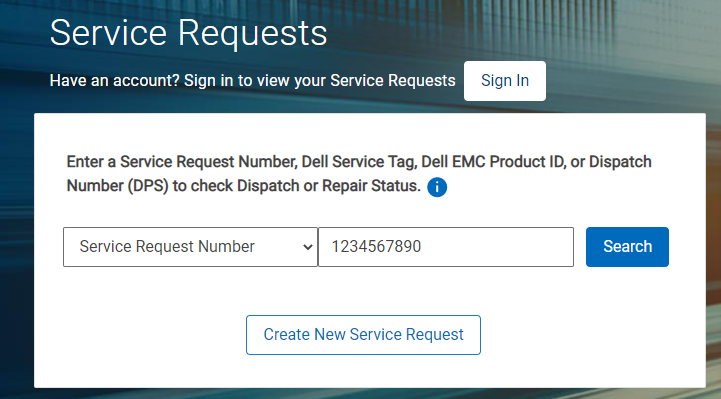
- Enter the Service Request Number value in the space provided.
- Enter the Email Address associated with the Service Request in the display window.
- In the Activity Center panel, click the button labeled Attach Files.
- Select files to upload.
- Click Upload All.
Alternative method using tech direct
- Go to https://tdm.dell.com/file-upload
- Enter the Service tag and Verify.
- Enter the Preferred name, Service Request Number, and the Email Address associated with that Service Request.
- Select files to upload.
Informazioni aggiuntive
| Unsupported File Types | |||
|---|---|---|---|
| exe | ace | ade | adp |
| ani | app | asp | aspx |
| asx | bas | bat | bin |
| cer | chm | cla | class |
| cmd | cnt | vsmacros | com |
| cpl | crt | csh | der |
| docm | fxp | gad | gadget |
| get | grp | hlp | hpj |
| hta | htc | inf | ins |
| isp | its | jar | js |
| jse | ksh | lnk | mad |
| maf | mag | mam | maq |
| mar | mas | mat | mau |
| mav | maw | mcf | mda |
| mdb | mde | mdt | mdw |
| mdz | mhtml | msc | msh |
| msh1 | msh2 | msi | msp |
| mst | ocx | ops | osd |
| pcd | pif | pl | plg |
| prf | prg | ps1 | ps2 |
| psc1 | psc2 | pst | reg |
| run | scf | scr | sct |
| sh | shb | shs | url |
| vb | vbe | vbp | vbs |
| vss | vst | vsw | ws |
| wsc | wsf | wsh | xba |
| xnk | |||
Prodotti interessati
PowerStoreProprietà dell'articolo
Numero articolo: 000205741
Tipo di articolo: How To
Ultima modifica: 15 mag 2025
Versione: 9
Trova risposta alle tue domande dagli altri utenti Dell
Support Services
Verifica che il dispositivo sia coperto dai Servizi di supporto.