PowerProtect Data Manager: 400: Bad Request error when attempting to edit a Protection Rule in the PowerProtect UI
概要: PowerProtect Data Manager: 400: Bad Request error when attempting to edit a Protection Rule.
この記事は次に適用されます:
この記事は次には適用されません:
この記事は、特定の製品に関連付けられていません。
すべての製品パージョンがこの記事に記載されているわけではありません。
現象
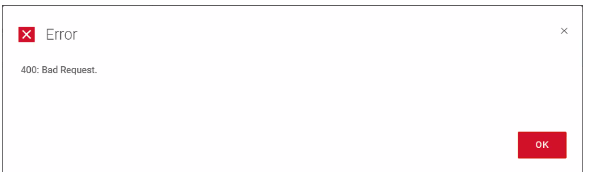
When attempting to edit a PPDM Protection Rule, the following error is displayed:
原因
Within the rule, the customer had created a single entry for every single VM that they had in their environment.
In this case, the total entries exceeded 4300 characters.
The large rule generates a large payload which causes the error.
In this case, the total entries exceeded 4300 characters.
The large rule generates a large payload which causes the error.
解決方法
To resolve the issue, modify the protection rule to have fewer entries, or break it into multiple, smaller rules.
For example, use regular expression where possible for match "VM Names" or use "VM Folder Name" or another entry that groups the VMs together in batches.
For example, use regular expression where possible for match "VM Names" or use "VM Folder Name" or another entry that groups the VMs together in batches.
その他の情報
The issue was identified by enabling developer mode in Chrome. This shows that the "Request URL" that is sent to PPDM exceeds 4300 characters.
文書のプロパティ
文書番号: 000211695
文書の種類: Solution
最終更新: 06 6月 2023
バージョン: 4
質問に対する他のDellユーザーからの回答を見つける
サポート サービス
お使いのデバイスがサポート サービスの対象かどうかを確認してください。