Intune Fails to Deploy Dell Optimizer Version 4.2.2 When Downloaded from the Microsoft Store
概要: Information about Intune not deploying Dell Optimizer version 4.2.2 if it is downloaded from the Microsoft Store.
この記事は次に適用されます:
この記事は次には適用されません:
この記事は、特定の製品に関連付けられていません。
すべての製品パージョンがこの記事に記載されているわけではありません。
現象
App Does Not Have a Valid Latest Package Version Error
Intune shows an error message, "The selected app does not have a valid latest package version" (Figure 1).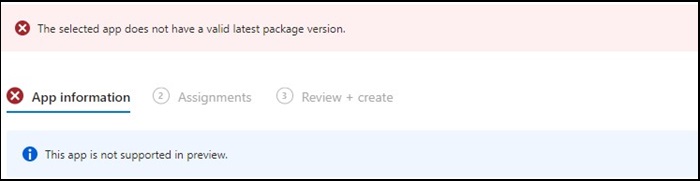
Figure 1
Note: Available exclusively on select Dell Latitude, Precision, OptiPlex, and Rugged PCs.
原因
Dell Optimizer did not pass the Intune verification that requires apps to install on all hardware (Dell and non-Dell).
解決方法
Manually Deploy Dell Optimizer
As a workaround, IT Admin can try the following to manually deploy Dell Optimizer through Intune.
- Download the Dell Optimizer installer from Dell.com
- Follow the below instructions:
- Install the software using this command:
Install command: Dell-Optimizer-Application_xxxxx_WIN_x.x.x.x_A00.EXE /passthrough /silent /InstallDotNet=true /FACTORY=TRUE

Note: To uninstall, use the following command:
Uninstall command: Dell-Optimizer-Application_xxxxx_WIN_x.x.x.x_A00.EXE /passthrough /silent /remove
対象製品
Alienware, Inspiron, OptiPlex, Vostro, XPS, G Series, G Series, Alienware, Inspiron, Latitude, Vostro, XPS, Fixed Workstations, Mobile Workstations文書のプロパティ
文書番号: 000224821
文書の種類: Solution
最終更新: 17 7月 2025
バージョン: 7
質問に対する他のDellユーザーからの回答を見つける
サポート サービス
お使いのデバイスがサポート サービスの対象かどうかを確認してください。