Upgrading Dell Data Protection Virtual Edition May Fail During Migration Process
Samenvatting: This article provides the steps to resolve the Dell Data Protection | Virtual Edition upgrade failure with error: "error migrating database and/or configuration."
Dit artikel is van toepassing op
Dit artikel is niet van toepassing op
Dit artikel is niet gebonden aan een specifiek product.
Niet alle productversies worden in dit artikel vermeld.
Symptomen
Affected Products:
- Dell Data Protection | Virtual Edition
Affected Versions:
- v8.x and 9.10
While upgrading a Dell Data Protection | Virtual Edition server to a newer version, the migration process might fail with the following error:

Figure 1: (English Only) Dell Data Protection | Virtual Edition Error
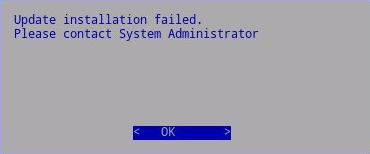
Figure 2: (English Only) Update installation failed
Oorzaak
Not Applicable
Oplossing
The issue has been resolved in v9.10.1.
Before starting the Dell Data Protection | Virtual Edition migration process, validate that at least one valid license is present under the Dell Data Protection | Virtual Edition server WebUI.
As a first step, let us confirm that at least one license is listed under Management > License Management.
Then we must verify that at least one of the licenses listed is still valid.
To verify that the license is valid, we must look at the Alert and Status columns. If an Alert message is reported, or under status the license is reported as expired it is necessary to ensure to have some proper valid license that is imported under the WebUI before moving forward with the upgrade process of the Dell Data Protection | Virtual Edition server.
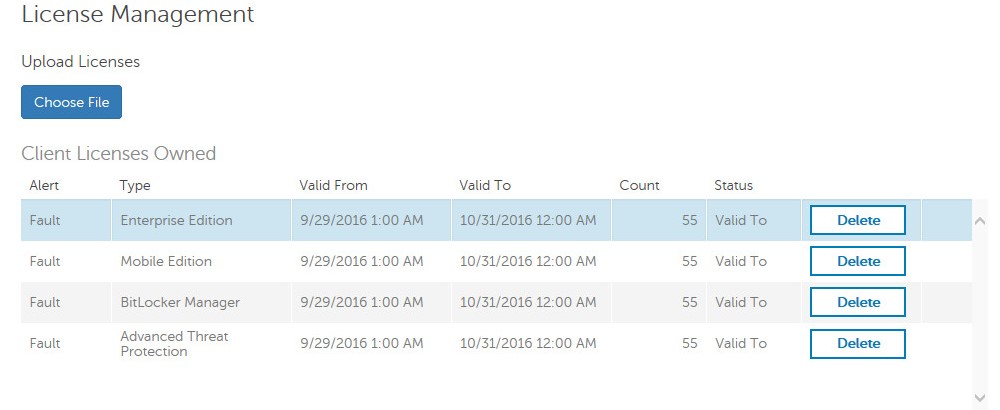
Figure 3: (English Only) Dell Data Protection | Virtual Edition License Management
As general rule at least one valid license must be, present and not expired under the WebUI to have the Dell Data Protection | Virtual Edition migration process to work.
To contact support, reference Dell Data Security International Support Phone Numbers.
Go to TechDirect to generate a technical support request online.
For additional insights and resources, join the Dell Security Community Forum.
Getroffen producten
Dell EncryptionArtikeleigenschappen
Artikelnummer: 000131562
Artikeltype: Solution
Laatst aangepast: 19 apr. 2026
Versie: 12
Vind antwoorden op uw vragen via andere Dell gebruikers
Support Services
Controleer of uw apparaat wordt gedekt door Support Services.