PowerFlex 3.X: Gateway UI 404 error
Summary: During an RCM upgrade, logging into the PowerFlex Gateway UI shows a 404 error.
This article applies to
This article does not apply to
This article is not tied to any specific product.
Not all product versions are identified in this article.
Symptoms
- The gateway was upgraded using RCM 3.6.5
- Logging into the PowerFlex Gateway UI, this is seen:
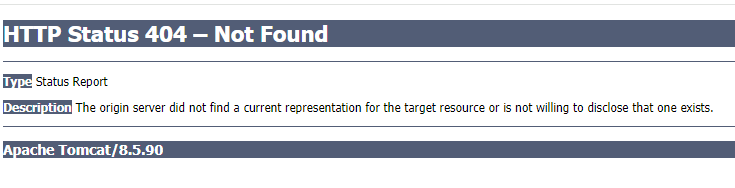
- The gateway scaleio.log shows this output:
2024-02-08 09:13:09,094 [localhost-startStop-1] ERROR c.e.s.s.services.RequestMapUtils - vasa.provider.monitor.interval.seconds (60,60) must be a number between -2147
483648, 2147483647.
Impact
The upgrade cannot continue until the Gateway is available.
Cause
The "/opt/emc/scaleio/gateway/webapps/ROOT/WEB-INF/classes/gatewayUser.properties" file has had many parameters appended improperly with a comma and the value already on the line.
Example:
vasa.provider.ips=,
vasa.provider.monitor.port=,
vasa.provider.monitor.interval.seconds=60,60
#vasa.provider.replica.set.name=vasa-rs
..
lia.ldap.commands.batch.size=256,256
upload.commands.batch.size=16,16
lia.upload.commands.batch.size=256,256
validate.node.commands.batch.size=256,256

cloudiq.enabled=true,true
Resolution
The issue can be resolved by setting the "/opt/emc/scaleio/gateway/webapps/ROOT/WEB-INF/classes/gatewayUser.properties" parameters to what they should be. If unsure, use another Gateway to compare. The example is not exhaustive. More lines that have been appended with the wrong parameters.
In the above example, the lines should look like this:
vasa.provider.ips=
vasa.provider.monitor.port=
vasa.provider.monitor.interval.seconds=60
#vasa.provider.replica.set.name=vasa-rs
..
lia.ldap.commands.batch.size=256
upload.commands.batch.size=16
lia.upload.commands.batch.size=256
validate.node.commands.batch.size=256

cloudiq.enabled=true
The blank lines had the commas removed, and the lines with actual values had the comma and the extra value removed.
Once this is done, restart the gateway service:
# systemctl restart scaleio-gateway
Impacted Version
PowerFlex RCM 3.6.5
Fixed In Version
PowerFlex RCM 3.8.8
Affected Products
PowerFlex ApplianceArticle Properties
Article Number: 000221984
Article Type: Solution
Last Modified: 30 Dec 2025
Version: 3
Find answers to your questions from other Dell users
Support Services
Check if your device is covered by Support Services.