Windows Studio Effects Missing on a Dell Laptop
Summary: Learn how to restore Windows Studio Effects that is missing on a Dell laptop.
This article applies to
This article does not apply to
This article is not tied to any specific product.
Not all product versions are identified in this article.
Symptoms
Windows Studio Effects options may be missing from the USB Video Device section in Settings.
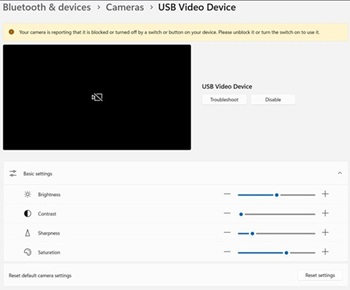
Affected Platforms:
- Dell 14 DC14255
- Dell Pro 14 Essential PV14255
- Dell Pro 14 PC14255
- Dell Pro 16 PC16255
Cause
No cause information is available.
Resolution
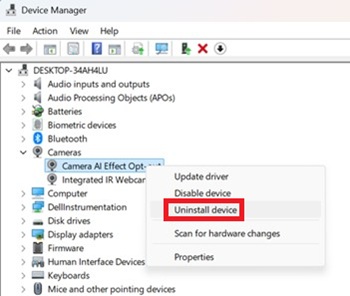
- Open Device Manager. Right click Camera AI Effect Opt-out and select Uninstall device.
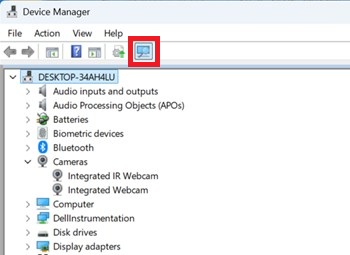
- Press the scan button to ensure Integrated IR Webcam exists.
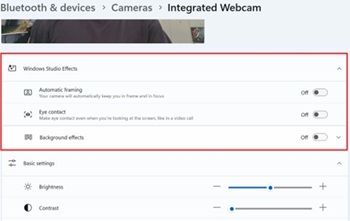
- Confirm if the Windows Studio Effects options are available in Settings.
Affected Products
Dell 14 DC14255, Dell Pro 14 PC14255, Dell Pro 16 PC16255, Dell Pro 14 Essential PV14255Article Properties
Article Number: 000407521
Article Type: Solution
Last Modified: 09 Jan 2026
Version: 1
Find answers to your questions from other Dell users
Support Services
Check if your device is covered by Support Services.