NetWorker Virtualization: VM Backup is failing with Error "Backup has FAILED. Unable to open previous backup."
Summary: VM Backup is failing with Error: Backup has failed: Backup has FAILED. Unable to open previous backup. Failed to load version 1 backup descriptor from file '/path/Backup targets/BackupDescriptor.json': Failed to read JSON encoding from input stream: [5040] calling system(), returns nonzero ...
This article applies to
This article does not apply to
This article is not tied to any specific product.
Not all product versions are identified in this article.
Symptoms
Error Message:
Backup has failed: Backup has FAILED. Unable to open previous backup. Failed to load version 1 backup descriptor from file '/path to backup targets/42/61/cf4ce8c5-00000006-1564ebb4-6464ebb4-77ec5000-4975b756/BackupDescriptor.json': Failed to read JSON encoding from input stream: [5040] calling system(), returns nonzero
Location: Go to NMC > Monitoring tab > Select the Dedicated Policy & Workflow in which that particular VM is failing > Double-click to Open > Click on Show message logs > Copy the entire logs and paste in to a notepad file.
Cause
- Due to Vproxy being stopped responding and it must be killed or restarted properly.
- Due to the ESXI host being unable to capture the backup as there is much of load on it and this leads the ESXI to go in not responding state or Stale ESXI (i.e, Not Working Properly).
- When the backup workflow was using the "PreviousBackupPath" and the "CurrentBackupPath" devices on different mtree's the backup would fail. If the backup workflow was using the "PreviousBackupPath" and the "CurrentBackupPath" devices on the same mtree, the backups would complete successfully. The target backup pool must contain devices from the same Data Domain, but it is supported to have the devices in different mtree's.
Resolution
Action Plan:
Option A:
- Ensure that the Data Domain devices are properly configured in the environment. If required, create a new target backup pool with devices under the same Data Domain mtree.
- Rebooting the vProxies and in some cases the ESXi also must be rebooted in order to resolve the issue.
Option B:
>>Login to NMC, If backup is failed with the above mentioned error message.->Must go to Protection tab, Then Policies.
->Choose the dedicated Workflow.
->Change the Configuration to Full and then configure it.
->Post doing the above, Kindly trigger the VM by start Individual client.
->Post triggering as Full, revert back to the Configuration to how it was earlier.
Most probably, Backup will be Successful after the above action plan.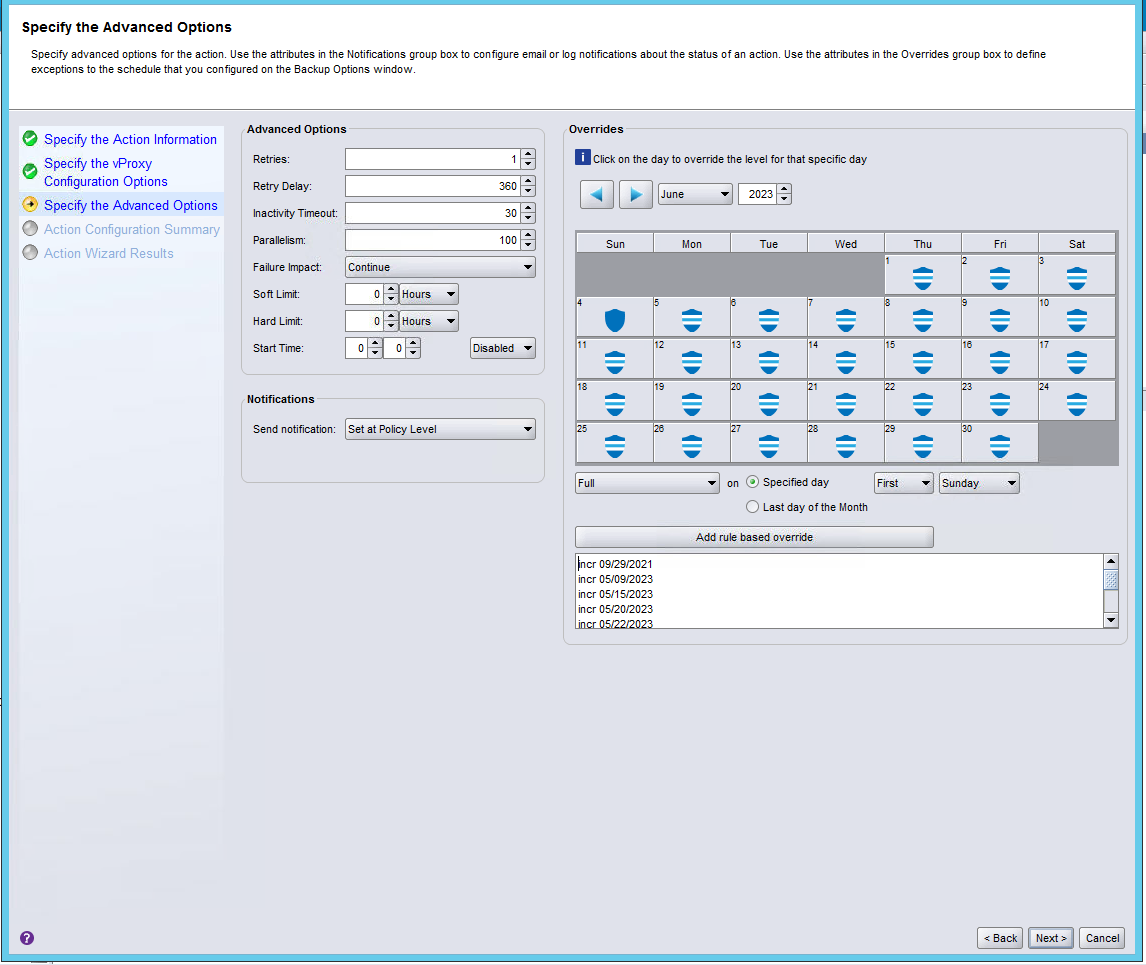
Additional Information
Please see below two cases where the resolution did worked,
Cases: SR#128403734, SR#107428962
Article Properties
Article Number: 000214585
Article Type: Solution
Last Modified: 30 Aug 2023
Version: 5
Find answers to your questions from other Dell users
Support Services
Check if your device is covered by Support Services.