Avamar: How to find client versions backed up to Avamar
Summary: Avamar: How to find client versions backed up to Avamar
This article applies to
This article does not apply to
This article is not tied to any specific product.
Not all product versions are identified in this article.
Instructions
From the Avamar Administrator console, there is the Client Summary Report which can be used to find the client versions backed up to the Avamar and other information. To view the report, launch the gui, click on the Policy button and then the Client Summary Report tab.
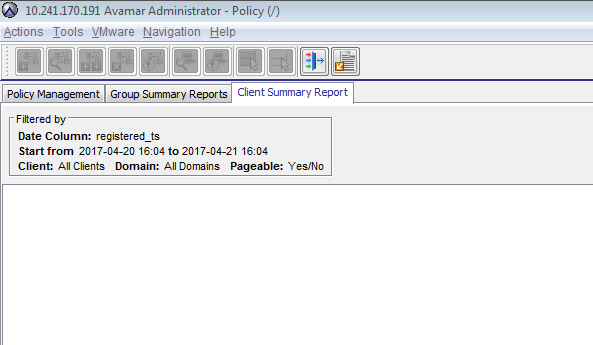
The report can be filtered as needed for either specific domains or date ranges. It can be exported to csv.
Alternatively, from the command line, this information can be gathered from the MCS database. The following command can be used to get a more specific output as the client summary report includes a number of other columns (note that this command is excluding Unknown agent version clients as that will come up for VM s and retired clients):
The report can be filtered as needed for either specific domains or date ranges. It can be exported to csv.
Alternatively, from the command line, this information can be gathered from the MCS database. The following command can be used to get a more specific output as the client summary report includes a number of other columns (note that this command is excluding Unknown agent version clients as that will come up for VM s and retired clients):
psql -p 5555 mcdb -c "select descr,agent_version from clients where agent_version != 'Unknown'";

Example output:
admin@lab-avamar:~/>: psql -p 5555 mcdb -c "select descr,agent_version from clients where agent_version != 'Unknown'";
                    descr                     |       agent_version
----------------------------------------------+---------------------------
 /clients/sap                                 | 7.2.100-401
 /clients/proxy2.example.lab                  | 7.2.100-401
Affected Products
AvamarProducts
AvamarArticle Properties
Article Number: 000019192
Article Type: How To
Last Modified: 06 Mar 2025
Version: 4
Find answers to your questions from other Dell users
Support Services
Check if your device is covered by Support Services.