DELL EMC Unity - FileSystem Full condition may lead to offline state and require recovery in 4.2.0 or earlier (DELL/EMC Correctable)
Summary: Impact - Customer may put his filesystem offline in Unity if no space left on the allocated.
This article applies to
This article does not apply to
This article is not tied to any specific product.
Not all product versions are identified in this article.
Symptoms
Unity OE 4.2.0 or earlier Codes may report a filesystem offline condition that require attention:
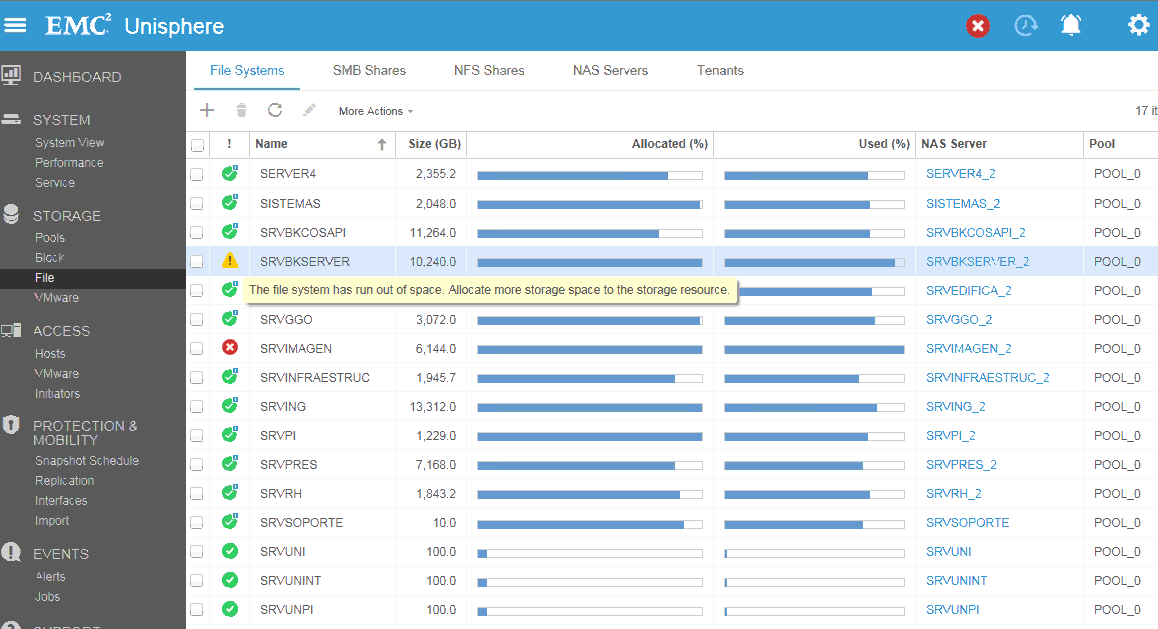
Filesystem appears full in Unishere , and will go offline shortly after :
"The FileSystem has ran out of space. Allocate more space to the Storage Resource"
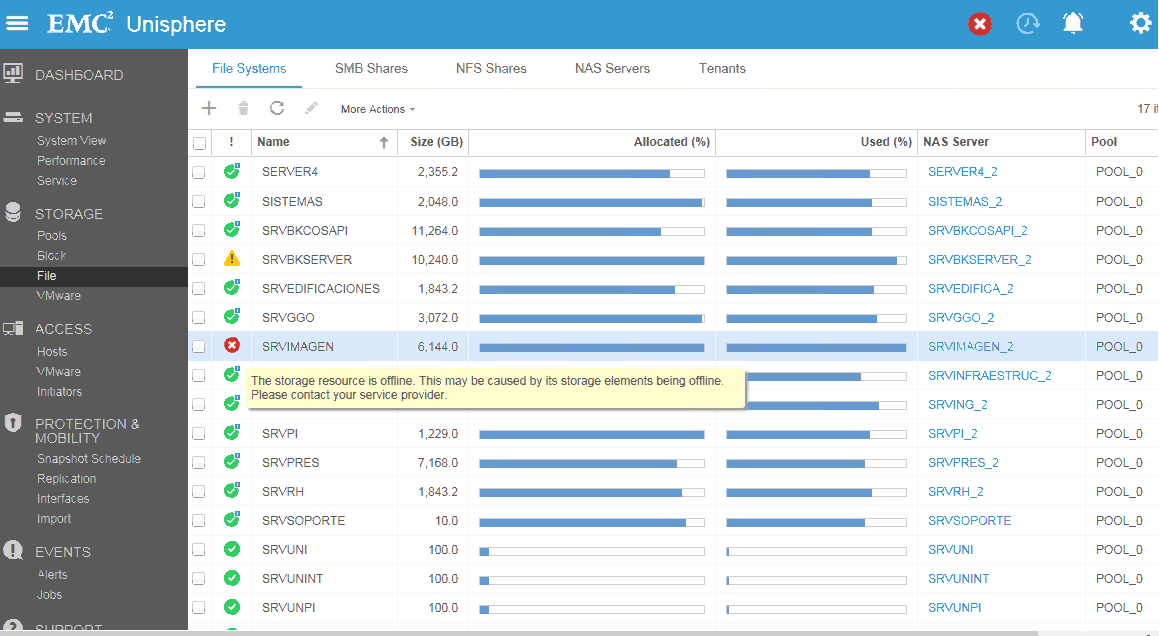
"The Storage Resource is Offline.This may be caused by its Storage Elements being offline. Please contact your service provider"
Cause
The filesystem will go eventually offline if additional writes continue to occur after the full condition is reached.
Filesystems Alerts will indicate the FileSystem is going full and requires attention prior to going offline:
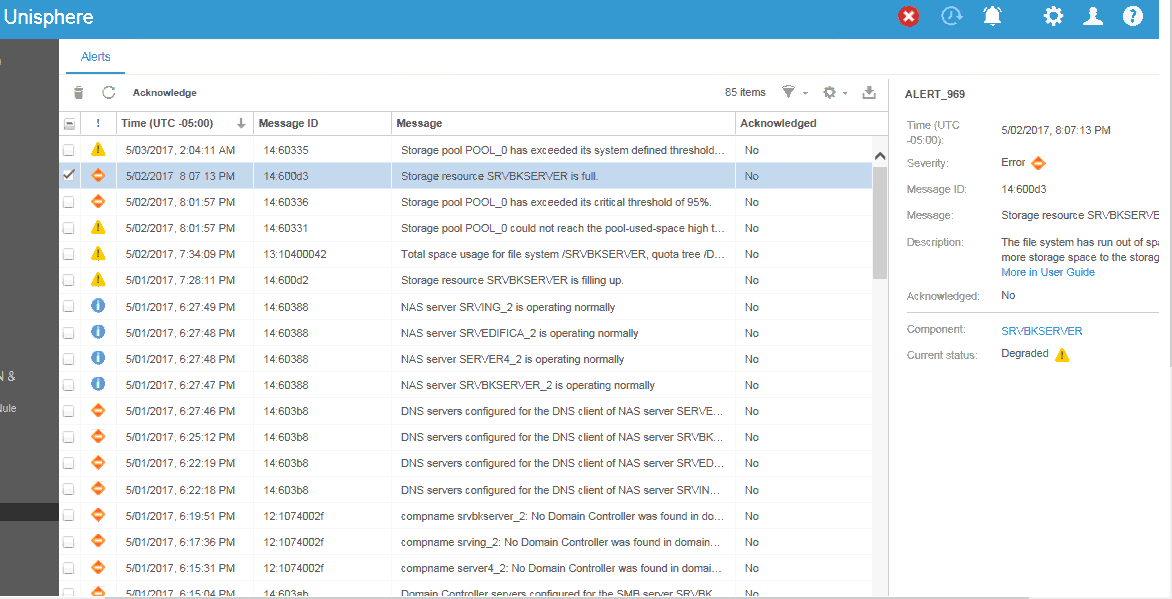
Filesystems Alerts will indicate the FileSystem is going full and requires attention prior to going offline:
Resolution
Please contact DELL/EMC Technical Support and quote this service request in order to obtain further information on this issue , and assistance on recovering the filesystem back to health.
Prevention measures:
Permanent Fix:
Prevention measures:
- Customers must ensure sufficient capacity is available on the filesystem in size and increase it if necessary if the total allocated is getting full.
Permanent Fix:
- The filesystem will no longer go offline in the next Unity OE code release 4.2.1 (SP1) Already Available as of Q4 2017
Additional Information
Affected Products
Dell EMC Unity FamilyProducts
Dell EMC Unity FamilyArticle Properties
Article Number: 000052307
Article Type: Solution
Last Modified: 30 May 2024
Version: 3
Find answers to your questions from other Dell users
Support Services
Check if your device is covered by Support Services.