Dell EMC Unity: Unable to refresh managed server esxi host name because of a connection issue
Summary: Changes in vCenter environment won't allow a refresh
This article applies to
This article does not apply to
This article is not tied to any specific product.
Not all product versions are identified in this article.
Symptoms
Possible Changes:
When polling vCenter or ESXi in Unisphere you receive the following Alert:

"Unable to refresh managed server <server name> because of a connection issue."
- Network changes (Routing, IP etc.) in your virtual environment
- Credential changes on vCenter or ESXi
- Migration of ESXi from one vCenter to another
When polling vCenter or ESXi in Unisphere you receive the following Alert:
"Unable to refresh managed server <server name> because of a connection issue."
Cause
Possible causes:
- True connection issue from Unisphere to the ESXi server or vCenter over the IP network
- Hung configuration information from ESXi or vCenter to Unipshere.
Resolution
Note that after an upgrade to 5.3.x, this procedure is no longer possible, Unisphere won't let you delete any vCenter with existing ESXi hosts. Look at KB 19543 if downtime can be scheduled.
Remove vCenter from Access>VMware tab and then re-add, providing proper credentials.
**This is non-disruptive to production. When vCenter or ESXi hosts are removed from the Access>VMware tab, the ESXi hosts are moved to Access>Hosts tab for management. No initiators are removed. This process only affects integrated management of your virtual environment, not production and processing of I/O
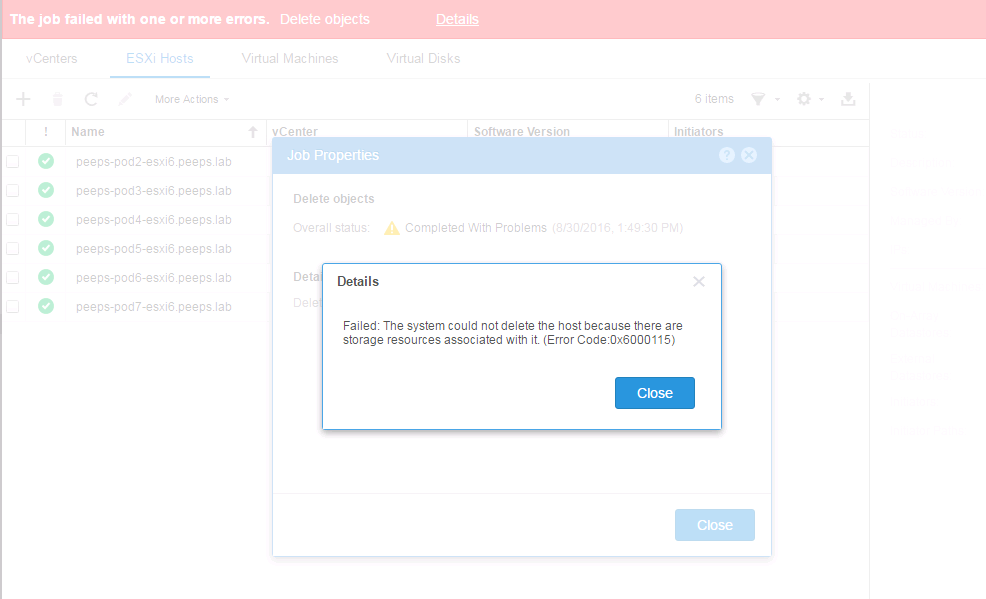
When you attempt to delete a configured ESXi host with storage attached (Won't let you, this means that as long as you have LUNs attached to the host, you shouldn't be able to Accidentally delete a connected Host):
Delete vCenter or ESXi from Access>VMware:

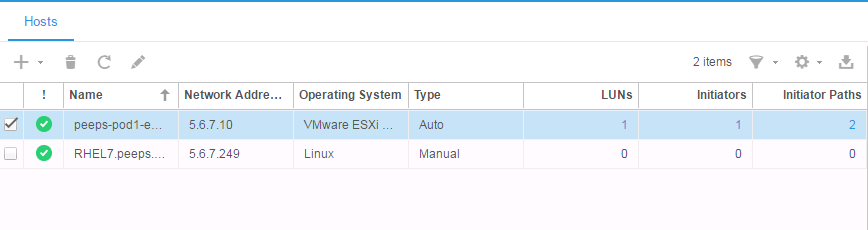
ESXi host will be moved to Access>Hosts:
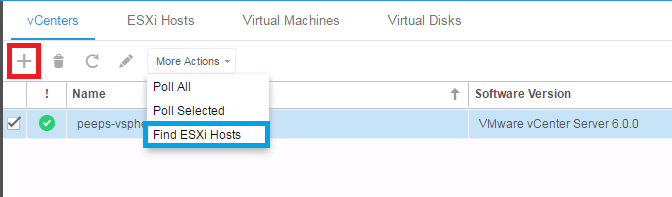
To add it back under the vCenter, go to ACCESS > VMware > vCenters and under More Actions click on Find ESXi Hosts or select the "Plus symbol" to re-add the vCenter:
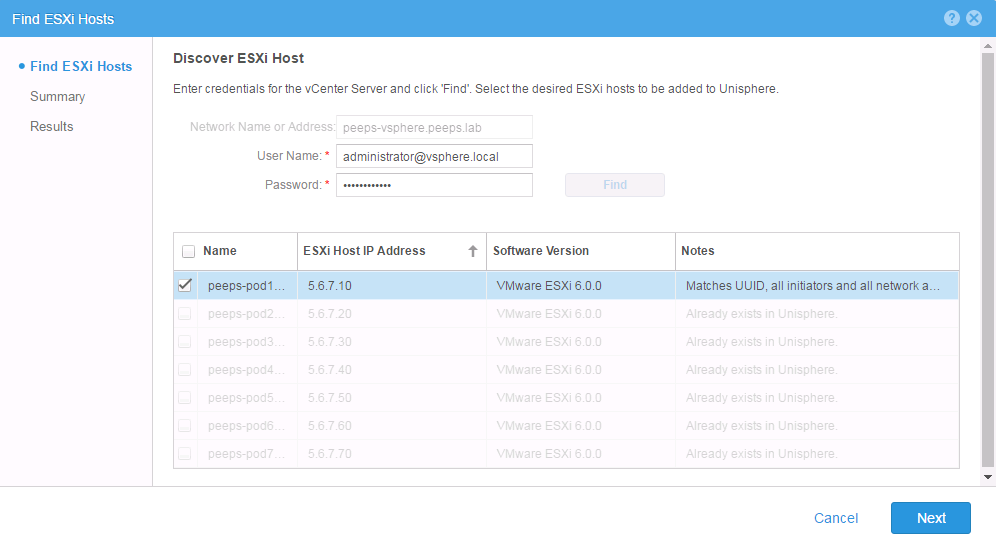
Provide proper credentials and add the host back under the vCenter that manages it:
Remove vCenter from Access>VMware tab and then re-add, providing proper credentials.
**This is non-disruptive to production. When vCenter or ESXi hosts are removed from the Access>VMware tab, the ESXi hosts are moved to Access>Hosts tab for management. No initiators are removed. This process only affects integrated management of your virtual environment, not production and processing of I/O
When you attempt to delete a configured ESXi host with storage attached (Won't let you, this means that as long as you have LUNs attached to the host, you shouldn't be able to Accidentally delete a connected Host):
Delete vCenter or ESXi from Access>VMware:
ESXi host will be moved to Access>Hosts:
To add it back under the vCenter, go to ACCESS > VMware > vCenters and under More Actions click on Find ESXi Hosts or select the
"Plus symbol" to re-add the vCenter:
Provide proper credentials and add the host back under the vCenter that manages it:
Affected Products
Dell EMC Unity FamilyProducts
Dell EMC Unity FamilyArticle Properties
Article Number: 000052387
Article Type: Solution
Last Modified: 12 Sep 2025
Version: 4
Find answers to your questions from other Dell users
Support Services
Check if your device is covered by Support Services.