Dell Storage SC – How to send SupportAssist and enable Secure Console
Summary: Here you find how to set up the embedded SupportAssist on Dell (formally Compellent) SC devices, and how to activate the Secure Console.
This article applies to
This article does not apply to
This article is not tied to any specific product.
Not all product versions are identified in this article.
Instructions
Summary
This article provides information about how to send diagnostic data using SupportAssist (older versions called Phone Home) in Dell Storage Manager (DSM) and how to enable and restart the Secure Console to provide remote access for technical support Dell EMC to run the advanced troubleshooting.In order for the Dell SupportAssist features and Secure Console to communicate, some outbound ports need to be opened in your firewall, described in the document: SC Storage Customer Notification: Network requirements to enable Dell SupportAssist and Secure Console with Storage Center .
Table of Contents
- Supported Systems
- Open the tool Dell Storage Manager or Enterprise Manager directly on Storage Center or Data Collector
- Upload Support Assist logs
- Secure Console
1. Supported Systems
All currently supported Dell Storage SC series models.
2. Open the tool Dell Storage Manager or Enterprise Manager directly on Storage Center or Data Collector:

3. Upload Support Assist logs
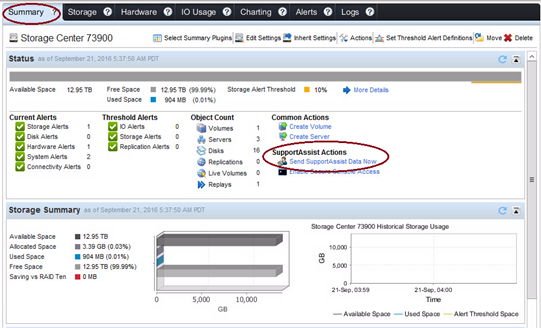
- Select Summary and click on Send Support Assist Data Now:
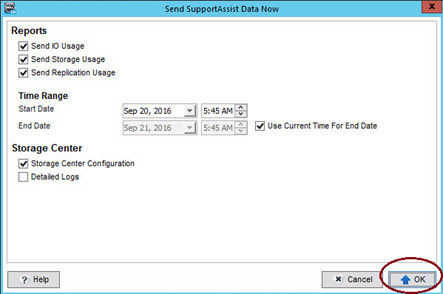
- Do not select any additional optional and click OK:
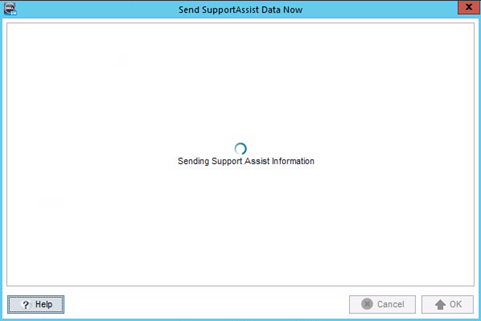
- The logs will be sent to Dell servers in background operation. The next screen can be closed (the process will still run in the background).
4. Secure Console:
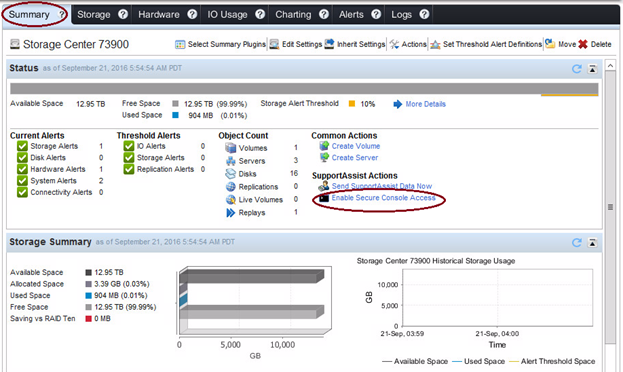
- Restart the Secure Console to allow Dell EMC technical support run remote commands for advanced troubleshooting. Select Summary and then click Enable Secure Console Access.
- Click on Restart Service:
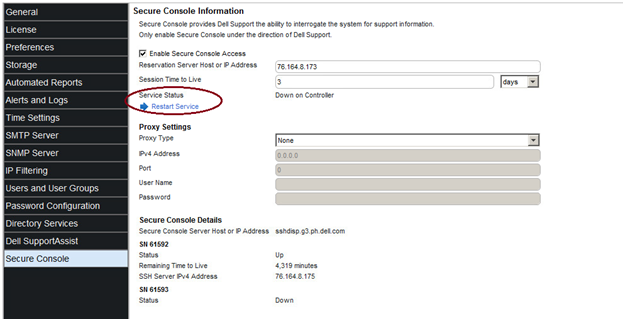
 If needed, select Enable Secure Console Access, apply the configurations and click on Restart Service, shown in the image above. After finishing, contact your Dell EMC support analyst.
Affected Products
Entry Level & Midrange, Compellent (SC, SCv & FS Series), Dell Compellent SC200, Dell Compellent SC220, Dell Compellent SC4020, Dell Storage SC8000, Dell Compellent Series 40Article Properties
Article Number: 000114471
Article Type: How To
Last Modified: 21 Feb 2021
Version: 4
Find answers to your questions from other Dell users
Support Services
Check if your device is covered by Support Services.