Latitude 5300:電腦視覺指南
Summary: 本文為 Latitude 5300 筆記型電腦的外部連接埠和功能的外觀指南。
This article applies to
This article does not apply to
This article is not tied to any specific product.
Not all product versions are identified in this article.
Symptoms
 備註:如需每個位置的詳細說明,請前往系統手冊
Cause
前視圖
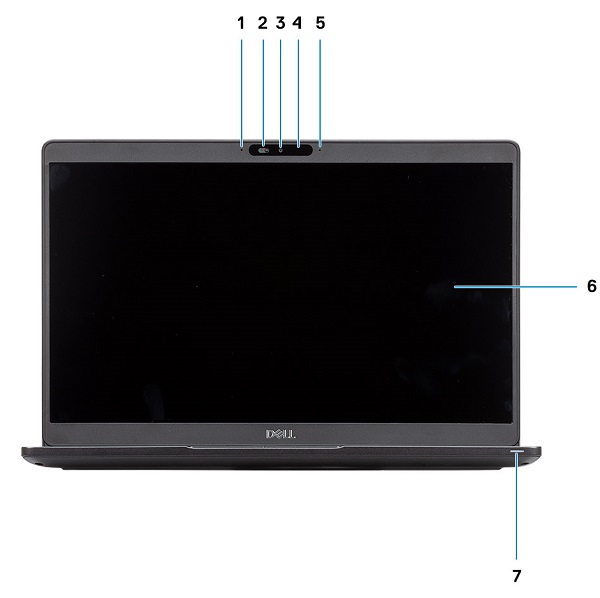
(圖.1 前視圖)
| 1 | 陣列麥克風 | 2 | 相機快門 |
| 3 | 相機 | 4 | 相機狀態 LED |
| 5 | 陣列麥克風 | 6 | 液晶顯示器面板 |
| 7 | LED 活動燈號 |
上視圖
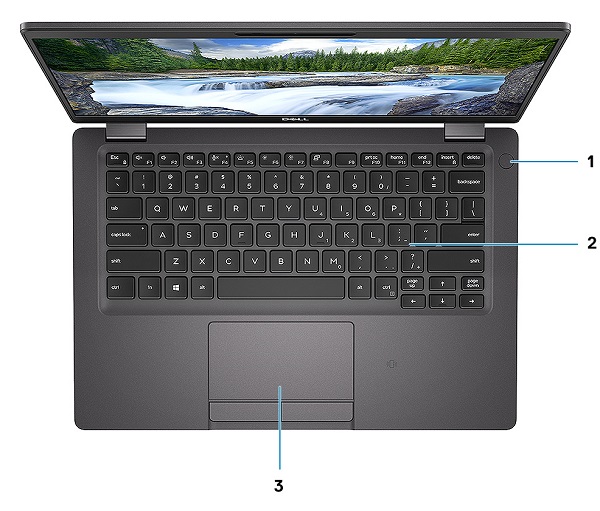
(圖.2 頂視圖)
| 1 | 電源按鈕 (含指紋辨識器) (選配) | 2 | 鍵盤 |
| 3 | 觸控板 |
下視圖
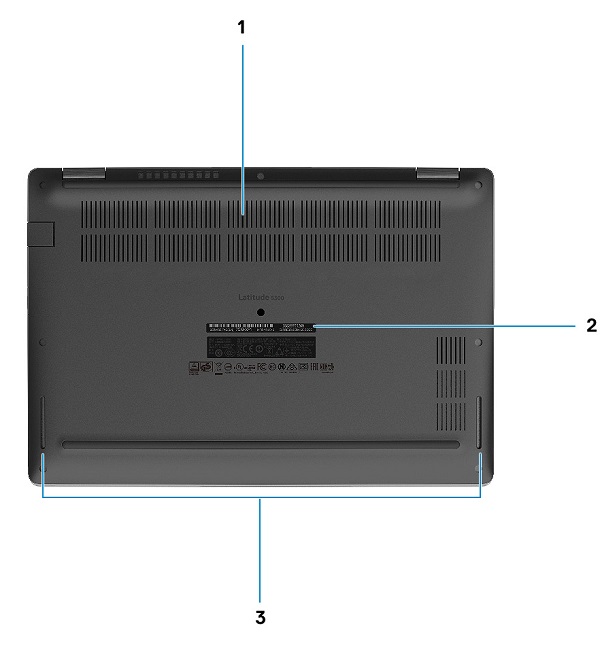
(圖.3 底視圖)
| 1 | 散熱通風孔 | 2 | 產品服務編號標籤 |
| 3 | 喇叭 |
左側視圖
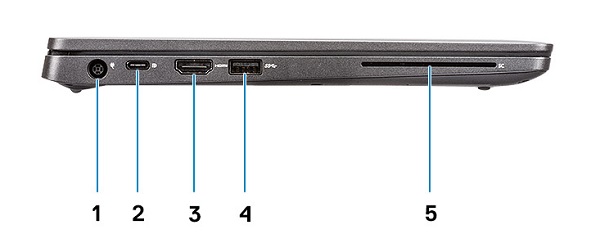
(圖.4 左側視圖)
| 1 | 電源變壓器連接器 | 2 | USB Type-C 3.1 Gen2 連接器,含 Thunderbolt / DisplayPort (選用) |
| 3 | HDMI 連接器 | 4 | USB Type-A 3.1 Gen1 連接器 |
| 5 | 智慧卡讀卡機 (選配) |
右側視圖
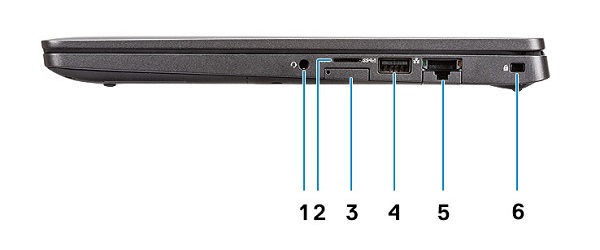
(圖.5 右側視圖)
| 1 | 耳機/麥克風連接器 | 2 | microSD 卡讀卡機 |
| 3 | micro-SIM 卡插槽 | 4 | USB Type-A 3.1 Gen1 連接器 (PowerShare 功能) |
| 5 | 網路 (網路介面卡) 連接器 | 6 | 楔形電腦防盜鎖孔 |
Resolution
AC 變壓器檢視
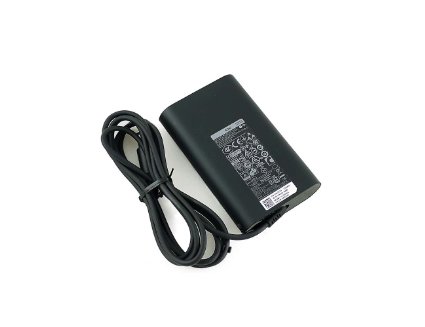
(Fig.6 65W AC 變壓器)
| 類型 65W E5 系列 | 說明 |
| 輸入電壓 | 100 VAC 至 240 VAC |
| 輸出電流 | 3.34 A (連續) |
| 輸出功率 | 65 W |
| 輸出電壓 | 19.5 VDC |
其他資訊:
Affected Products
Latitude 5300Article Properties
Article Number: 000134401
Article Type: Solution
Last Modified: 28 Sep 2023
Version: 5
Find answers to your questions from other Dell users
Support Services
Check if your device is covered by Support Services.