Dell VxRail:如何在 vSphere HTML5 客户端中生成支持包。
Summary: 本文详细介绍了如何在 vSphere HTML5 客户端中为 VxRail Manager、vCenter、ESXi、iDRAC 和 PTAgent 生成支持包。
This article applies to
This article does not apply to
This article is not tied to any specific product.
Not all product versions are identified in this article.
Instructions
在网页浏览器中,通过访问 https://< vcsa IP 或 FQDN>/ui 来访问 vSphere UI
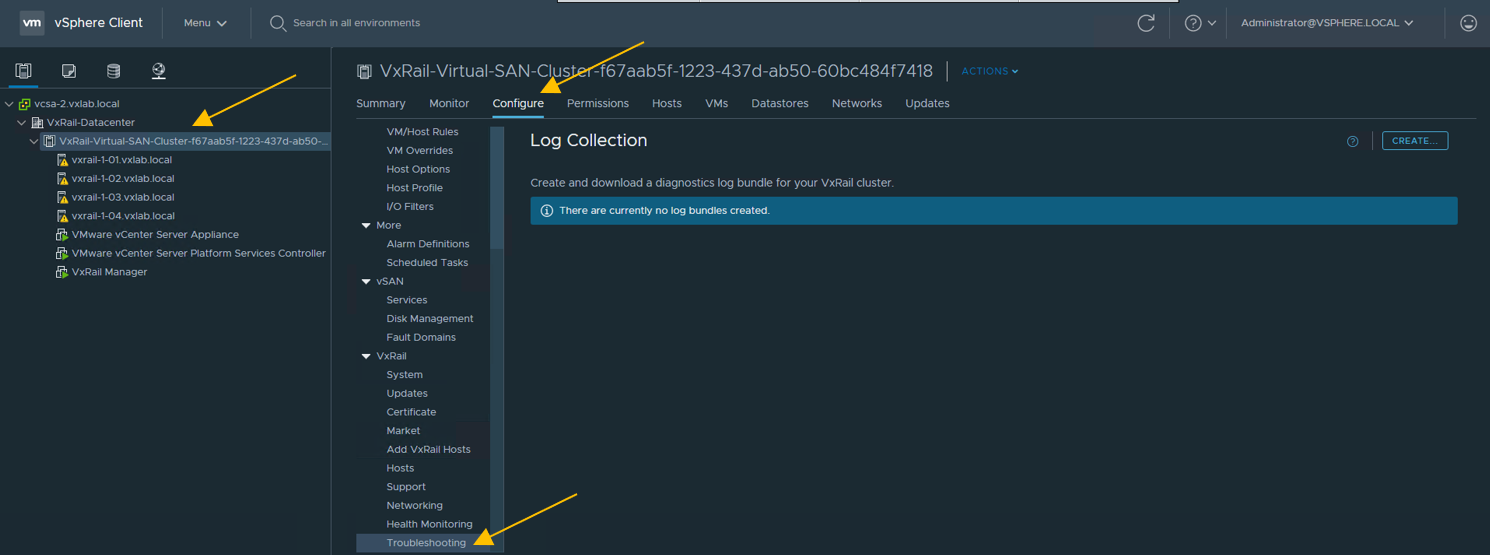
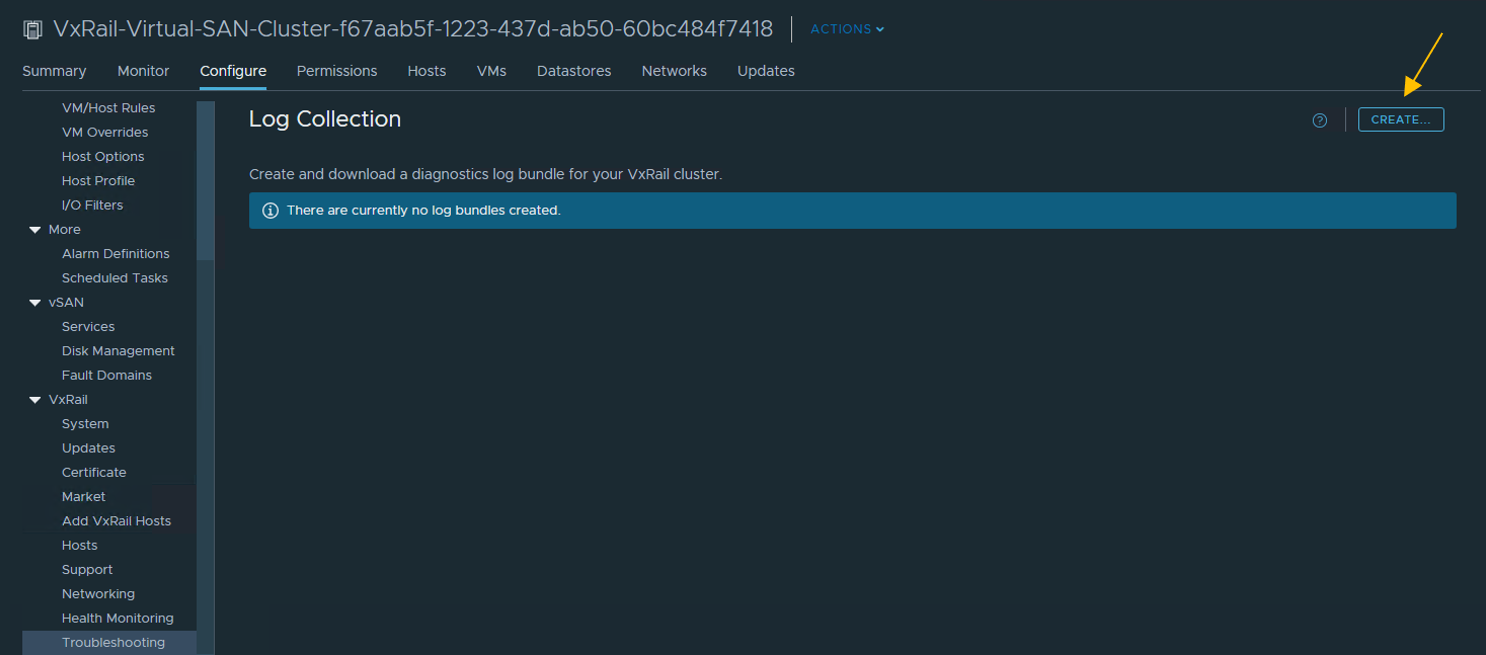
单击 “CREATE ”开始。
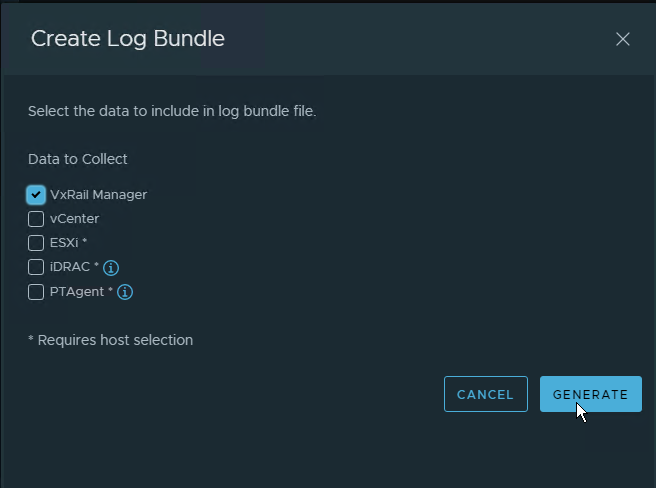
现在应显示 Create Log Bundle 窗口。选择要提取的所需日志,然后单击 GENERATE
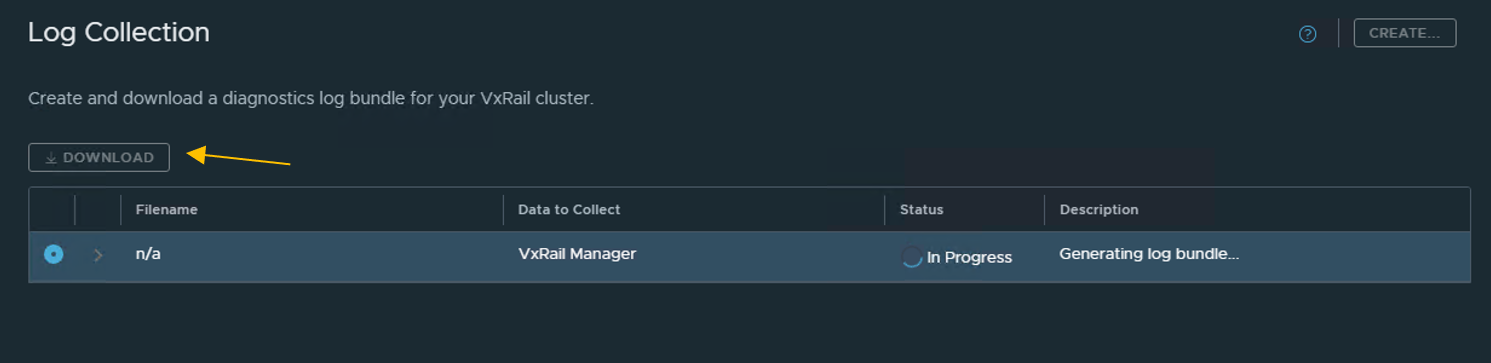
日志生成将开始。完成后,我们可以选择在本地下载日志。下载后,可以在本地计算机上查看它们,或使用 FTP 或直接连接到 SR 将它们上传给支持部门。
浏览群集级别 > 配置 > 故障处理
单击 “CREATE ”开始。
现在应显示 Create Log Bundle 窗口。选择要提取的所需日志,然后单击 GENERATE
日志生成将开始。完成后,我们可以选择在本地下载日志。下载后,可以在本地计算机上查看它们,或使用 FTP 或直接连接到 SR 将它们上传给支持部门。
Additional Information
请注意,我们可以选择特定日志,例如 ESXi 或 vCenter。
Article Properties
Article Number: 000188886
Article Type: How To
Last Modified: 20 Feb 2024
Version: 2
Find answers to your questions from other Dell users
Support Services
Check if your device is covered by Support Services.