Connection Refused Error When Committing Policy in Dell Security Management Server or Dell Security Management Server Virtual
Summary: Committing Policy in v11.1.1 Dell Security Management Server or Dell Security Management Server Virtual returns a Connection Refused error in the administrator console.
This article applies to
This article does not apply to
This article is not tied to any specific product.
Not all product versions are identified in this article.
Symptoms
Affected Products:
- Dell Security Management Server
- Dell Security Management Server Virtual
Affected Versions:
- v11.1.1
Administrators are unable to commit policy due to a Connection Refused error in the administrator console.
When the error occurs, the user sees the following message.
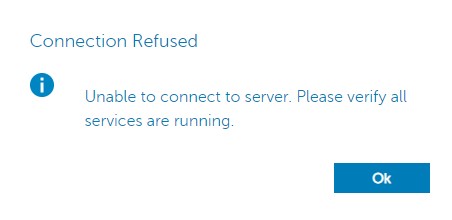
Figure 1: (English Only) Connection Refused error
Also, the following error message is present in the wrapper.log file of the Security Server service.
javax.net.ssl.SSLHandshakeException: Encrypted buffer max length exceeded
Cause
This issue is the result of a problem in the Jetty component of the Dell Security Management Server and Dell Security Management Server Virtual products.
Resolution
A patch with updated Jetty binaries is available from Dell Data Security support.
To contact support, reference Dell Data Security International Support Phone Numbers.
Go to TechDirect to generate a technical support request online.
For additional insights and resources, join the Dell Security Community Forum.
Affected Products
Dell EncryptionArticle Properties
Article Number: 000192064
Article Type: Solution
Last Modified: 06 Sep 2023
Version: 3
Find answers to your questions from other Dell users
Support Services
Check if your device is covered by Support Services.