如何執行和使用 Windows 程序監視器 (ProcMon)
Summary: 執行程序監視器的步驟。
This article applies to
This article does not apply to
This article is not tied to any specific product.
Not all product versions are identified in this article.
Instructions
請按照以下步驟執行 Windows Process Monitor (ProcMon) 工具。
- 從 這裡
下載 ProcMon 工具並解壓縮 ProcessMonitor.zip 檔案
- 執行 Procmon64 可執行檔 (Procmon64.exe)
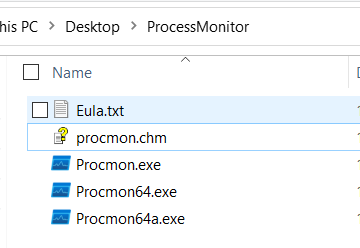
3.接受或同意授權合約以繼續。
4.隨後會出現下列視窗。
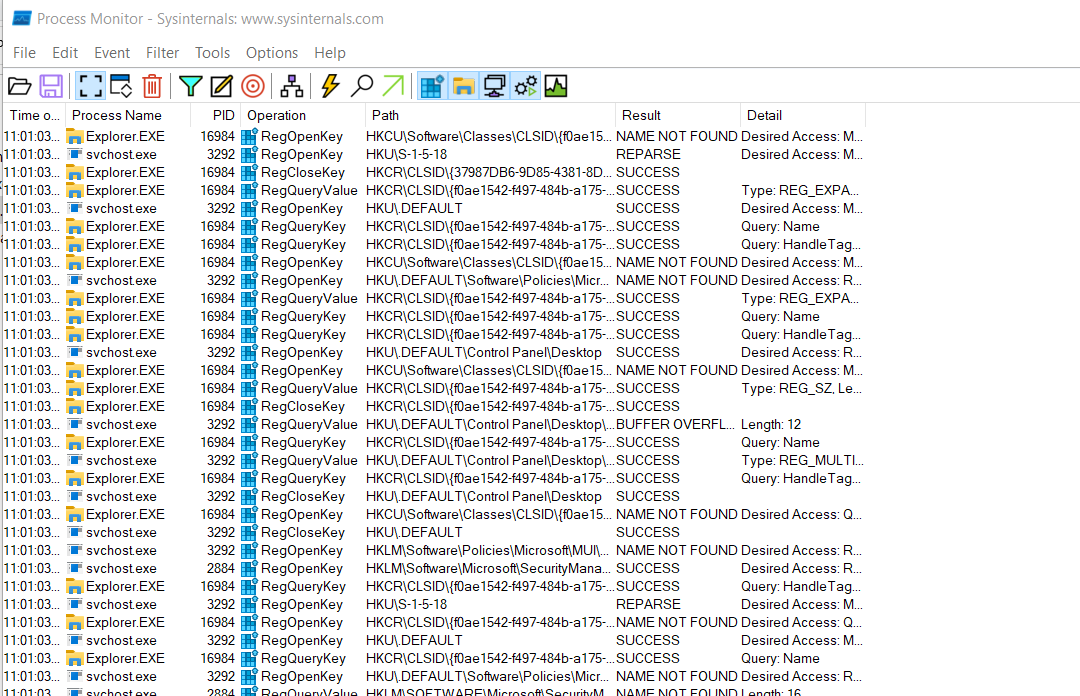
5.重現問題並儲存記錄檔。
6.若要儲存記錄輸出,請按一下檔案 > 儲存,這會顯示下列視窗:-
7.選擇要與路徑一起保存的檔案的格式。
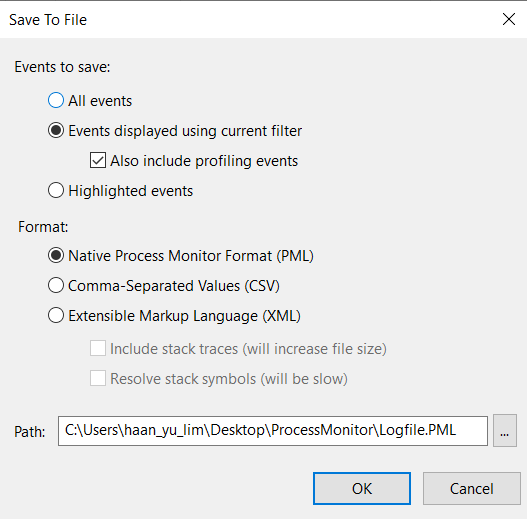
7.擷取並傳送儲存的檔案以供調查/檢閱。
有關進程監視器的詳細資訊,請參閱下面的Microsoft文檔。
程序監控 - Windows 系統內部架構 |Microsoft文件
Affected Products
Microsoft Windows Server 2016, Microsoft Windows Server 2019, Microsoft Windows Server 2022, PowerEdge R570, PowerEdge R640, PowerEdge R6415, PowerEdge R650, PowerEdge R650xs, PowerEdge R6515, PowerEdge R6525, PowerEdge R660, PowerEdge R660xs
, PowerEdge R6615, PowerEdge R6625, PowerEdge R670, PowerEdge R740, PowerEdge R740XD, PowerEdge R740XD2, PowerEdge R7415, PowerEdge R7425, PowerEdge R750, PowerEdge R750XA, PowerEdge R750xs, PowerEdge R7515, PowerEdge R7525, PowerEdge R760, PowerEdge R760XA, PowerEdge R760xd2, PowerEdge R760xs, PowerEdge R7615, PowerEdge R7625, PowerEdge R770, PowerEdge R7715, PowerEdge R7725, PowerEdge R840, PowerEdge R860, PowerEdge R940, PowerEdge R940xa, PowerEdge R960, PowerEdge T330, PowerEdge T340, PowerEdge T350, PowerEdge T360, PowerEdge T440, PowerEdge T550, PowerEdge T560, PowerEdge T630, PowerEdge T640
...
Article Properties
Article Number: 000193986
Article Type: How To
Last Modified: 07 May 2025
Version: 2
Find answers to your questions from other Dell users
Support Services
Check if your device is covered by Support Services.