PowerProtect Data Manager: How to export logs for a specific Job
Summary: The "Export Log Feature" gleans all Trace IDs from PowerProtect Data Manager logs and puts them in a concise readable form that can be scrubbed of all hostnames and IP Addresses and provided to support. ...
This article applies to
This article does not apply to
This article is not tied to any specific product.
Not all product versions are identified in this article.
Instructions
Certain environments such as Dark sites are not able to scrub an entire log bundle, but they can scrub something smaller. The "Export Log Feature" gleans all Trace IDs from PowerProtect Data Manager (PPDM) logs and puts them in a concise readable form that can be scrubbed of all hostnames and IP Addresses and provided to support.
Procedure:
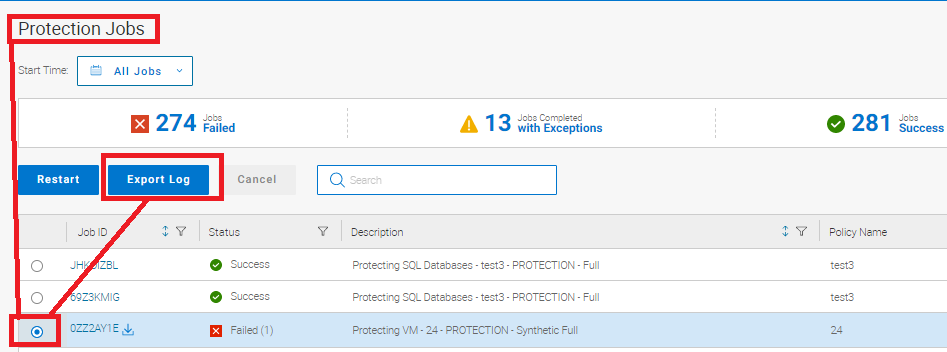
From the Protection Job Screen:
- Select the job where the failure is occurring.
- Click Export log.
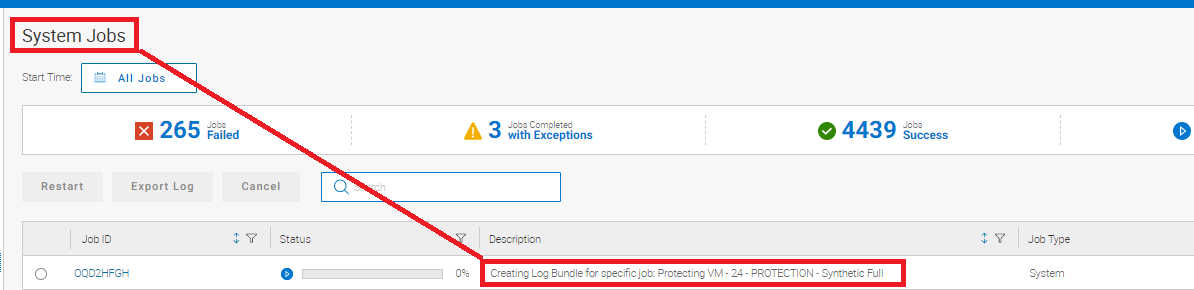
- The System Jobs screen displays that the log is being created.
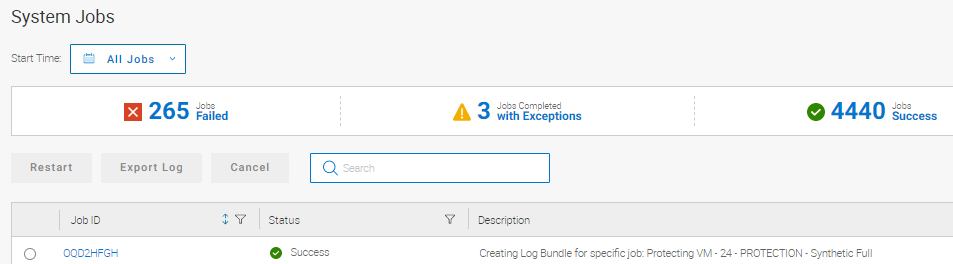
It also displays when it has been successfully completed.
- Return to the Protection Jobs screen and click the Download log link for the package.
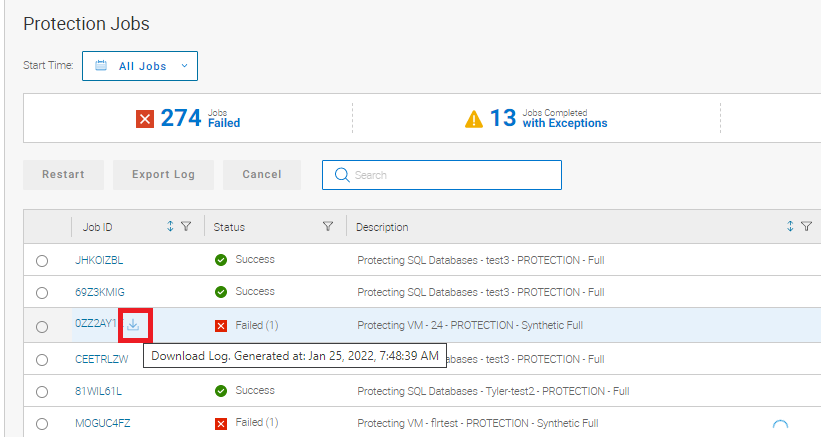
This download link allows the user to choose the directory where the log is saved.
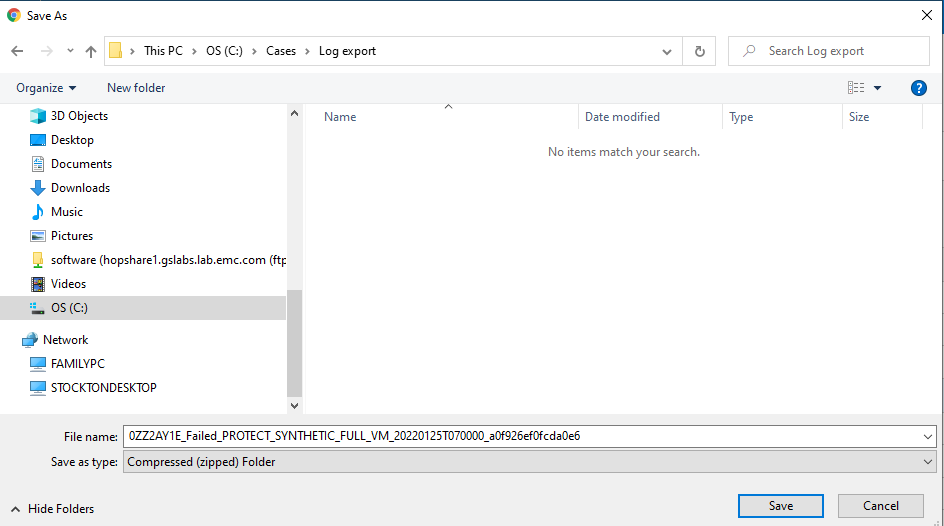
This feature makes scrubbing the information easier to upload.
Article Properties
Article Number: 000195595
Article Type: How To
Last Modified: 22 Oct 2024
Version: 4
Find answers to your questions from other Dell users
Support Services
Check if your device is covered by Support Services.