System Performance is Not Working As Expected on the System with Nvidia Discrete Graphic Card
Summary: This article provides information about Dell's system work performance not as expected.
This article applies to
This article does not apply to
This article is not tied to any specific product.
Not all product versions are identified in this article.
Symptoms
The system performance is not working as expected when playing games, video editing software or other graphically demanding applications when the system is configured with NVIDIA discrete graphic card.
All platforms with NVIDIA discrete card may encounter the issue. The list below is only for reference.
- XPS 9510
- XPS 9710
- Precision 5560
- Precision 5760
Cause
Na
Resolution
This is not a hardware issue. You can go to optimize the graphic setting to boost the graphic performance.
Note: It would cost higher power consumption therefore the customer may notice the battery drain faster in battery mode.
-
Launch the NVIDIA control panel.
-
Select the Manager 3D setting.
-
Select High performance Nvidia processor in Preferred graphics processor.

Figure.1 Manage 3D Setting -
Select corresponding NVIDIA processor in OpenGL rendering GPU.
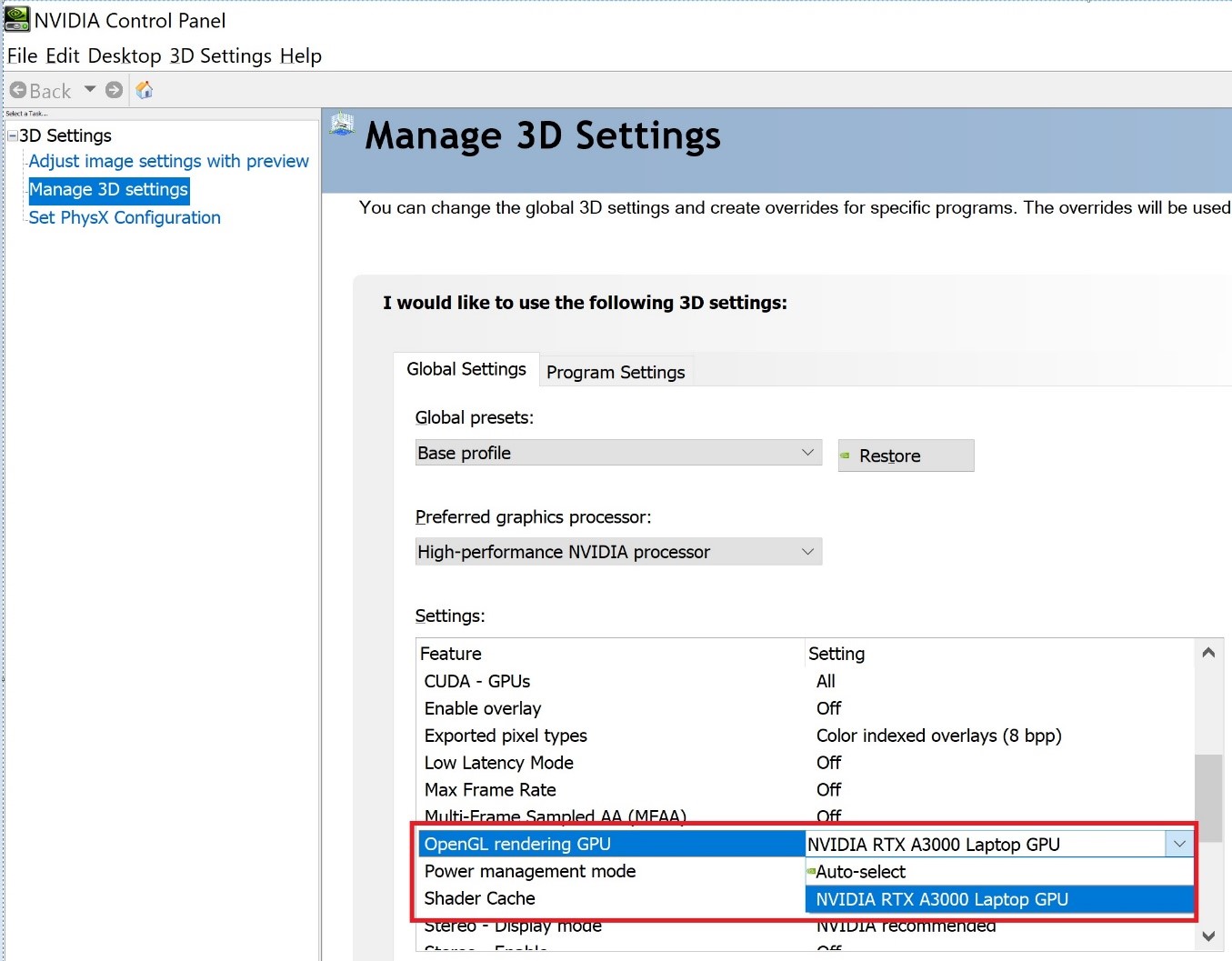
Figure.2 OpenGL rendering GPU -
Click apply to take effect
Affected Products
Precision 5560, Precision 5760, XPS 15 9510, XPS 17 9710Article Properties
Article Number: 000197402
Article Type: Solution
Last Modified: 30 Sep 2025
Version: 5
Find answers to your questions from other Dell users
Support Services
Check if your device is covered by Support Services.