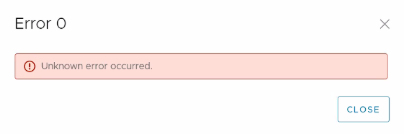
Data Protection Advisor: Saving a new SharePoint configuration causes Error 0 - Unknown error occurred
Summary: Saving a new SharePoint configuration causes Error 0 - Unknown error occurred
This article applies to
This article does not apply to
This article is not tied to any specific product.
Not all product versions are identified in this article.
Symptoms
When saving a new SharePoint configuration in DPA UI, an error occurs:
In the server.log on the DPA application server, the following error appears:
2022-07-04 05:23:37,558 ERROR [com.emc.dpa.command.serversettings.SharePointSettingsCommandsBean] (Thread-278) Failed to connect to https://mysites.sharepoint.com/sites/DPA_Reports : Connect to login.microsoftonline.com:443 failed: connect timed out
In the server.log on the DPA application server, the following error appears:
2022-07-04 05:23:37,558 ERROR [com.emc.dpa.command.serversettings.SharePointSettingsCommandsBean] (Thread-278) Failed to connect to https://mysites.sharepoint.com/sites/DPA_Reports : Connect to login.microsoftonline.com:443 failed: connect timed out
Cause
The DPA application server does not have access to the Internet.
Confirm by using a browser on the server to access the website https://login.microsoftonline.com.
Or
Use a command like "curl -I https://login.microsoftonline.com".
The first like returned should be HTTP/1.1 200 OK.
In this case, the command returned "curl: (7) Failed to connect to https://login.microsoftonline.com port 443: Connection timed out"
Confirm by using a browser on the server to access the website https://login.microsoftonline.com.
Or
Use a command like "curl -I https://login.microsoftonline.com".
The first like returned should be HTTP/1.1 200 OK.
In this case, the command returned "curl: (7) Failed to connect to https://login.microsoftonline.com port 443: Connection timed out"
Resolution
Configure the DPA application server with Internet access.
Affected Products
Data Protection AdvisorArticle Properties
Article Number: 000201203
Article Type: Solution
Last Modified: 26 May 2026
Version: 5
Find answers to your questions from other Dell users
Support Services
Check if your device is covered by Support Services.