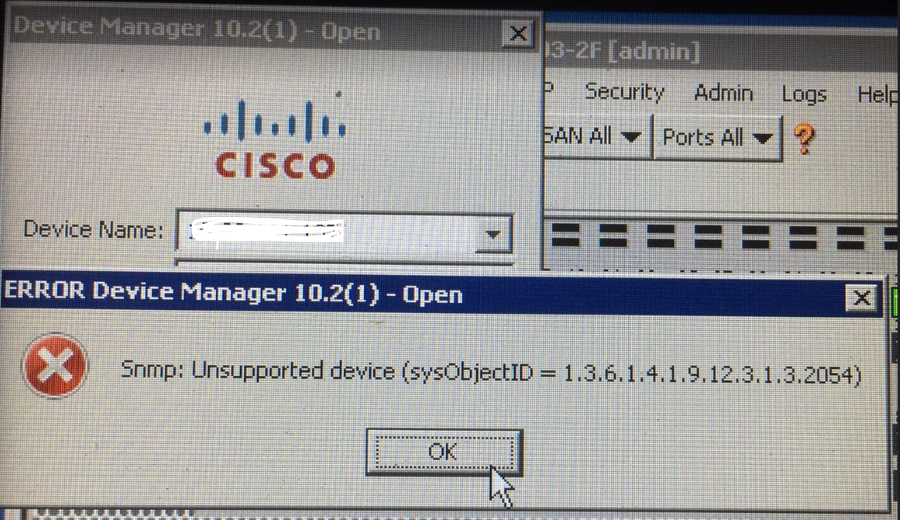
Connectrix Cisco MDS 9000: Unable to launch device manager resulting in error "Snmp: Unsupported device"
Summary: This issue is seen when the NX-OS firmware version and the DCNM version in use are not compatible.
This article applies to
This article does not apply to
This article is not tied to any specific product.
Not all product versions are identified in this article.
Symptoms
Error:
Snmp: Unsupported device (sysObjectID = 1.3.6.1.4.1.9.12.3.1.3.2054 )
Cause
This issue is seen when:
- NX-OS versions on the Cisco MDS switches are not compatible with the DCNM version in use.
- DCNM lower version below 10.x in use
- Background stuck process on the switch.
Resolution
Workaround:
Switch reboot should be performed on the problematic switch which is a temporary fix only.
Fix:
Step 1: Check the compatibility of NX-OS and DCNM version in use in release notes.
Step 2: Suggest DCNM version upgrade accordingly.
Example:
NX-OS version: 8.4.2c
DCNM version in use: 10.2.1
Fix: To upgrade to version 11.0.x or higher.
Additional Information
Reference: 8.4.2c release notes
https://dl.dell.com/content/docu104580_connectrix-cisco-mds-9000-nx-os-8-4-2c-release-notes.pdf?language
Affected Products
Connectrix MDS-Series, Connectrix MDS-Series Data Center Network ManagerArticle Properties
Article Number: 000202492
Article Type: Solution
Last Modified: 17 Dec 2024
Version: 7
Find answers to your questions from other Dell users
Support Services
Check if your device is covered by Support Services.