Unisphere for PowerMax:远程系统日志配置失败,并显示错误消息“java.net.SocketException:连接重置”
Summary: 远程系统日志配置失败,并显示错误“java.net.SocketException:连接已重置。
This article applies to
This article does not apply to
This article is not tied to any specific product.
Not all product versions are identified in this article.
Symptoms
尝试在 Unisphere for PowerMax 中从Setting Security > Remote syslog>配置远程系统日志时,失败并显示错误:
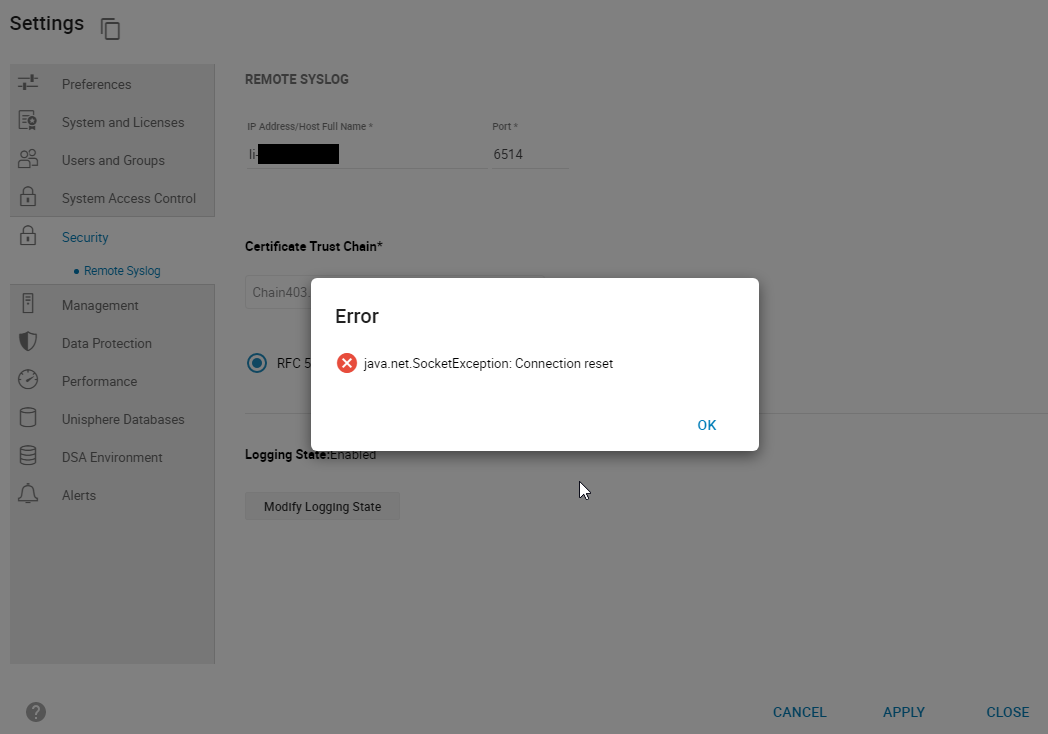
smas.log 仅包含以下条目:
java.net.SocketException: Connection reset
图 1:错误:
java.net.SocketException: 连接重置
smas.log 仅包含以下条目:
2022-03-04 14:49:11,568 ERROR [em.bp.SECURITY] (default task-40) SecurityCommandProcessor.processConfigureRemoteSyslogCommand:java.net.SocketException: Connection reset
2022-03-04 14:51:39,978 ERROR [em.bp.SECURITY] (default task-14) SecurityCommandProcessor.processConfigureRemoteSyslogCommand:java.net.SocketException: Connection reset
2022-03-07 15:50:51,998 ERROR [em.bp.SECURITY] (default task-31) SecurityCommandProcessor.processConfigureRemoteSyslogCommand:java.net.SocketException: Connection reset
Cause
此错误是由于网络问题造成的。
Resolution
用户的网络团队发现端口 6514 的流量被阻止。解决网络问题后,他们可以配置远程系统日志。
Affected Products
Unisphere for PowerMaxArticle Properties
Article Number: 000204186
Article Type: Solution
Last Modified: 11 Jul 2024
Version: 3
Find answers to your questions from other Dell users
Support Services
Check if your device is covered by Support Services.