Connectrix: San Nav: Unable to find any data after creating flows on the San Nav application
Summary: This issue is seen when a user tries to configure Flows Control On Dan Nav application and there is no data populating in the Inventory -->Flows Tab.
This article applies to
This article does not apply to
This article is not tied to any specific product.
Not all product versions are identified in this article.
Symptoms
Below is the error seen when Flow control is created: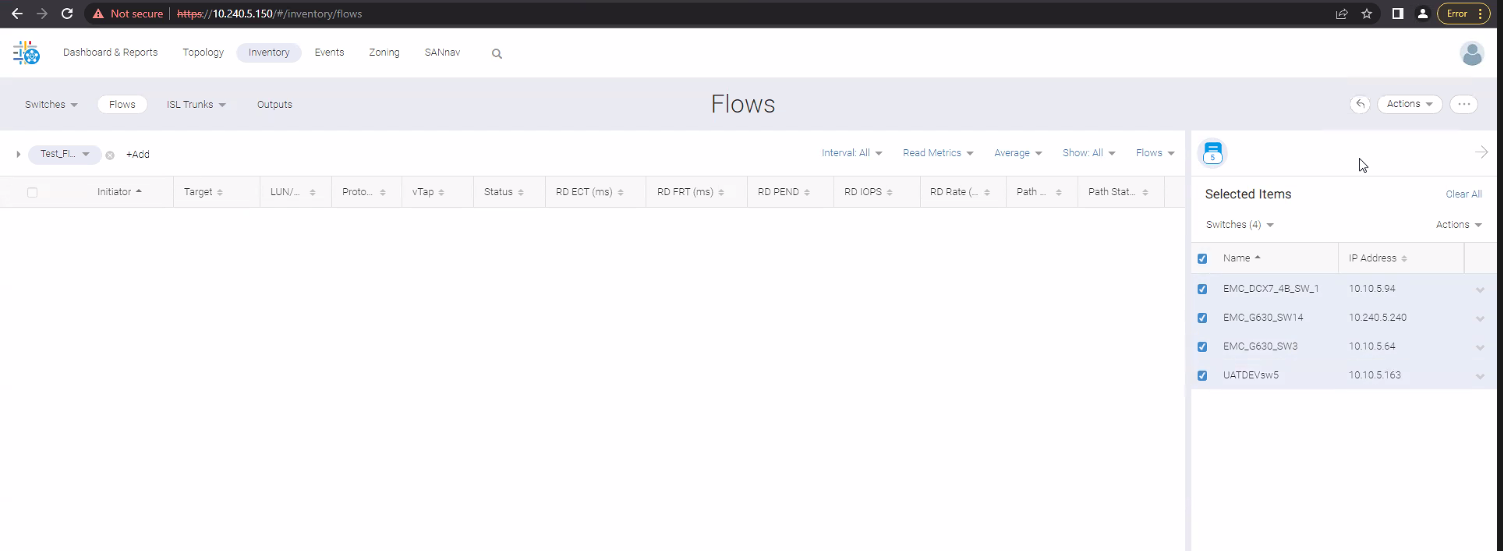
Cause
This issue is seen when:
- Pre-requisites are not met for setting up Flow Control in San Nav.
- When the flow feature is not enabled at switch CLI
Resolution
1. Before you start the flow control feature, ensure the below pre-requisites are met.
- Ensure the latency between the switch and SANnav must be less than or equal to 100 ms. The recommendation is to place both the switch and SANnav in the same data center.
- Ensure all fabric IDs (FIDs) are discovered in a single (or the same) server, and all FIDs are authenticated and managed.
- Ensure that the Network Time Protocol (NTP) is configured before SANnav installation.
- Ensure that the switch is sending telemetry data to the server.
- Ensure that the switch and SANnav server clocks are synchronized. Clock synchronization using NTP is mandatory for all switches and the SANnav application server. If the clocks are not synchronized, you might lose flows and their statistics. An application event message alerts you if the SANnav server and the switch are not synchronized.
You can synchronize the clocks in two ways:
-
Issue the tsclockserver "
<IPV4>;<IPV6>;<DNS name>" command on the principal switch.- Issuing this command distributes the details to all switches in a fabric.
- Synchronize the switch time to the NTP server using the SANnav Configuration Management feature by entering the following code in the Create New Configuration dialog. This action creates a configuration policy in SANnav and pushes it to the switches.
{
 "BasicConfigurations":{
 "NTP_TimeServer":[
 {
 "ipAddress": "10.10.10.10"
 }
 ]
 }
}
-
You can synchronize the SANnav server with the NTP server clock as follows:
- For Red Hat Linux, issue the command ntpdate NTPserver on the SANnav server, where NTPserver is the hostname or IP address of the NTP server.
- For CentOS, open the /etc/ntp.conf file, ensure that the following line exists, and then restart the server.
"ntp.server.com:NTPserver"

Where NTPserver is the hostname or IP address of the NTP server.
2. Verify if the Flow control is enabled on the switch.
-
Check it by the command:
flow –show sys_flow_monitor
-
If it is not enabled, enable it by the command flow
–activate sys_flow_monitor
3. Post this try to create the flow control and you can see the data successfully:

Investigate Mode.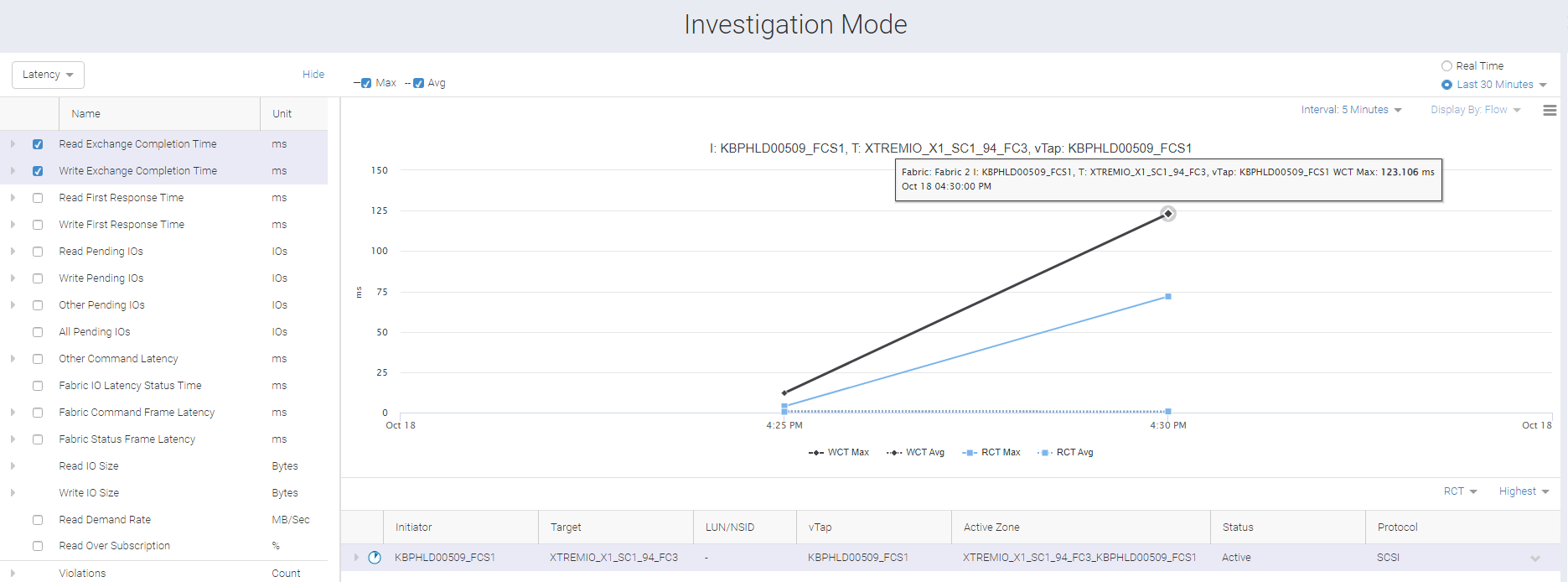
Additional Information
NOTE: NTP must be configured on switches before creating flow control as per the pre-requisite mentioned. However, if not configured, it can be configured on later part also and flows will still work. NO needs to uninstall and re-install the San Nav application.
Affected Products
Connectrix SANnavArticle Properties
Article Number: 000204414
Article Type: Solution
Last Modified: 17 Dec 2024
Version: 4
Find answers to your questions from other Dell users
Support Services
Check if your device is covered by Support Services.