VxRail: Vsandrv: Only X of X vSAN Drives in Use on This Node
Summary: Disks of the host are not contributing to vSAN storage, due to a misconfiguration made on the PERC/HBA storage adapter of vSAN disks.
This article applies to
This article does not apply to
This article is not tied to any specific product.
Not all product versions are identified in this article.
Symptoms
1 - Storage controller is missing under "Host - Configure - Storage adapters"
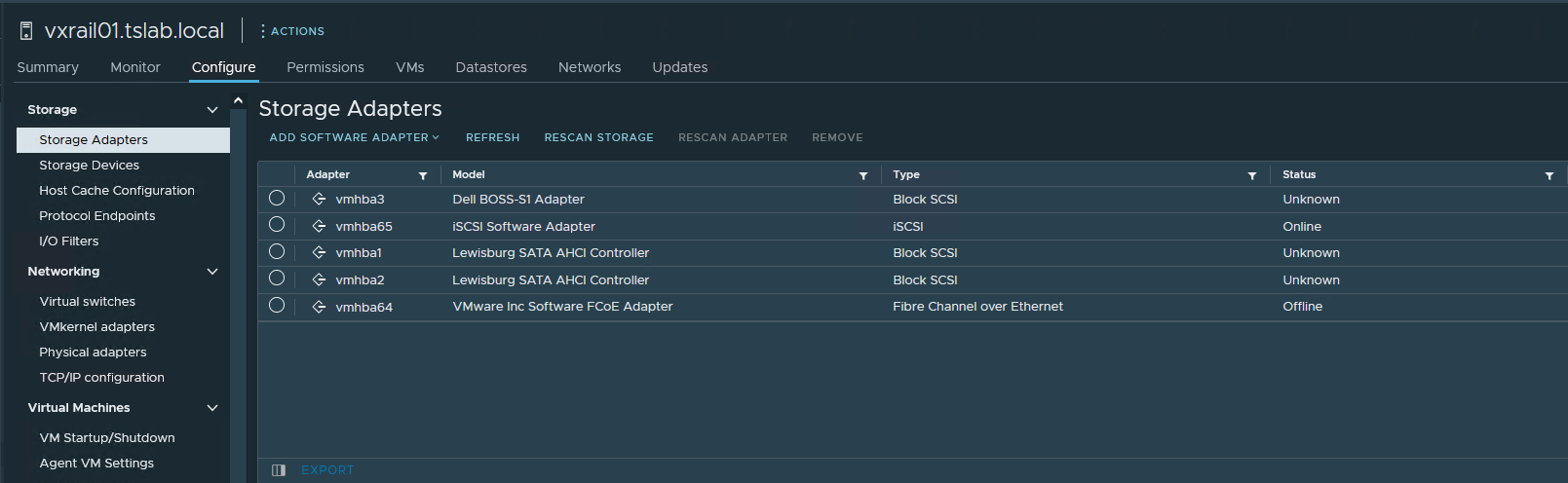
2 - When you go to "Cluster - Configure - vSAN - Disk management" and "Disks in use" one of the hosts is showing 0/0.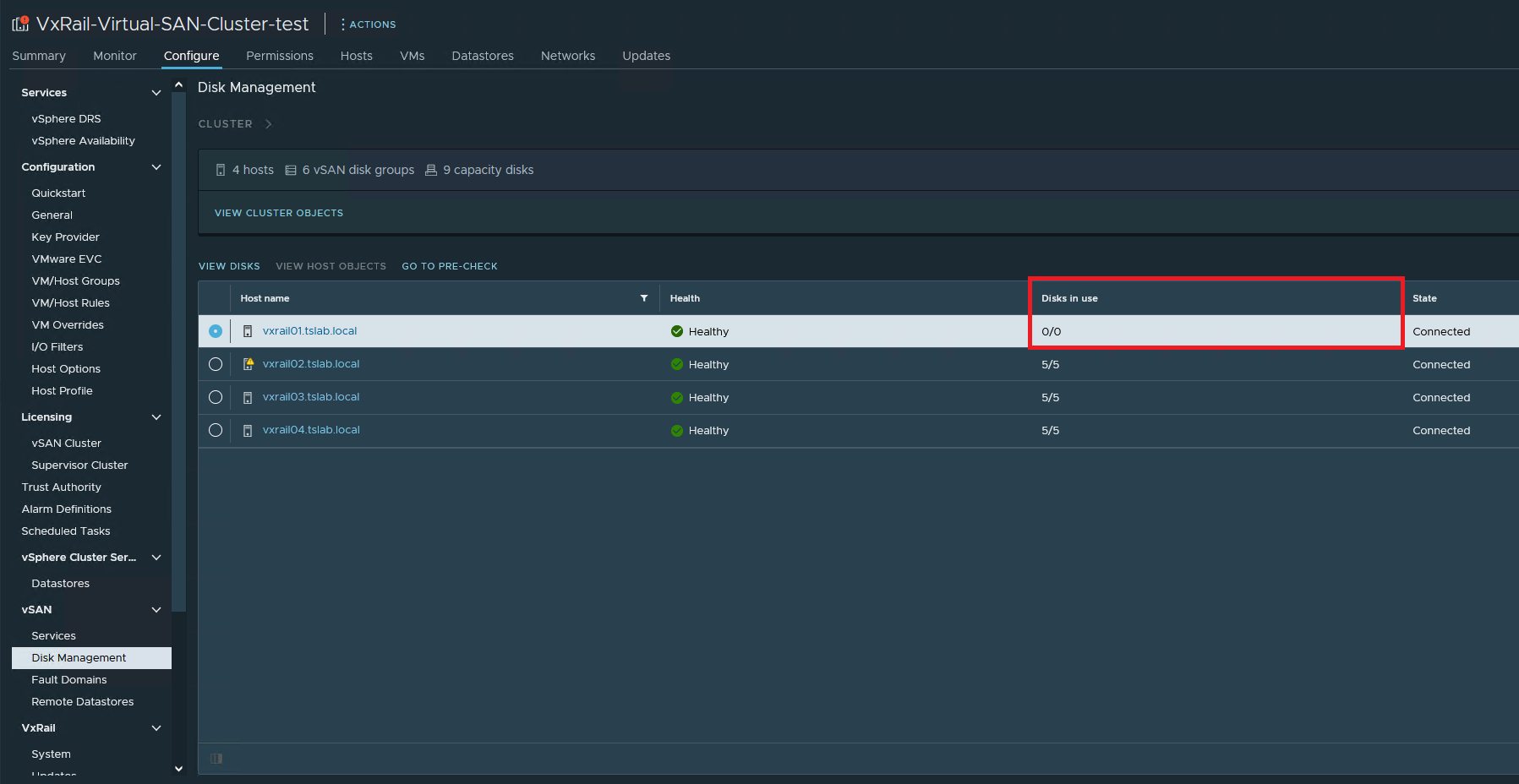
3 - You go to the "iDRAC - Storage - Controllers" and the controller is there.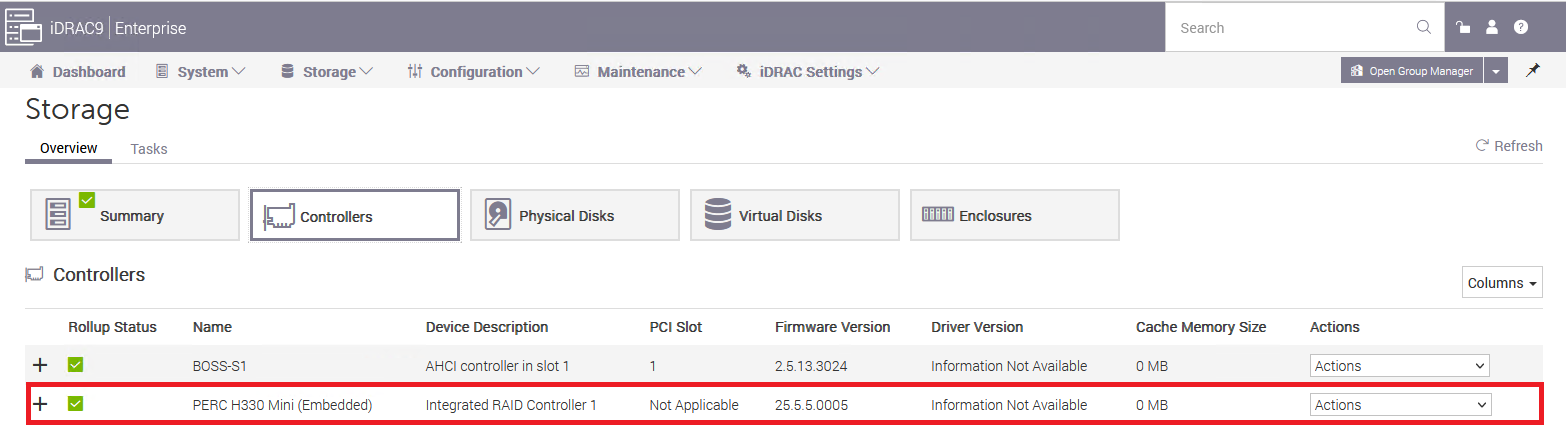
4 - Also in "iDRAC - Storage - Physical disks," all the disks are there.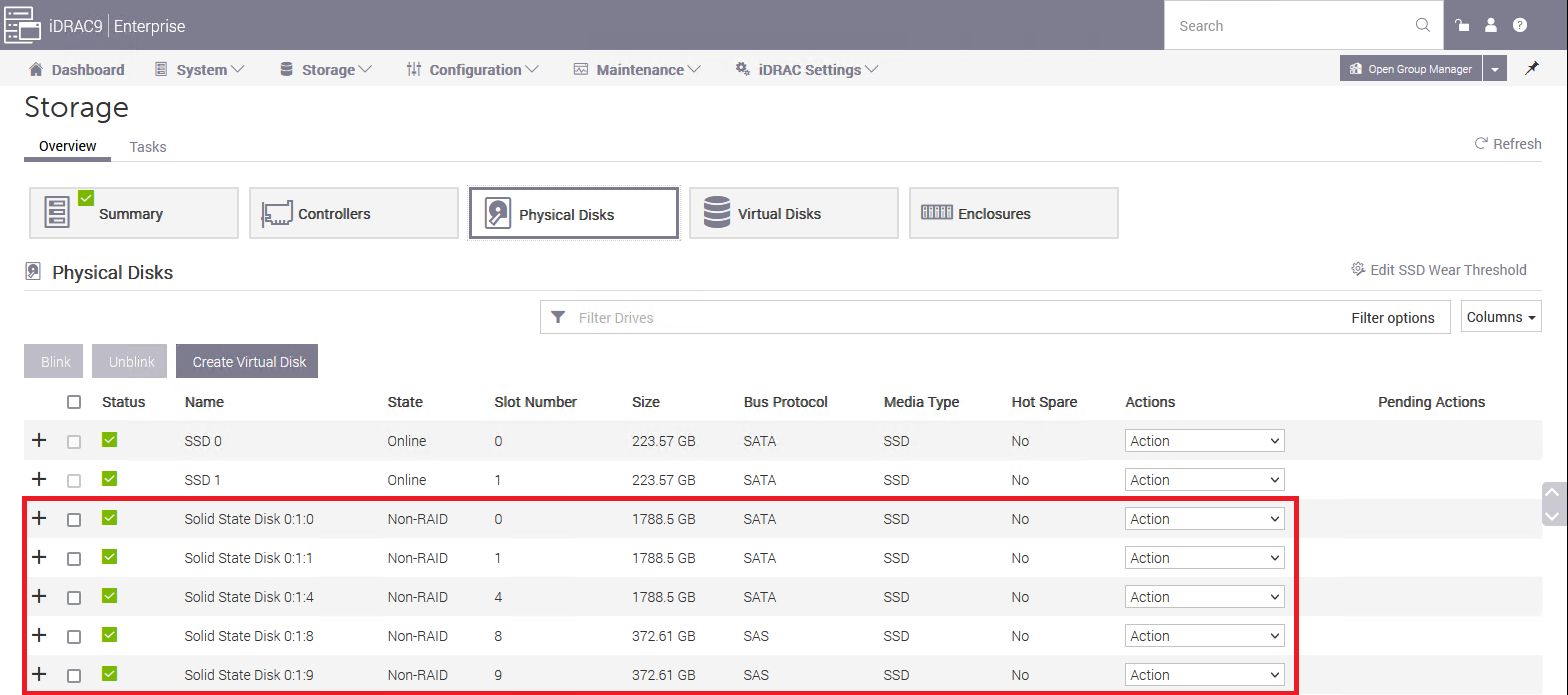
5 - You connect to the host through SSH and run "esxcli storage core adapter list" and vmhbaX (in our case is vmhab0) is missing.
[root@vxrail01:~] esxcli storage core adapter list
HBA Name  Driver     Link State  UID                                     Capabilities         Description
--------  ---------  ----------  --------------------------------------  -------------------  -----------
vmhba1    vmw_ahci   link-n/a    sata.vmhba1                                                  (0000:00:11.5) Intel Corporation Lewisburg SATA AHCI Controller
vmhba2    vmw_ahci   link-n/a    sata.vmhba2                                                  (0000:00:17.0) Intel Corporation Lewisburg SATA AHCI Controller
vmhba3    vmw_ahci   link-n/a    sata.vmhba3                                                  (0000:3b:00.0) Marvell Technology Group Ltd. Dell BOSS-S1 Adapter
vmhba64   vmkfcoe    link-down   fcoe.1000000c2902a258:2000000c2902a258  Second Level Lun ID  VMware Inc Software FCoE Adapter
vmhba65   iscsi_vmk  online      iscsi.vmhba65                           Second Level Lun ID  iSCSI Software Adapter
6 - When you list the PCI devices using "lspci | grep -i hba," the PERC/HBA there
[root@vxrail01:~] lspci | grep -i hba
0000:00:11.5 SATA controller: Intel Corporation Lewisburg SATA AHCI Controller [vmhba1]
0000:00:17.0 SATA controller: Intel Corporation Lewisburg SATA AHCI Controller [vmhba2]
0000:18:00.0 RAID bus controller: Broadcom PERC H330 Mini [vmhba0]
0000:3b:00.0 SATA controller: Marvell Technology Group Ltd. Dell BOSS-S1 Adapter [vmhba3]
7 - Check the properties of HBA by running "lspci -p | grep -i vmhbaX"
[root@vxrail01:~] lspci -p | grep -i vmhba0
0000:18:00.0 1000:005f 1028:1f4b 255/   /     A P pciPassthru  vmhba0
In this case, as we can see, the vmhba0 is set to "pciPassthru," that is the problem.
Cause
This is caused when someone enables the PCI passthrough on the HBA responsible for the vSAN disks.
Resolution
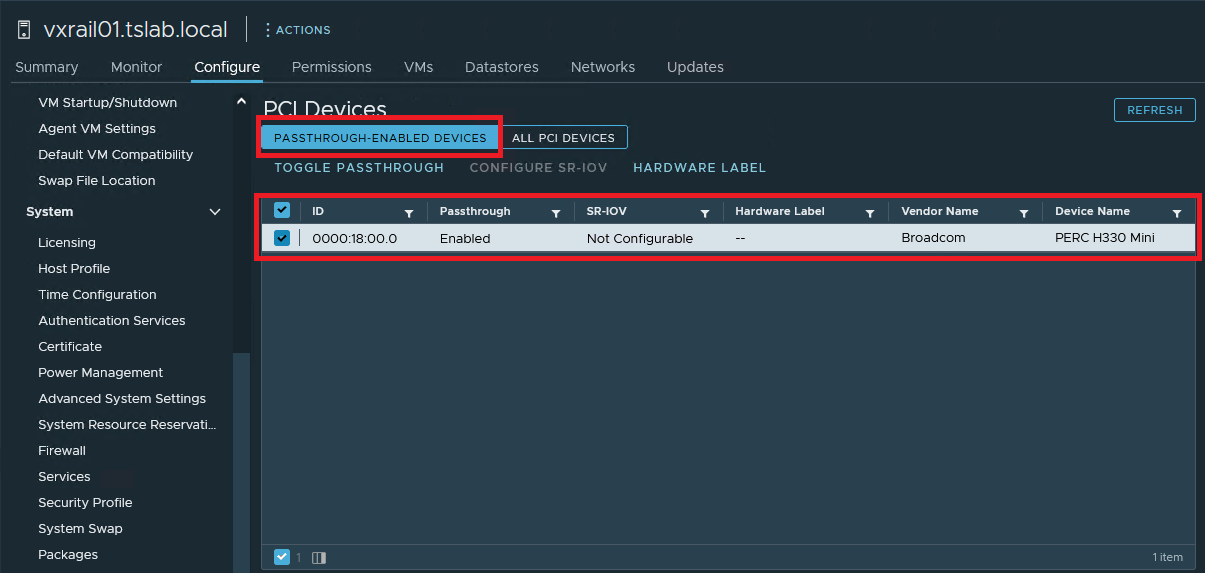
1 - Click on the host in which the HBA is not showing. Go to "Configure - Hardware - PCI Devices," under tab "PASSTHROUGH-ENABLED DEVICES" you must see the HBA that is having trouble. Select it and click on "TOGGLE PASSTHROUGH"
Affected Products
VxRail SoftwareArticle Properties
Article Number: 000212003
Article Type: Solution
Last Modified: 21 Aug 2025
Version: 3
Find answers to your questions from other Dell users
Support Services
Check if your device is covered by Support Services.