NVP vProxy 注册未完成,并显示消息“HTTP Error 500:无法找到具有 IP 地址的虚拟机“,并且 VMware 视图未加载
Summary: vProxy 注册失败,并显示消息“HTTP Error 500:在为 vProxy 备份配置新环境时,找不到 IP 地址为“vPROXY_IP_ADDRESs”的虚拟机。NMC VMware 视图和新的 vProxy 向导不显示 VMware 资源。
This article applies to
This article does not apply to
This article is not tied to any specific product.
Not all product versions are identified in this article.
Symptoms
- 新的 NetWorker VMware Protection (NVP) vProxy 应用装置注册未完成,并显示错误代码:
Unable to register NSR VMware proxy 'networker-vproxy.lab.exoduspoint.com': Received an HTTP code: 500, libCURL message: "", vProxy message: "Error received from vProxy ="500: Failed to find virtual machine with IP address "vPROXY_IP_ADDRESS".".
- 此错误出现在 NetWorker 服务器的 /nsr/logs/daemon.raw 文件和 NetWorker Management Console (NMC) Alerts 窗口中。
- 请参阅戴尔文章 22793 NetWorker:如何使用nsr_render_log。
- 新的 vProxy 向导不显示任何 VMware 资源。
- 即使在执行 VMware 视图刷新后,NMC 的 VMware 视图选项卡也不会显示任何内容:
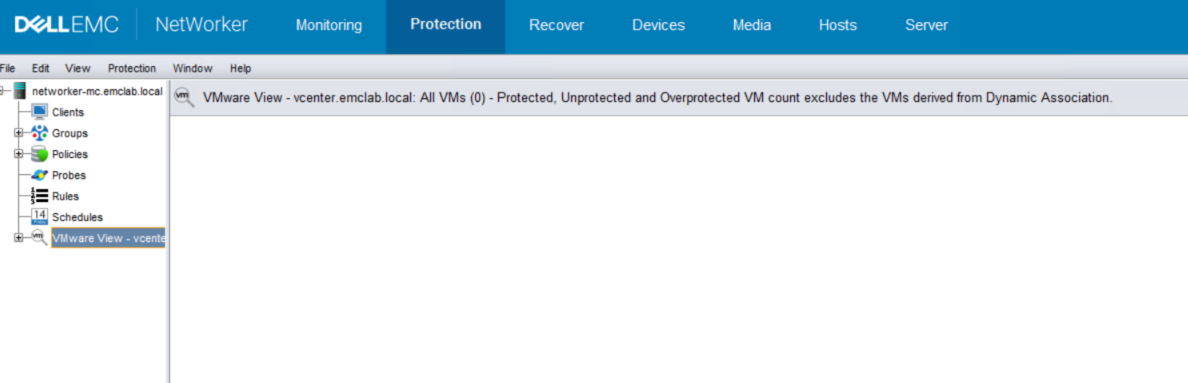
图 1:NMC 的 VMware 视图选项卡不显示任何内容。
Cause
vCenter 使用自定义角色添加到 NetWorker。VMware 用户在 vCenter 级别分配全局 权限,但 传播 设置为 False 。
Resolution
- 确认哪个用户帐户用于将 vCenter 添加到 NetWorker。这是在 NetWorker 服务器上使用 nsradmin 命令完成的:
nsradmin
print type: nsr hypervisor
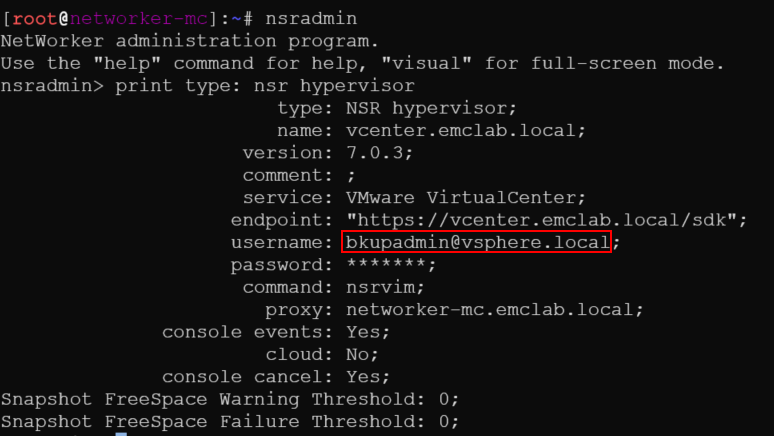
图 2:nsradmin 命令查找用户名的结果
提醒:具有管理权限的 VMware 管理员或团队或 VMware 用户帐户必须完成以下操作。
- 登录到 vCenter vSphere Web Client 并使用 administrator@vsphere.local 帐户(或其他管理员级别帐户)登录。
- 转至 Administration > Access Control > Global Permissions ,然后从步骤 1 中查找用户帐户。

图 3:从步骤 1 >用户帐户管理>访问控制>全局权限
- 确保选中“传播”并识别 角色:
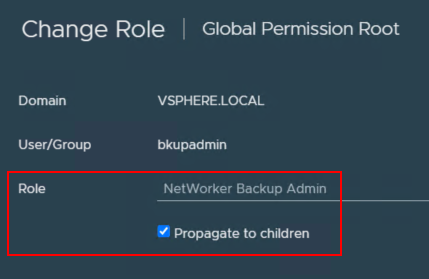
图 4:确保为角色选中“传播”。
- 转至 Administration > Access Control > Roles ,并确保它显示将传播设置为 True 的正确 VMware 用户帐户。

图 5:将传播设置为 True 的用户帐户>管理>访问控制>角色
提醒:此字段应仅显示 true。如果它有两个条目显示“False”和“True”,则问题仍然存在。
- 返回到 NMC 并确保 VMware View 加载并显示 VMware 资源。
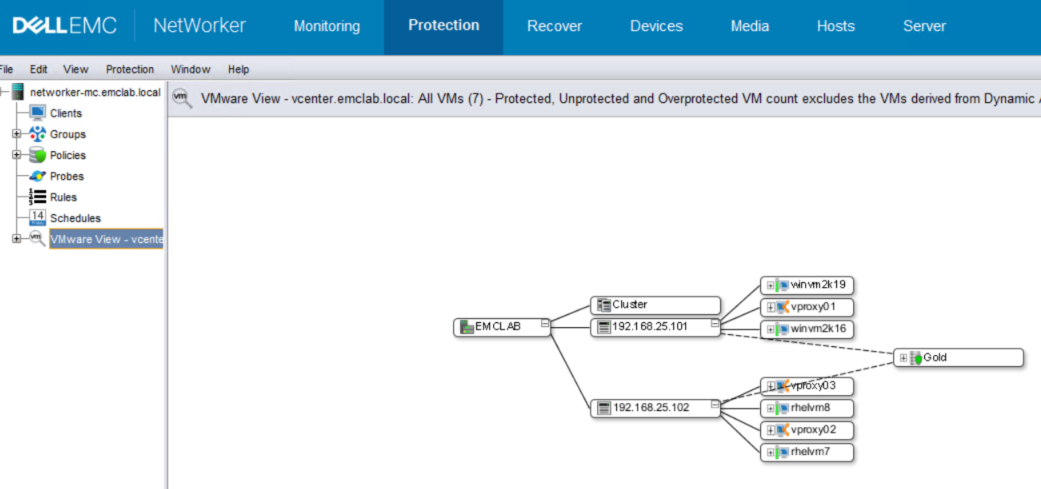
图 6:NMC 显示 VMware View 加载并具有 VMware 资源。
- 如果 VMware 视图加载正确,请返回到设备 > VMware 代理并注册 vProxy。
Affected Products
NetWorkerProducts
NetWorker SeriesArticle Properties
Article Number: 000215265
Article Type: Solution
Last Modified: 27 Mar 2025
Version: 4
Find answers to your questions from other Dell users
Support Services
Check if your device is covered by Support Services.