VxRail: How to Resolve "Failure detected on Internal Dual SD Module SD1 "
Summary: How to resolve "Failure detected on Internal Dual SD Module SD1"
This article applies to
This article does not apply to
This article is not tied to any specific product.
Not all product versions are identified in this article.
Instructions
How to resolve "Failure detected on Internal Dual SD Module SD1"
Check the iDRAC console for all the nodes.
The VxRail node has reported a critical alert on the system.
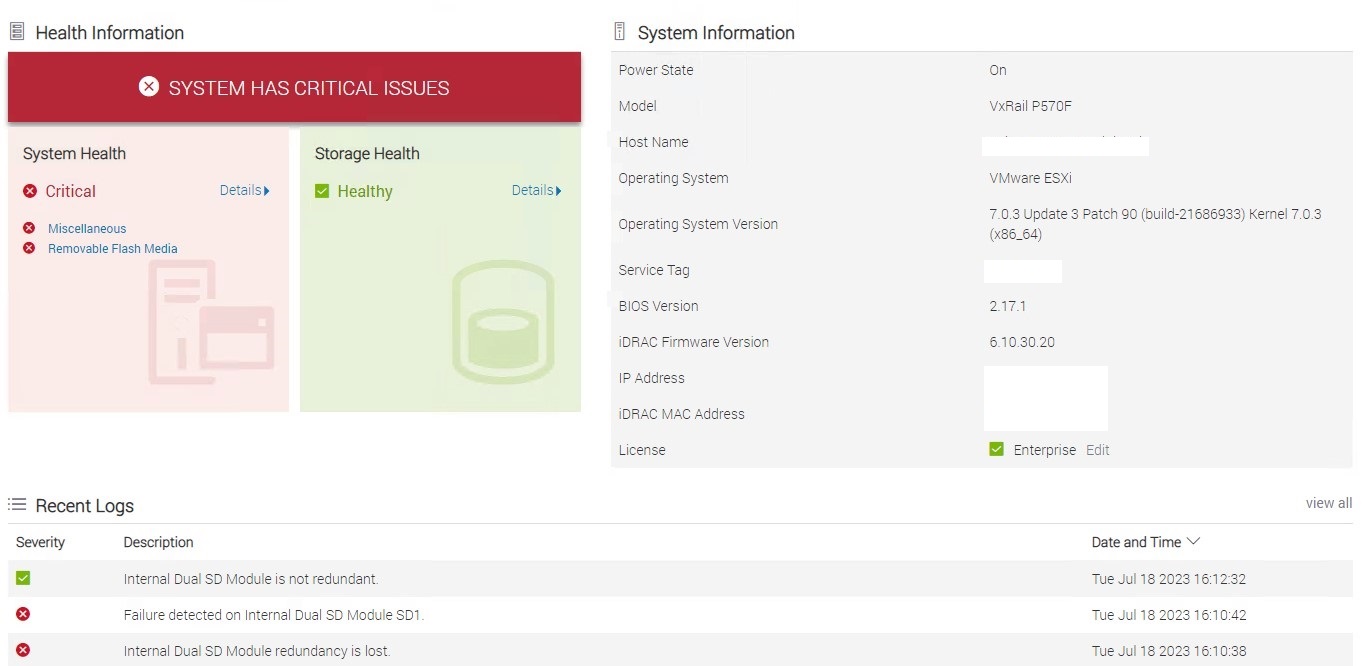 Figure 1: iDRAC Critical Alert
Steps to follow:
1. Reach out to Dell support and request a Service Request be opened with the error message. Assuming a Dial home has not already opened one.
2. Place the ESXi node in Maintenance mode and keep the node ready for the activity.
3. Once the Engineer is onsite, Shut down the ESXi server.
4. Keep the iDRAC page open.
5. Once the part is replaced, check the system. It should report warnings as the rebuilding of the SD Module occurs in the background.
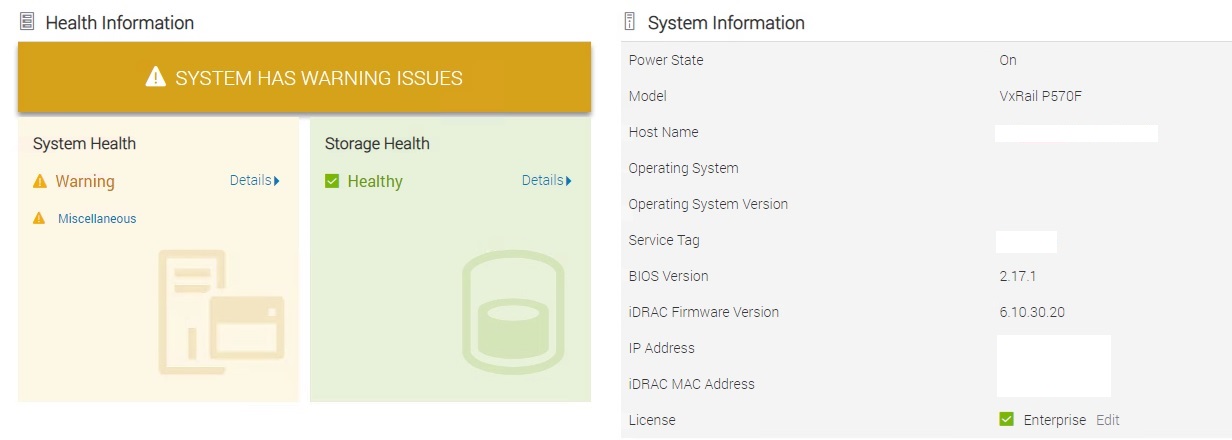 Figure 2: iDRAC Warning alert
6. Navigate to Maintenance, click Lifecycle log, and check for the Event code "RRDU0006" which confirms that the rebuild has been initiated.

Figure 3: Rebuild initiated
7. Monitor the logs and find the event code "RRDU0007" which says that the rebuild was completed successfully.

Figure 4: Rebuild completed
8. Power the server back on and verify that everything is ok.
9. Remove the host from Maintenance mode.
9. Remove the host from Maintenance mode.
Affected Products
VxRail, VxRail 460 and 470 Nodes, VxRail Appliance Family, VxRail Appliance SeriesArticle Properties
Article Number: 000215964
Article Type: How To
Last Modified: 26 May 2026
Version: 2
Find answers to your questions from other Dell users
Support Services
Check if your device is covered by Support Services.