PowerProtect Data Manager: VM FLR Stuck at "Mounting disks" Step
Summary: PowerProtect Data Manager File Level Recovery (FLR) of a VM is stuck or not responding when attempting to mount disks on the target VM.
This article applies to
This article does not apply to
This article is not tied to any specific product.
Not all product versions are identified in this article.
Symptoms
The recovery hangs at the 'Mounting disks' step when performing VM File Level Recovery (FLR):
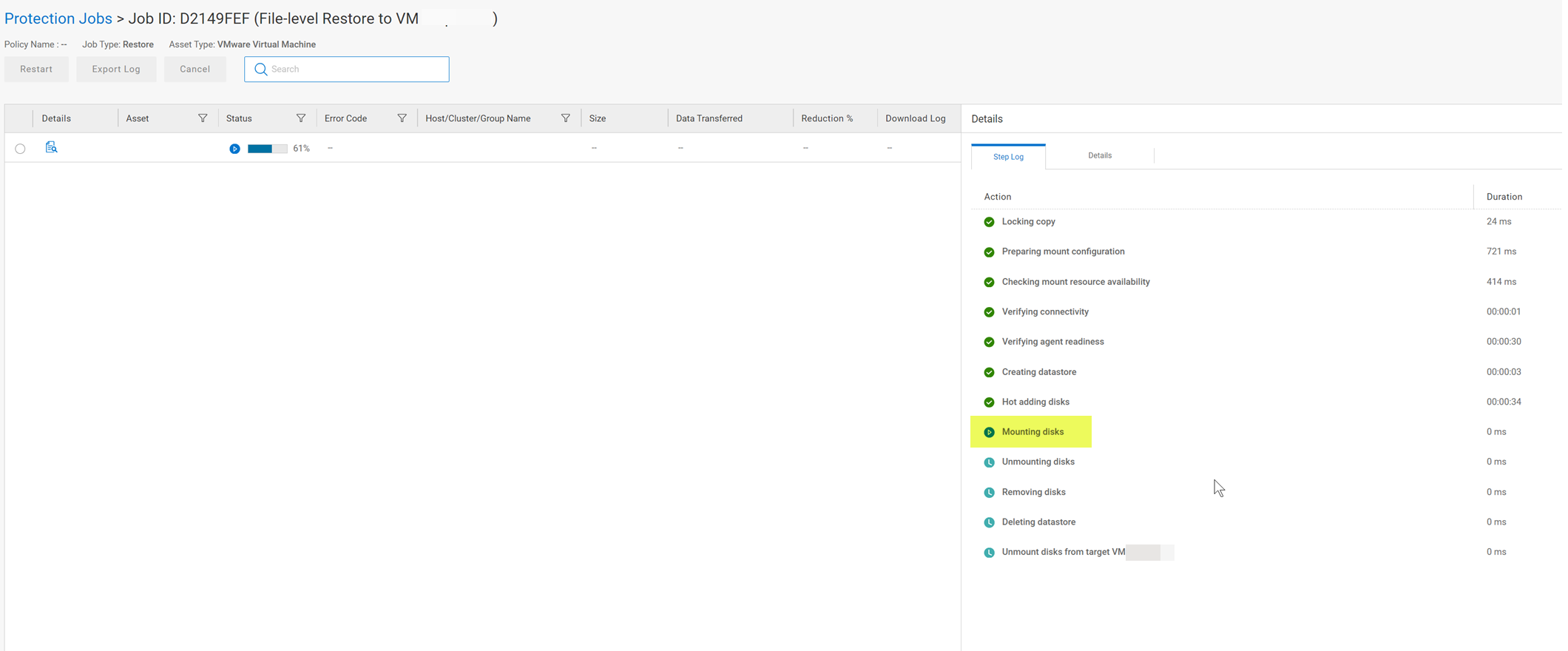
The mount UI shows a message: "mounting virtual disks on" and the mount stops responding in this state.

The mount UI shows a message: "mounting virtual disks on" and the mount stops responding in this state.
Cause
The source VM has mount points.
Resolution
File level Recovery of VM with mount points is not supported. As a workaround, perform Instant Access restore.
Affected Products
PowerProtect Data ManagerArticle Properties
Article Number: 000219557
Article Type: Solution
Last Modified: 30 Nov 2023
Version: 2
Find answers to your questions from other Dell users
Support Services
Check if your device is covered by Support Services.