NetWorker: How to perform NetWorker Client software inventory in CLI
Summary: This operation can be performed from the NetWorker Server directly without logging into each client machine individually or without the use of third-party software.
This article applies to
This article does not apply to
This article is not tied to any specific product.
Not all product versions are identified in this article.
Instructions
Below commands must be run in the following sequence:
Step 1:
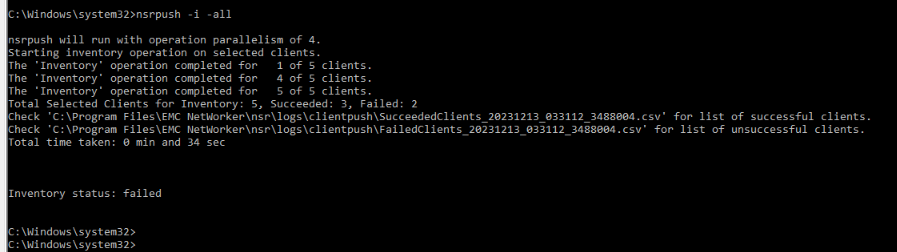
nsrpush -i -all
This performs inventory on all clients. This can be limited to a specific host by using the client name instead of option "-all"
Logs for successful/failed inventory operations can be found at the below location on the NetWorker Server along with the error message to troubleshoot the error:
NetWorker-Installation-Path\nsr\logs\clientpush\
Step 2:
nsrpush -s -t -all > output.txt
This lists all the NetWorker packages installed on each client in tabular form and directs the output to the file "output.txt." This can be limited to a specific host by using the client name instead of option "-all"

Additional Information
More details on the additional options provided by nsrpush can be check from the NetWorker Command Reference Guide. NetWorker documentation is available through: Support for NetWorker | Manuals & Documents (You must sign in with your Dell support account).
Affected Products
NetWorkerArticle Properties
Article Number: 000220483
Article Type: How To
Last Modified: 06 Apr 2026
Version: 3
Find answers to your questions from other Dell users
Support Services
Check if your device is covered by Support Services.